ERP systems can improve visibility, automate workflows, connect departments, and support better decision-making. But an ERP project only delivers value when it is planned and implemented properly.
Many ERP projects struggle because businesses underestimate the planning, data migration, testing, training, integration, and post-go-live support required. The result is often delayed implementation, frustrated users, poor adoption, higher costs, and lower ERP ROI.
To avoid these problems, businesses need to understand the most common ERP mistakes before selecting, customizing, or deploying a new ERP system.
Here are the top ERP mistakes to avoid and practical ways to protect your ERP investment.
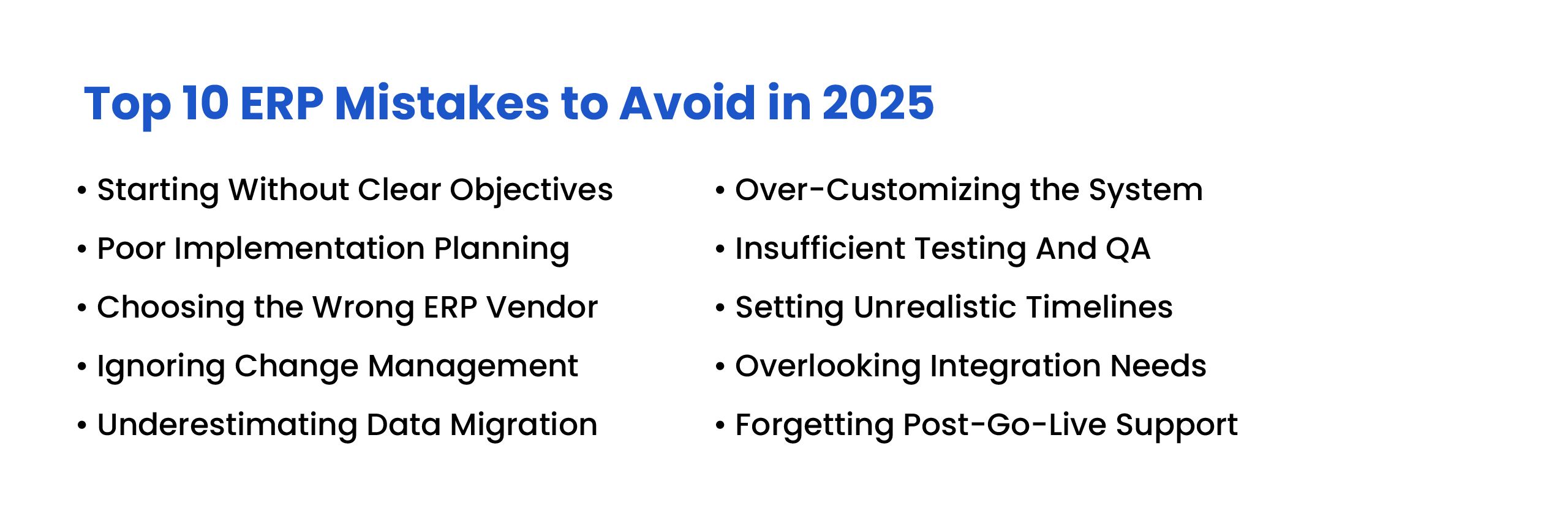
Top 10 ERP Mistakes to Avoid
1. Starting Without Clear Objectives
One of the biggest ERP mistakes is starting the project without clear business goals. If the company does not know what problems the ERP should solve, the project can easily become expensive, unfocused, and difficult to measure.
Before selecting an ERP system, businesses should identify the main pain points across departments. This may include inventory errors, slow approvals, manual reporting, disconnected systems, delayed order processing, poor financial visibility, or lack of workflow automation.
How to avoid this mistake: Create a clear ERP plan with measurable outcomes. Examples include reducing manual data entry, improving inventory accuracy, automating approvals, speeding up reporting, or improving order visibility. These goals help measure ERP ROI after implementation.
2. Poor ERP Implementation Planning
ERP implementation needs a structured plan. Many projects fail because timelines are unclear, responsibilities are not assigned, risks are ignored, and teams do not understand what needs to happen at each stage.
An ERP rollout should be divided into clear phases such as discovery, requirement mapping, configuration, customization, data migration, integration, testing, training, go-live, and post-go-live support.
How to avoid this mistake: Build a realistic ERP implementation roadmap from the beginning. Assign roles, define deadlines, document dependencies, and review progress regularly. ERP implementation is not a casual software install. It is more like surgery, except somehow there are more spreadsheets involved.
Our ERP implementation guide lays out the project phases in more detail.
3. Choosing the Wrong ERP Vendor
Choosing an ERP vendor based only on price, popularity, or a polished demo can create long-term problems. The right ERP partner should understand your business processes, industry requirements, customization needs, integration goals, and support expectations.
A vendor that does not take time to understand your workflows may recommend software that looks good during the demo but fails during real operations.
How to avoid this mistake: Review vendor experience, case studies, technical capability, support model, customization approach, and integration expertise. For businesses with complex workflows, consider whether the vendor can support ERP customization, open-source ERP frameworks, or custom ERP development.
4. Ignoring Change Management
ERP implementation is not only a technical project. It changes how people work. Even a well-built ERP system can fail if employees are not prepared, trained, or involved early.
When users do not understand why the ERP is being implemented, they may resist the change or continue using old manual processes outside the system.
How to avoid this mistake: Involve department leaders and users early in the project. Explain the purpose of the ERP, provide role-based training, collect feedback, and create internal champions who can support adoption across teams.
5. Underestimating Data Migration
Data migration is one of the most important parts of ERP implementation. A new ERP system cannot fix poor-quality data automatically. If old, duplicate, incomplete, or inaccurate data is moved into the new system, the ERP will start with the same problems.
Common data migration issues include duplicate customer records, outdated product details, missing supplier information, inconsistent naming, incorrect inventory counts, and incomplete financial records.
How to avoid this mistake: Start ERP data migration planning early. Clean the data, map fields correctly, remove duplicates, validate important records, back up existing data, and test migration with real business scenarios before go-live.
6. Over-Customizing the ERP System
Customization can make an ERP system fit your business better, but too much customization can make the system harder to maintain, test, upgrade, and support.
Some businesses try to recreate every old workflow inside the new ERP. This often leads to unnecessary complexity and higher costs. On the other hand, too little customization can leave important business needs unmet.
How to avoid this mistake: Customize only where there is a clear business reason. Use standard ERP functionality when it fits the process, and customize workflows that directly affect efficiency, compliance, reporting, or customer experience.
7. Insufficient Testing and Quality Assurance
Skipping or rushing ERP testing can lead to serious problems after go-live. Broken workflows, incorrect reports, failed integrations, slow performance, and permission errors can disrupt daily operations.
ERP testing should include unit testing, integration testing, user acceptance testing, security testing, and performance testing. Real users should test actual business scenarios, not just ideal demo flows.
How to avoid this mistake: Test every important workflow before launch, including sales orders, purchase orders, inventory updates, invoices, approvals, returns, reports, user permissions, and integrations. Testing may feel slow, but production disasters are slower. And louder.
8. Setting Unrealistic Timelines
ERP implementation takes time because it affects multiple departments, systems, workflows, and users. Rushing the project can lead to skipped planning, weak testing, poor training, and incomplete integrations.
Unrealistic timelines often create pressure to go live before the system is ready, which can hurt adoption and business continuity.
How to avoid this mistake: Set realistic timelines with buffer time for testing, feedback, fixes, data validation, training, and phased rollout. A practical timeline protects ERP ROI better than a rushed launch date.
9. Overlooking ERP Integration Needs
ERP systems rarely work alone. Most businesses need ERP integration with CRM, ecommerce platforms, accounting tools, HR systems, warehouse software, shipping carriers, payment gateways, analytics tools, or third-party applications.
If integration needs are ignored during ERP selection, businesses may end up with disconnected systems, duplicate data entry, manual reconciliation, and reporting gaps.
How to avoid this mistake: List all systems that need to connect with the ERP before vendor selection. Review APIs, connectors, data flow requirements, security needs, and integration ownership early in the project.
10. Forgetting Post-Go-Live Support
ERP success does not end at go-live. The first few weeks and months after launch are critical. Users may need help, workflows may need adjustments, reports may need refinement, and integrations may need monitoring.
Without post-go-live support, the ERP system can become underused, poorly maintained, or abandoned by teams who return to spreadsheets and manual work.
How to avoid this mistake: Create a 90-day post-go-live support plan. Include user support, feedback sessions, bug fixes, performance reviews, reporting improvements, and regular system checks.
ERP Mistakes vs Better ERP Practices
| ERP Mistake | Better Practice |
|---|---|
| Starting without clear objectives | Define measurable ERP goals and expected business outcomes |
| Poor implementation planning | Create a phased ERP roadmap with clear roles and deadlines |
| Choosing the wrong vendor | Evaluate expertise, support, customization, and integration capability |
| Ignoring change management | Train users early and involve department leaders |
| Underestimating data migration | Clean, map, validate, and test data before go-live |
| Over-customizing the system | Customize only where it creates clear business value |
| Weak testing and QA | Test real workflows, integrations, reports, and permissions |
| Unrealistic timelines | Use realistic schedules with buffer time |
| Ignoring integration needs | Plan APIs, connectors, and data flows early |
| No post-go-live support | Create a support roadmap for users, fixes, and improvements |
How NOI Technologies Helps Businesses Avoid ERP Mistakes
NOI Technologies helps businesses plan, customize, implement, integrate, and support ERP systems based on real operational needs. Our team works with custom ERP development, open-source ERP frameworks including Moqui ERP development, ERP modernization, workflow automation, data migration, system integration, and long-term ERP support.
We help businesses define ERP goals, choose the right architecture, avoid unnecessary customization, plan data migration, connect existing systems, test workflows, and support teams after go-live.
Whether you are implementing your first ERP system, replacing legacy software, or building a customized ERP solution, the right planning can help you avoid costly mistakes and improve ERP ROI.
Final Thoughts
ERP mistakes can lead to budget overruns, delayed implementation, poor adoption, inaccurate reporting, and low ROI. Most of these problems can be avoided with clear goals, proper planning, realistic timelines, clean data, user training, careful testing, and post-go-live support.
A successful ERP system should simplify operations, connect departments, improve visibility, and support long-term business growth.
When ERP implementation is handled with the right strategy and technical support, businesses can avoid common pitfalls and turn ERP into a practical foundation for better operations.
Need Help Avoiding ERP Implementation Mistakes?
Talk to NOI Technologies about ERP consulting, custom ERP development, open-source ERP frameworks, data migration, integration, and long-term ERP support.
FAQs About ERP Mistakes
What are the most common ERP mistakes?
The most common ERP mistakes include unclear goals, poor planning, wrong vendor selection, weak change management, poor data migration, over-customization, insufficient testing, unrealistic timelines, ignored integrations, and lack of post-go-live support.
Why do ERP implementations fail?
ERP implementations often fail because of unclear requirements, poor planning, low user adoption, bad data quality, weak testing, integration issues, unrealistic deadlines, and insufficient support after launch.
How can businesses improve ERP ROI?
Businesses can improve ERP ROI by defining clear goals, automating high-value workflows, cleaning data, training users, avoiding unnecessary customization, integrating key systems, and monitoring performance after go-live. For a calculation framework, see our guide to ERP ROI.
Is ERP customization a mistake?
ERP customization is not a mistake when it solves a real business problem. It becomes risky when businesses over-customize the system without considering cost, maintenance, testing, and future upgrades.
Why is post-go-live support important in ERP?
Post-go-live support helps users adapt to the ERP system, resolve issues, improve workflows, fix bugs, monitor integrations, and make sure the system continues to support business operations.