

1. Workflow Assessment
We walk through how stock moves in your operation, where people rely on spreadsheets or workarounds, and which rules the system has to respect.
Build or modernize a warehouse management system around your receiving, inventory, picking, packing, shipping, replenishment, and integration requirements.
NOI Technologies develops custom and open-source warehouse systems for businesses whose operations have outgrown rigid off-the-shelf workflows.












A warehouse management system needs to reflect how your team receives stock, controls inventory, picks orders, handles exceptions, and ships goods. NOI Technologies builds and modernizes WMS workflows around those operational rules, including the integrations needed to keep warehouse and business systems aligned.
Some of our clients run one warehouse. Others juggle several locations, dozens of clients, and strict rules about who owns which stock. Either way, we start by mapping how your warehouse actually works, then decide what to build, what to extend, and what to connect.
We walk through how stock moves in your operation, where people rely on spreadsheets or workarounds, and which rules the system has to respect.

We develop the receiving, inventory, fulfillment, permissions, and reporting workflows agreed in the assessment, showing you working pieces as we go.

We connect the WMS to your ERP, ecommerce, carrier, and accounting systems, and decide upfront which system owns which data and what happens when an update fails.

We test the scenarios that would hurt most if they broke, check migrated data, and roll out in phases so the warehouse keeps shipping while the change happens.
No two warehouses run the same way. Receiving rules, picking methods, and return procedures change with the product, the order volume, and the business model. So instead of forcing your team into a fixed process, we shape each workflow around how stock really comes in, moves around, and goes out.

Receive against purchase orders or advance shipment notices, scan items as they arrive, and catch short or damaged deliveries at the dock. Putaway rules then send stock to the right zone or bin based on size, product type, and available space.

Track stock down to the bin, lot, or serial number if you need to. Reservations, transfers, holds, and damaged goods all have their own status, so everyone sees what's actually available.

Pick by order, batch, wave, or zone, whichever fits how you fulfill. At packing, barcode and quantity checks catch mistakes before a box leaves the building.

Move stock from reserve to pick locations before pickers find an empty shelf. Triggers can be based on minimum levels, upcoming orders, or pick-face capacity.

Pack, pick a carrier, print the label, confirm the shipment, and send tracking updates in one flow, set up around the carriers and checks you already use.

Receive returns, inspect them, record their condition, and decide what happens next: restock, repair, exchange, quarantine, or dispose, all following your rules.

Run cycle counts as part of normal work instead of shutting down for a big annual count. Reason codes and approvals keep a clear record of every change.

See receiving status, picking progress, exceptions, and stock movements as they happen. For deeper analysis across warehouses and systems, see our warehouse data and analytics services.
We built Fulfillment Plus NY a custom Moqui-based ERP system with a WMS at its core, designed around the way their fulfillment operation runs day to day. Warehouse activity, inventory, orders, and reporting all live in one system.
Back-office staff, warehouse teams, and Fulfillment Plus's own clients each get tools made for their role. Read the full Fulfillment Plus NY WMS case study. This project is part of our broader Moqui development and consulting work.
Discuss Your WMS RequirementsFulfillor is our ready-to-use WMS and OMS for 3PLs. It handles inventory, orders, and fulfillment across multiple clients and warehouses, and it's usually the quickest way to get a proven system running without a custom build.
If your operation needs something Fulfillor wasn't designed for, such as unusual workflows, a different architecture, or deep custom integrations, we'll scope a custom WMS instead. We'll tell you honestly which option fits.
Book a Fulfillor WMS Demo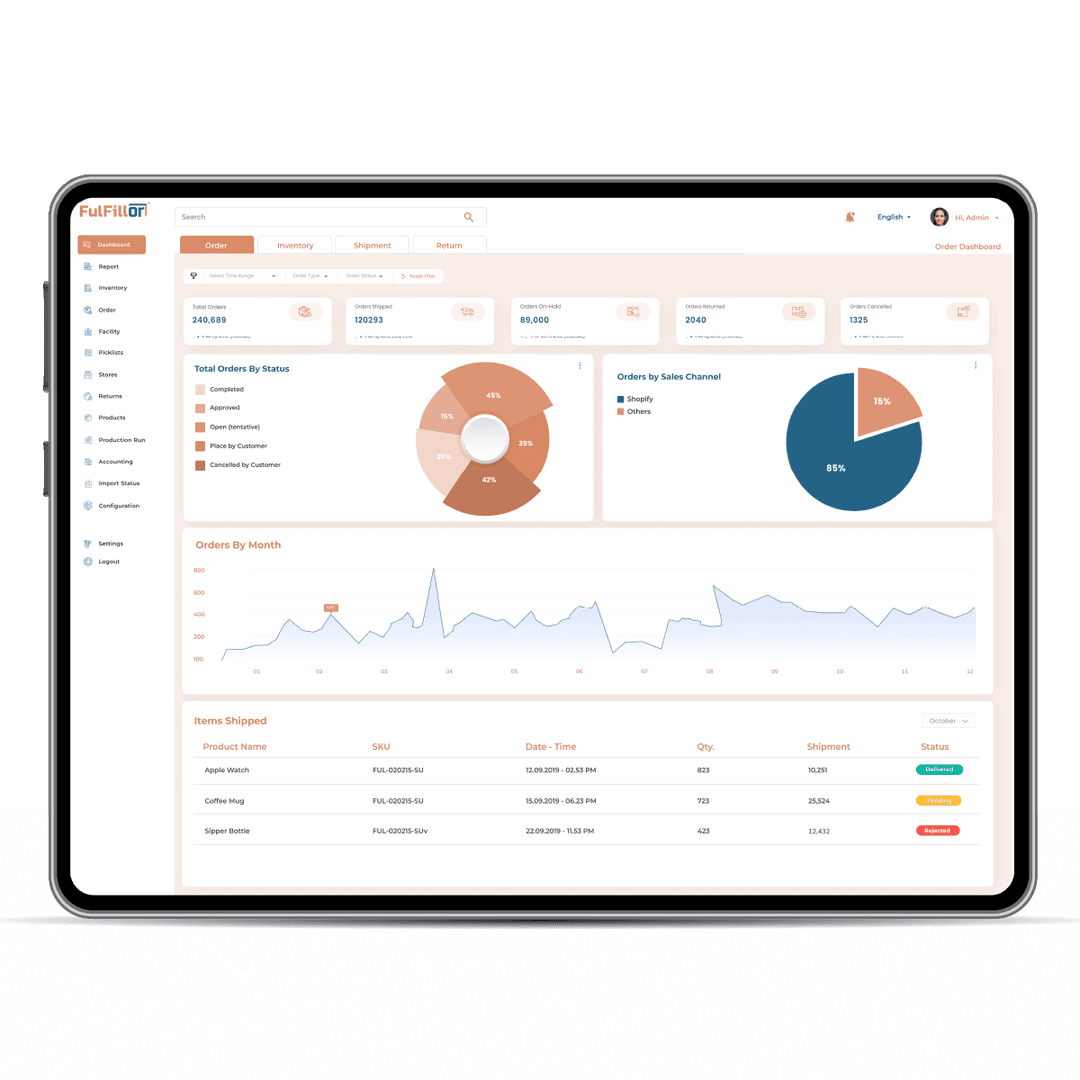

Define inventory ownership, client-specific workflows, warehouse locations, dispatch checks, and reporting requirements for operations serving multiple customers or facilities.