Accounting software records financial activity and helps teams turn transactions into usable reports. Its core features usually include a general ledger, invoicing, accounts payable, accounts receivable, bank reconciliation, and financial reporting. Depending on the business, it may also need fixed asset tracking, approval workflows, and connections to inventory, payroll, or an ERP system.
The best choice depends on the work your team needs to complete. A small service business may care most about invoicing and payment follow-up. A company with several locations may need stronger controls, consolidated reporting, and a way to reconcile transactions from multiple systems. Use the features below to identify what matters before comparing products.
What Does Accounting Software Do?
Accounting software captures transactions such as invoices, bills, payments, and expenses, then organizes them for bookkeeping and financial reporting. It helps a business track what it owns, what it owes, what customers owe, and how much it earns or spends. The software can reduce manual entry, but the results still depend on accurate records, clear approval rules, and regular review.
Key Features of Accounting Software
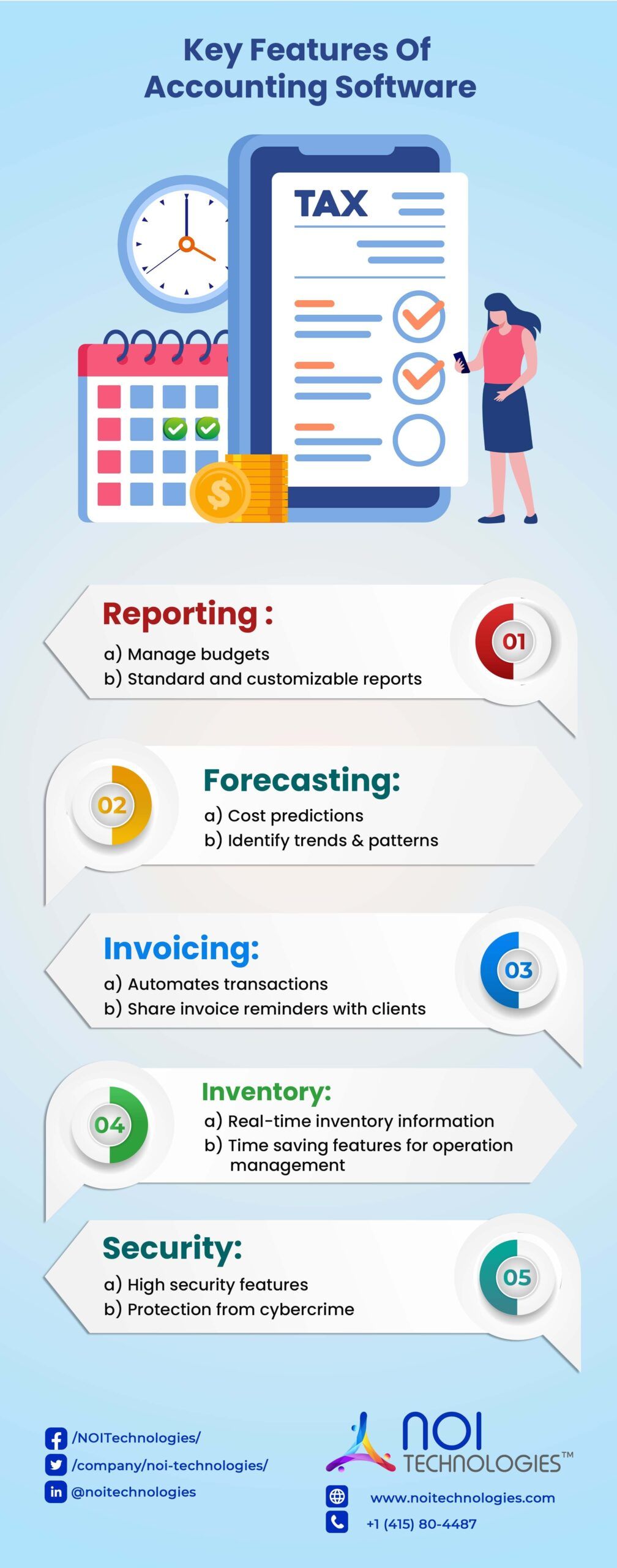
Features vary by product and plan. Some systems include the capabilities below as standard, while others provide them through add-ons or integrations. When evaluating a product, check how a feature works in your actual workflow rather than relying on a feature-list label.
1. General Ledger
The general ledger organizes transactions into accounts such as cash, revenue, expenses, assets, and liabilities. It provides the foundation for financial statements and helps the accounting team review how individual transactions affect the business.
What to check: Can users trace a report balance back to its transactions? Can the team organize accounts around its departments, locations, or other reporting needs without creating an unnecessarily complicated chart of accounts?
2. Accounts Receivable and Invoicing
Accounts receivable tools help a business issue invoices, record customer payments, track outstanding balances, and follow up on overdue amounts. Some products also support recurring invoices, payment links, and customer statements.
What to check: Follow a real customer order through invoicing and payment. Check whether the software handles partial payments, credits, disputed invoices, and the information your team needs for collection follow-ups.
3. Accounts Payable and Bill Management
Accounts payable features record supplier bills, due dates, approvals, and payments. A useful workflow shows who submitted a bill, who approved it, when payment is due, and whether it has already been paid.
What to check: If several employees purchase on behalf of the business, test how bills move through approval. Confirm that the system helps prevent duplicate entry and lets the team find the original bill and its payment history.
4. Bank Reconciliation
Reconciliation compares transactions recorded in the accounting system with activity on a bank account. It helps the team identify missing entries, duplicate records, timing differences, and payments that have not cleared.
What to check: Can your team match imported bank transactions to invoices, bills, and expenses? More importantly, can it investigate unmatched items without marking them as complete just to finish the reconciliation?
5. Financial Reports and Dashboards
Common accounting reports include the income statement, balance sheet, cash flow statement, aged receivables, and aged payables. Dashboards can make changes easier to notice, but they should lead back to the transactions behind each number.
What to check: Choose three reports your team uses every month. Confirm that the software produces them with the right account structure, date ranges, and department or location detail. Ask how corrections to past transactions appear in later reports.
6. Fixed Asset Tracking
Businesses with equipment, vehicles, or other long-lived assets may need to record purchases, track asset details, and manage depreciation entries. The level of detail required depends on the number of assets and how the finance team maintains its records.
What to check: Determine whether a simple asset register meets your needs or whether the business requires a dedicated fixed asset module. Check how purchases, disposals, and adjustments reach the general ledger.
7. Access Controls and Audit History
Accounting records often pass through several hands. Role-based access can limit who creates vendors, approves payments, edits transactions, or views sensitive reports. An audit history helps reviewers see what changed and who made the change.
What to check: Try a typical approval scenario. Can the same person create a supplier, approve a bill, and release its payment, or can those responsibilities be separated? Check whether authorized reviewers can examine changes after a transaction is posted.
8. Integrations With Other Business Systems
Financial data may originate in ecommerce, point-of-sale, payroll, inventory, billing, or order management systems. Integrations can reduce reentry, but they need clear rules about which system owns each record and what happens when an update fails.
What to check: Select one high-volume transaction, such as an online sale or inventory purchase, and map its path into the accounts. Ask whether the integration sends individual transactions or summaries, how often it updates, and how the team resolves mismatches.
How to Choose the Right Accounting Software Features
Start with the transactions that consume the most time or cause the most corrections. List the reports the business must produce, the people who enter or approve records, and the systems that supply financial data. Then test a few complete workflows in each product you are considering.
- For a service business: Prioritize invoicing, expense tracking, payment follow-up, and project or customer reporting if those activities drive the workload.
- For a retailer or distributor: Check how sales, purchasing, returns, and inventory values reach the accounting records.
- For a multi-location business: Examine access by location, reporting across entities or departments, approvals, and the process for closing each accounting period.
Also ask what is included in the quoted plan. A feature may exist but require a higher subscription tier, an add-on, implementation work, or another application. The total cost includes the effort to set up accounts, migrate records, train users, maintain integrations, and support the system after launch.
When Does Accounting Software Need ERP Integration?
Standalone accounting software may be sufficient when financial records can be maintained without extensive coordination with other operations. ERP integration becomes more relevant when orders, inventory, procurement, fulfillment, or other workflows need to share dependable data with finance.
For example, a distributor may receive orders in one system, ship them through a warehouse system, and create invoices in accounting software. If the records do not stay aligned, finance may need to investigate missing invoices, incorrect stock values, or differences between shipped and billed orders. The first step is to identify the broken handoff. Connecting existing systems may solve it; a broader custom ERP approach may be appropriate when the underlying workflows also need to change.
Frequently Asked Questions About Accounting Software Features
What are the most important features of accounting software?
Most businesses need a general ledger, accounts payable, accounts receivable, bank reconciliation, and financial reporting. The priority of additional features depends on the business's transactions, reporting needs, approval process, and connected systems.
Does accounting software replace an ERP system?
Accounting software can manage financial records, but it may not cover the operational workflows a business manages through ERP. Whether both are needed depends on how orders, inventory, purchasing, and other activities connect to finance.
Choose Features Around the Work Your Team Does
A long feature list does not guarantee a good fit. Test the transactions your team handles every day, confirm how exceptions and approvals work, and check that reports reflect the underlying records. If disconnected financial and operational systems are creating repeated corrections, discuss the workflow with NOI Technologies to determine what needs to connect.