An ERP app feature list becomes useful when it explains what each user must do, which data the feature needs, and how the team will know it works. “Add inventory management,” for example, is too broad to guide development. “Prevent an order from allocating stock that is unavailable at its fulfillment location” describes a behavior the team can design and test.
Use the checklist below to turn ERP app ideas into requirements. The examples are illustrative, so adapt them to your workflows, systems, and first-release scope.
Start With One Complete Business Workflow
Before choosing modules, follow a transaction from beginning to end. For an order, that might mean receiving it, checking stock, approving a price exception, allocating inventory, shipping it, issuing an invoice, and recording a return if needed. Identify the person and system responsible at each point.
Record the normal path and the exceptions. What happens if stock is missing, an approval is delayed, a shipment is canceled, or an integration stops responding? These cases often reveal requirements that a list of standard ERP modules misses.
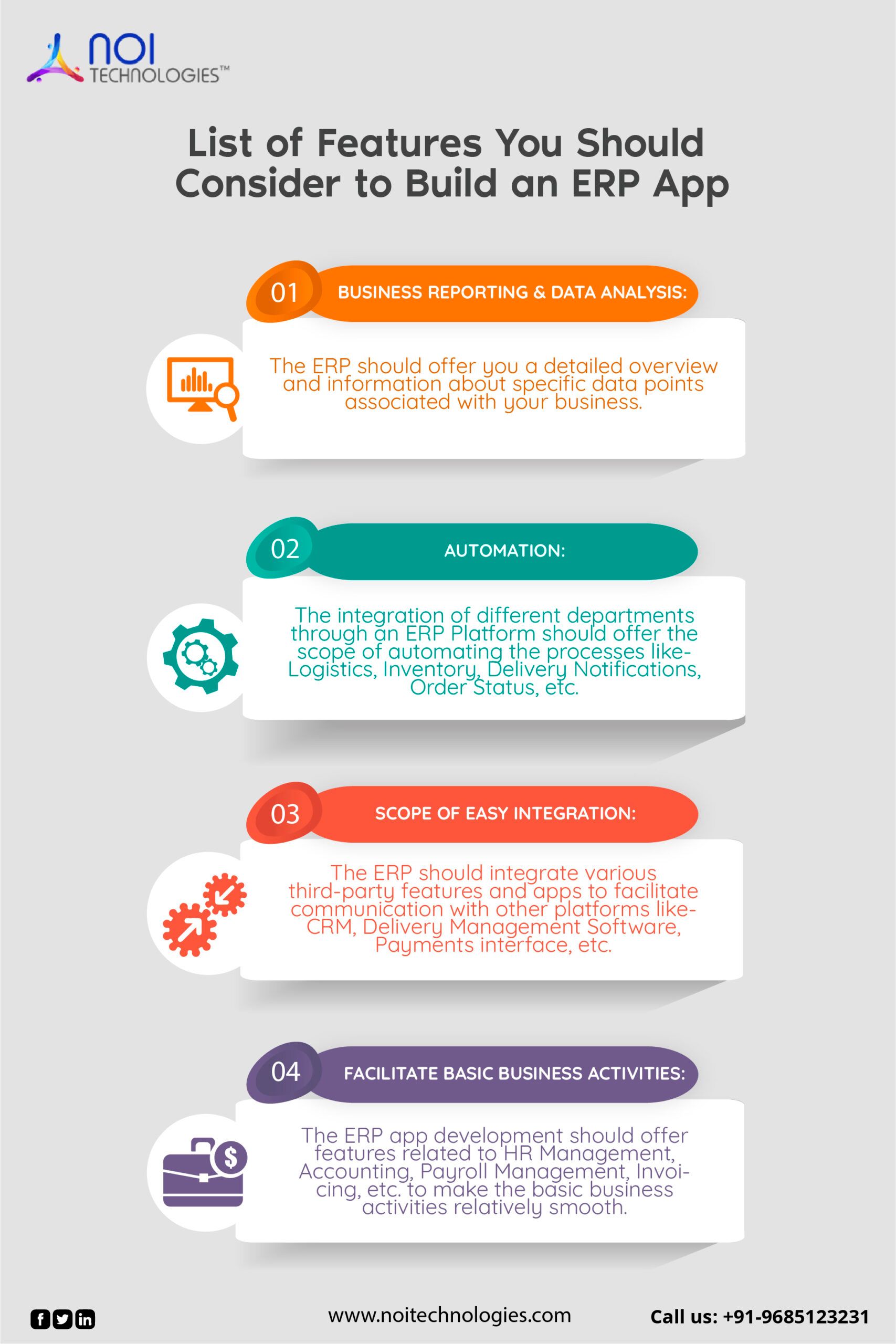
ERP App Features and Requirements Checklist
1. Shared Customer, Product, and Supplier Records
The app needs dependable records for the people, products, and organizations used across workflows. Define which fields are required, who can create or change them, and whether another system owns the original record.
Example requirement: When sales creates a new customer, the app must check for a matching account before allowing another record with the same identifying details.
Acceptance check: Create a customer, edit its billing address, and confirm that authorized users see the approved change wherever that address is used. Test what happens when a possible duplicate is entered.
2. Orders and Business Rules
Order features should reflect the decisions made between a request and its completion. Document pricing, discounts, approval limits, cancellations, partial fulfillment, and returns instead of asking only for an “order management module.”
Example requirement: An order with a discount above the salesperson's approved limit must wait for manager approval before it is released for fulfillment.
Acceptance check: Submit orders below and above the limit. Confirm that the correct order moves forward, the exception reaches the right approver, and the app records the decision.
3. Inventory and Location Control
Define the inventory information users need to act on: available quantity, reserved quantity, location, stock status, and any lot, serial, or expiration details relevant to the products. Decide which activities update each quantity.
Example requirement: The app must not allocate units already reserved for another approved order at the same location.
Acceptance check: Place two orders against limited stock, then cancel one. Confirm that allocation prevents overselling and that the canceled order releases its reservation correctly.
4. Purchasing and Receiving
Purchasing requirements should describe how a request becomes a purchase order, who approves it, and how received quantities are recorded. Include partial deliveries, damaged goods, and differences between ordered and received quantities.
Example requirement: A receiver must be able to record a partial delivery without marking the entire purchase order complete.
Acceptance check: Receive fewer units than ordered and confirm that the remaining quantity stays open, inventory reflects only the accepted units, and purchasing can identify the difference.
5. Invoicing and Financial Handoffs
Determine what event permits an invoice to be created and which details finance needs from sales, purchasing, or fulfillment. If accounting remains in a separate system, define what the ERP app sends and how failed transfers are handled.
Example requirement: A shipped order must create an invoice-ready record containing the approved price, shipped quantities, customer billing details, and applicable adjustments.
Acceptance check: Partially ship an order and verify that the invoice-ready record reflects what was shipped. Correct an order afterward and confirm that the change follows an approved adjustment process rather than silently overwriting financial history.
6. Roles, Approvals, and Audit History
List each user role and the records it may view, create, edit, approve, or delete. Include temporary access, approval limits, and actions that require a second person. Record changes that reviewers may need to investigate later.
Example requirement: A user who changes a supplier's payment details cannot approve the next payment to that supplier.
Acceptance check: Test the workflow using accounts with different roles. Confirm that an unauthorized action is blocked and that the audit history shows who changed the record and when.
7. Integrations and Failure Handling
For each connected system, define the records exchanged, the direction of the update, the system that owns the data, and the expected timing. Include a way to detect, retry, and resolve failed exchanges.
Example requirement: If a warehouse system cannot send a shipment confirmation, the ERP app must flag the affected order for review instead of continuing to show an unverified shipping status.
Acceptance check: Send a valid update, then simulate a failed and a duplicate update. Confirm that the app records the error, avoids duplicate transactions, and lets an authorized user resolve it.
8. Reports With Defined Calculations
Specify the decision each report supports before designing a dashboard. For every measure, define its data source, calculation, filters, refresh timing, and intended users.
Example requirement: The open-orders report must distinguish orders awaiting approval, stock, picking, and shipment.
Acceptance check: Move an order through those states and confirm that it appears in the correct category each time. Compare the report totals with the underlying order records.
Turn the Checklist Into a First-Release Scope
Mark each requirement as required for launch, suitable for a later phase, or dependent on another system. A first release should support a complete workflow rather than several disconnected screens. For example, launching order entry without reliable inventory allocation or a financial handoff may leave employees maintaining the same spreadsheets alongside the new app.
Give each launch requirement an owner, an example transaction, and an acceptance check. Record unresolved decisions separately, including data ownership, integration access, approval rules, and migration needs. That gives business users and developers a shared way to review scope.
What This Checklist Does Not Replace
This page helps define app behavior. It does not cover the full development process, deployment choices, migration plan, or project budget. For those decisions, read NOI Technologies' ERP application development guide.
If your team needs to turn existing workflows into an implementation scope, explore NOI Technologies' custom ERP development services or discuss your requirements with the team.