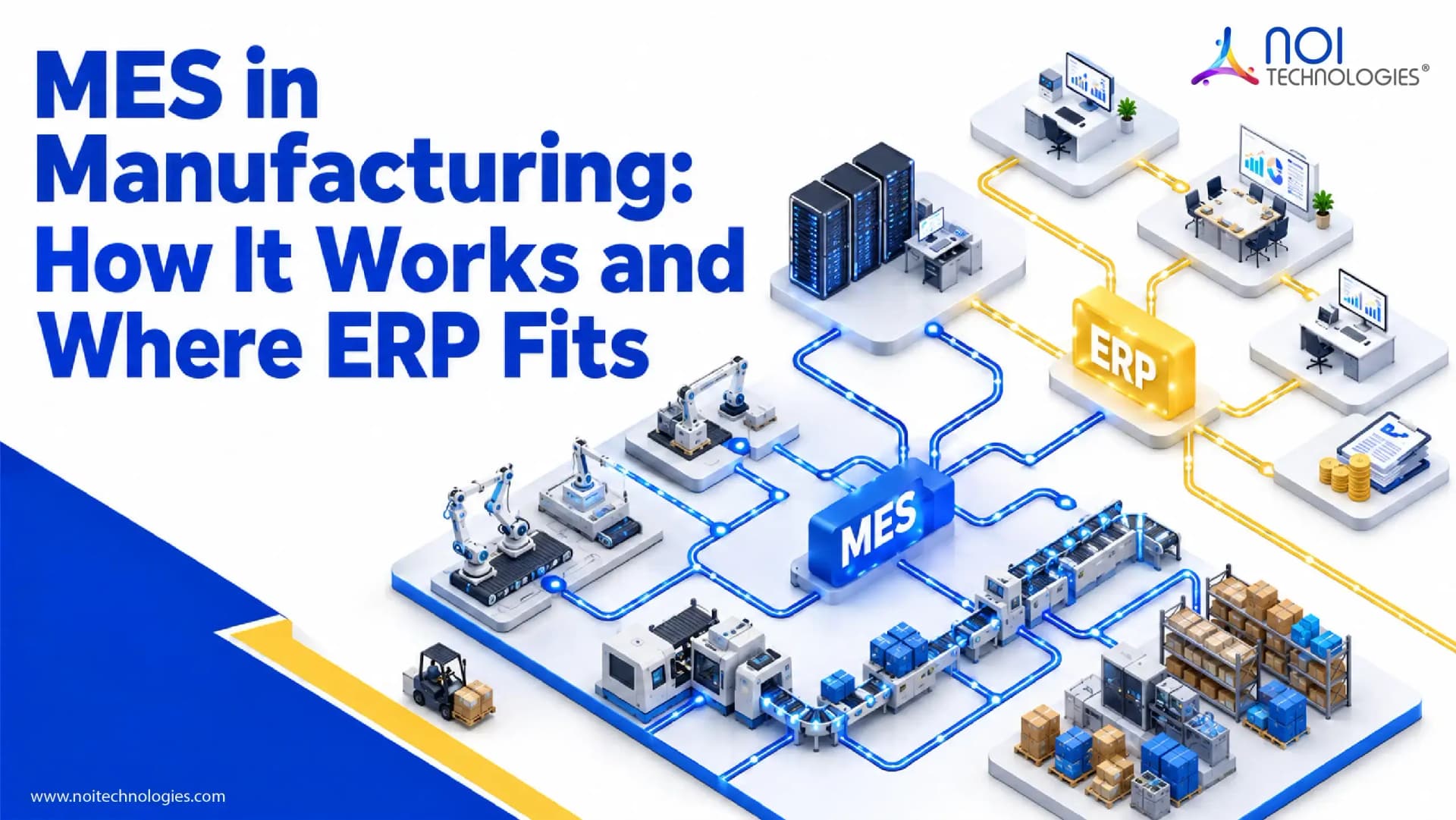
A production plan can look good inside your ERP system while the reality on the factory floor tells a different story. The production order has been released, materials are available, and the job should be finished by the end of the shift. But once production begins, the shop floor team may still rely on spreadsheets, paper records, operators, or disconnected software to answer basic questions.
How many good units have been produced? Where is work-in-progress piling up? Has more material been consumed than planned? Did a quality check fail? Has a machine stopped unexpectedly? Can the order still meet its promised completion date?
A Manufacturing Execution System, or MES, is designed to provide this execution-level visibility. It connects production plans with what is actually happening on the shop floor and captures information about production progress, material consumption, quality, resources, equipment, and other manufacturing events.
But not every factory needs a dedicated MES. In some manufacturing environments, an ERP with sufficient production functionality may be enough. In others, targeted shop-floor workflows or a custom execution layer may solve the problem without introducing a complete MES platform.
The important question is therefore not simply whether MES software exists. It is where MES belongs within the overall manufacturing software architecture.
What Is MES in Manufacturing?
A Manufacturing Execution System (MES) is software used to monitor, record, and manage production as work happens on the factory floor. While ERP and MRP systems primarily support business and production planning, MES operates closer to execution by tracking production progress, materials, quality, resources, work-in-progress, and actual manufacturing results.
ERP typically manages company-wide processes such as purchasing, inventory, finance, sales, production planning, bill of materials management, costing, and material requirements.
MES operates closer to actual manufacturing. Once a planned production order reaches the factory floor, MES can help control and record how that order is executed, which resources are involved, how much output is produced, whether quality requirements are met, and how actual production compares with the original plan.
A useful distinction is that ERP is primarily concerned with planning and business control, while MES focuses on production execution.
However, the boundary is not always absolute. Manufacturing ERP systems can include significant production-control capabilities, while MES platforms may include scheduling, quality management, analytics, maintenance, and other functionality that overlaps with adjacent systems.
How Does a Manufacturing Execution System Work?
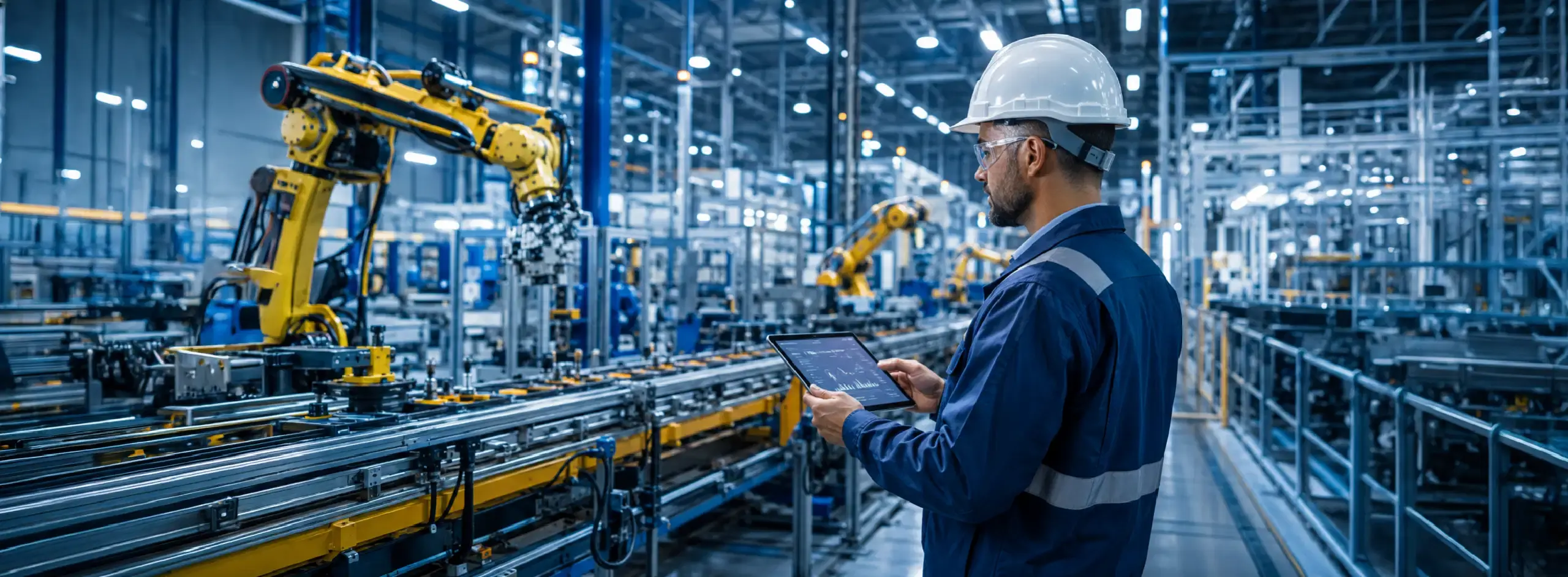
Traditionally, an MES sits between business planning systems and shop-floor activities.
The process often begins in an ERP or another planning system. Based on customer demand, forecasts, inventory requirements, production plans, and other inputs, a production order is generated.
Information about the order, including the product, quantity, bill of materials, routing, due date, and production requirements, can then be passed to the execution layer.
MES uses this information to support and monitor production. Shop-floor events may be captured by operators, production lines, work cells, machines, barcode scanners, sensors, or connected devices.
For example, an event may record that an operation has started, a certain quantity has been produced, material has been consumed, a quality inspection has been performed, or a machine has stopped unexpectedly.
Connected equipment and sensors can extend this visibility further. Manufacturers considering machine and device connectivity can also explore how IoT and ERP integration can bring operational data into enterprise systems.
MES brings these production events together to create a current view of execution. Supervisors can compare actual activity with the production plan, identify delays, monitor exceptions, and respond to problems before the production order is complete.
Actual results can then flow back into ERP, updating finished-goods inventory, material consumption, production status, costing, and future planning.
This creates a closed-loop relationship between what the business plans and what actually happens on the factory floor.
What Does MES Manage on the Shop Floor?
The exact capabilities of MES software vary by industry, manufacturing model, and system. A discrete manufacturer assembling equipment will have different requirements from a food producer, pharmaceutical company, or process manufacturer.
At a practical level, MES commonly helps manage several areas of production execution.
Production Progress and Work-in-Progress
ERP may tell the business that a production order is open. MES can provide a more detailed view of where that order currently sits within the manufacturing process.
For a product that passes through several operations, the system can record which stages have been completed, which operation is currently running, and where work is waiting.
This gives production teams better visibility into work-in-progress instead of waiting for the final production order to be completed.
Material Consumption
A bill of materials defines what should be consumed during production. Actual consumption does not always match the plan.
MES can record the materials, components, lots, or quantities actually used while production takes place. That information can then be synchronized with ERP or inventory systems so stock and production records reflect actual activity.
Quality and Traceability
Quality requirements are more useful when they are part of the production workflow rather than maintained in a disconnected process.
An MES can record inspections, measurements, approvals, rejections, and other quality events at specific stages of production.
The same production history can support traceability. If a manufacturer needs to investigate a finished product later, production records may help identify the materials, lots, operations, resources, or other events associated with it.
Resources and Production Performance
Manufacturing requires more than materials. Production may depend on employees, work centers, machinery, tooling, production lines, and other resources.
MES can help record how these resources are being used and whether production is moving according to plan. When work stops or falls behind, production teams can use execution data to understand where the delay occurred and how it affected the order.
MES vs ERP vs MRP: What Is the Difference?
MES, ERP, and MRP are closely related because they all influence manufacturing operations, but they do not serve the same purpose.
| System | Main Role | Primary Question |
|---|---|---|
| ERP | Coordinates business-wide operations | What should the business buy, produce, sell, inventory, cost, and report? |
| MRP | Plans materials and production requirements | What materials are required, how much is needed, and when should they be available? |
| MES | Manages production execution | What is actually happening during production? |
MRP commonly operates as part of a wider manufacturing ERP environment. It uses information such as demand, inventory, bills of materials, lead times, and production requirements to determine what materials should be purchased or produced.
MES enters the process closer to execution.
For example, MRP may calculate that 500 components are required for a production order. ERP can create or manage the order and coordinate inventory and purchasing. MES can then record what happened when that order reached production, including how many components were actually consumed and how much output was completed.
These systems are therefore more useful when their responsibilities are clearly separated than when several applications attempt to own the same process.
How Do MES and ERP Work Together?
For many manufacturers, the most important MES relationship is with ERP.
ERP contains business and planning information that production needs. MES produces execution information that ERP needs in return.
| ERP to MES | MES to ERP |
|---|---|
| Production orders | Production completion |
| Product information | Actual quantities produced |
| Bill of materials | Actual material consumption |
| Routing information | Scrap or rejected quantities |
| Production schedules | Production status |
| Relevant inventory data | Quality or execution results |
Consider a manufacturer producing 1,000 units of a finished product.
ERP may create the production order, identify the required materials, confirm inventory availability, and schedule the work. MES receives the information required to execute that production order.
During production, MES records the actual results. Perhaps 1,000 units were planned but 985 passed inspection, 15 were rejected, and material consumption was slightly higher than expected.
Sending those results back to ERP allows inventory, costing, production status, and future planning to work with actual information rather than planned assumptions.
This is why ERP and MES integration is more than an API connection.
The architecture also needs to define which system owns each record, which information requires real-time synchronization, how identifiers are mapped, and what happens when information is delayed, rejected, duplicated, or unavailable.
These same issues appear throughout connected ERP environments. Our guide to ERP integration challenges examines data ownership, exception handling, system dependencies, and other integration problems in more detail.
Does Every Manufacturer Need MES?
No. A manufacturer should not add a dedicated MES simply because real-time manufacturing software sounds more advanced than its current system.
The right answer depends on the gap between what the operation needs and what its current systems can already support.
Before selecting another platform, manufacturers should define their production, integration, data, traceability, and technical requirements. The ERP requirements checklist provides a structured way to document these requirements before evaluating system architecture.
When Manufacturing ERP May Be Enough
For relatively straightforward production environments, manufacturing ERP may already provide sufficient control.
If the business primarily needs bills of materials, routings, production orders, inventory management, material planning, purchasing, production costing, and basic production status, introducing a separate MES may create more integration and maintenance work than operational value.
This is particularly relevant for smaller or mid-market manufacturers whose production processes do not require extensive machine connectivity or highly granular real-time control.
When ERP Plus Custom Execution Workflows May Be Enough
There is also a middle ground between standard ERP and a complete MES implementation.
A manufacturer may have strong ERP functionality but still need better shop-floor interaction. Operators may need simpler production screens, barcode-based transactions, digital work instructions, production-stage confirmations, quality checkpoints, or purpose-built production dashboards.
In these situations, extending the existing system or using custom ERP development to create focused execution workflows may solve the problem without introducing a separate MES platform.
This approach can be especially relevant when execution requirements are specific to how the manufacturer operates and do not require the broader capabilities of a dedicated MES.
When a Dedicated MES Makes More Sense
A full MES becomes more relevant as production complexity increases.
A manufacturer may require real-time control across multiple production lines, extensive machine connectivity, detailed production genealogy, strict quality enforcement, deeper traceability, continuous collection of shop-floor events, or standardized execution across several plants.
In these environments, forcing every production-execution requirement into ERP can make the ERP increasingly complicated while still failing to provide the level of shop-floor control the operation requires.
The better question is therefore not simply, “Should we use MES?” It is, “Which parts of our production operation require MES-level execution control?”
Can Manufacturing ERP Handle MES Functions?
There is no universal line where ERP functionality stops and MES functionality begins.
Manufacturing ERP platforms can include substantial functionality around production orders, materials, routings, costing, scheduling, and manufacturing workflows. Extensible ERP platforms can go further by supporting custom processes built around the manufacturer's specific operating model.
Apache OFBiz is one example.
The Apache OFBiz manufacturing component includes capabilities for bills of materials, manufacturing routings and tasks, production planning, material requirements planning, production costing, and raw-material procurement.
Because OFBiz is also an extensible enterprise application framework, manufacturers can build specialized workflows around these capabilities, including custom production interfaces, barcode transactions, approval processes, dashboards, and integrations with other operational systems.
That does not make Apache OFBiz a dedicated MES by default.
If a manufacturer requires highly specialized real-time machine integration, extensive plant-floor orchestration, advanced product genealogy, or other dedicated execution capabilities, integrating MES with ERP may be a stronger architecture than recreating every MES function inside the ERP platform.
The goal should be to decide where each process belongs rather than forcing the entire manufacturing environment into one application.
For a deeper look at OFBiz production functionality, see our guide to Apache OFBiz for manufacturing ERP.
Signs Your Manufacturing Operation May Need MES
The need for MES often becomes visible when there is a persistent gap between production planning and production reality.
- Production status still depends heavily on spreadsheets, paper, or manual updates.
- ERP shows an order as open but cannot clearly show where it is within production.
- Work-in-progress is difficult to track between operations.
- Production results are entered into ERP long after the work actually happens.
- Quality checks and production records are maintained separately.
- Traceability investigations require information from several disconnected systems.
- Downtime and production delays cannot be reliably linked to affected work orders.
These problems indicate an execution-visibility gap, but they do not automatically prove that a dedicated MES product is required.
The underlying problem may instead be inadequate ERP configuration, missing integrations, poorly designed production workflows, or a need for a smaller custom execution layer.
That distinction should be made before software selection begins.
Where Does MES Fit in a Manufacturing Software Architecture?
Manufacturing systems become easier to understand when each application has a defined responsibility.
Product lifecycle management systems may manage engineering and product-definition information. ERP and MRP support business planning, inventory, purchasing, costing, and production requirements. MES manages production execution. Machines, operators, control systems, and shop-floor devices perform or report the physical work.
In a simplified architecture, the relationship can look like this:
Product and engineering data → ERP/MRP planning → MES execution → shop-floor operations
Information also needs to flow in the opposite direction.
Production results from the shop floor feed MES, MES provides structured execution information to ERP, and ERP uses those results for inventory, planning, costing, finance, and wider business operations.
Warehouse, quality, maintenance, analytics, logistics, and other applications may connect at different points depending on the organization.
This is why system boundaries matter.
If both ERP and MES maintain their own version of production status without clear ownership, the business can end up with two technically connected systems that still disagree about what is happening.
Building the Right Manufacturing Software Architecture
MES can be valuable when manufacturers need deeper visibility and control over production execution. But adding another system is not automatically an architectural improvement.
ERP should not become the destination for every shop-floor requirement simply because the platform is already installed. At the same time, MES should not duplicate planning, inventory, costing, or master-data processes that already belong in ERP.
Custom software should also have a clear reason to exist. A purpose-built execution workflow can solve specialized operational requirements, but creating custom functionality where standard software already performs the job effectively only increases long-term maintenance.
The better approach is to begin with the manufacturing process itself.
Determine which activities belong to business planning, which require real-time production execution, which systems should own the underlying data, and how information needs to move between them.
NOI Technologies works with manufacturing businesses on custom manufacturing ERP development, Apache OFBiz and Moqui implementations, enterprise integrations, warehouse workflows, and custom operational applications.
When evaluating an MES requirement, the objective should not be to push every process toward one particular technology. It should be to determine whether the requirement belongs in ERP, MES, an integration layer, or a focused custom application, and then design the architecture around that decision.
Frequently Asked Questions About MES
Is MES part of ERP?
MES and ERP are generally separate layers of a manufacturing software architecture. ERP focuses on wider business planning and operations, while MES focuses on production execution. Some manufacturing ERP platforms include execution functionality, so the exact boundary depends on the systems and manufacturing requirements involved.
Can MES replace ERP?
MES normally does not replace ERP. MES manages manufacturing execution, while ERP typically manages broader processes such as finance, purchasing, inventory, sales, costing, production planning, and enterprise reporting. Manufacturers commonly connect the two systems so planning information can reach production and actual production results can return to ERP.
Do small manufacturers need MES?
Not necessarily. A smaller manufacturer with straightforward production may be able to manage its requirements using manufacturing ERP or targeted custom workflows. MES becomes more relevant when the business needs deeper real-time shop-floor visibility, traceability, quality enforcement, equipment integration, or execution control that its existing systems cannot provide.
Conclusion
A Manufacturing Execution System closes the gap between production planning and what is actually happening on the factory floor. It gives manufacturers a structured way to capture production progress, work-in-progress, material consumption, quality events, traceability information, resource usage, and other execution data as production takes place.
When ERP can plan and schedule production effectively but cannot provide sufficient shop-floor visibility or execution control, MES may fill that gap.
However, a separate MES is not always necessary. Some manufacturers can meet their requirements with manufacturing ERP alone. Others may benefit from specialized execution workflows built around an existing ERP platform. More complex environments may require a dedicated MES connected to ERP and other operational systems.
The important decision is where the operational gap exists and which system should own each part of the manufacturing process.
If you are evaluating how MES, ERP, and existing production systems should work together, NOI Technologies can help define production workflows, integration requirements, system boundaries, and the architecture needed to support them.