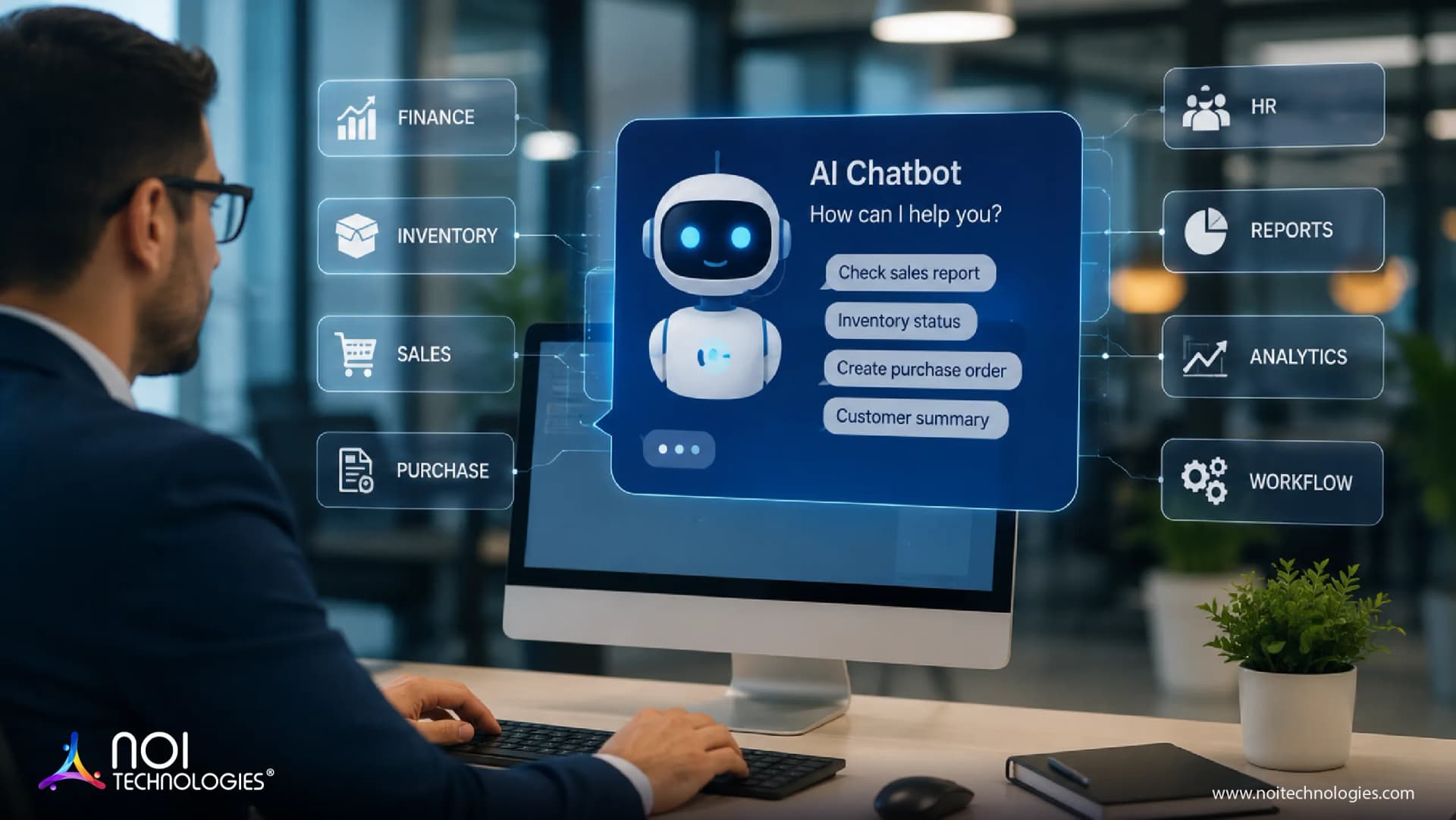
Enterprise software is meant to give businesses better control, faster decisions, and cleaner processes. In reality, many ERP users still spend too much time searching through screens, exporting spreadsheets, checking order status, requesting reports, and waiting for another team to confirm basic operational details.
Instead of digging through multiple modules and submenus, users can use a conversational ERP interface to ask for information, summarize records, check exceptions, and complete workflow tasks. A well-built ERP chatbot integrates with business data, follows workflow rules, accounts for user roles, and supports operations across manufacturing, logistics, ecommerce, finance, purchasing, distribution, and warehousing.
What Is an AI Chatbot for ERP?
An AI chatbot for ERP works as a natural language ERP interface that allows users to query ERP data, business documents, and operational processes using plain language. Rather than browsing menus, filtering reports, drilling down into dashboards, or searching through documents, the user asks the chatbot a business question and receives an answer based on connected system data.
For example, a warehouse manager might ask which SKUs are below reorder point. A member of the accounts payable team might ask for supplier invoices waiting for approval. A sales director could ask for customer orders that are behind schedule. A production planner might ask for work orders that are stuck because of material shortages.
When the user makes the request, the ERP AI assistant recognizes the intent of the query, checks the ERP or business system for relevant data, filters the result based on the user’s role and permissions, and returns the information to the user.
In more advanced implementations, an ERP AI assistant may also support workflow actions, such as drafting a supplier follow-up email, creating an approval task, starting an approval request, preparing a basic report, or guiding the user through an operational procedure.
What Is the Difference Between an ERP Chatbot and a Regular Chatbot?
A regular chatbot is usually designed to answer website FAQs, assist with simple support questions, or help a website visitor find the right information. It works well for simple tasks where the information does not change often.
An ERP chatbot is different because it works with real-time ERP data access, operational workflows, and user-specific permissions.
For example, a website chatbot could answer, “What do you do?” An ERP chatbot may need to answer, “Which orders cannot be shipped today because of inventory allocation issues?”
The second question is more complex. It may involve order management, inventory levels, warehouse status, shipping rules, business-specific delay definitions, and whether the user has permission to view the data.
| Area | Regular Chatbot | ERP Chatbot |
|---|---|---|
| Main Use | Answers website or support questions | Supports ERP data, workflows, and operational decisions |
| Data Source | Static FAQs or predefined responses | Live ERP, WMS, CRM, finance, procurement, or reporting systems |
| Permissions | Usually simple or limited | Requires role-based access control and workflow governance |
Why Businesses Use AI Chatbots in ERP and Operations
ERP systems contain critical operational data, but that data is not always easy to access. Many users only interact with specific screens, reports, and workflows. When they need cross-functional data, an exception summary, or a report outside their usual process, they often depend on another team for answers.
That dependency can slow decision-making, order processing, purchasing, fulfillment, and reporting. This is where ERP chatbots can help reduce manual lookups, repeated report requests, and internal follow-ups.
This becomes especially useful for growing companies where complexity increases with every new sales channel, warehouse location, supplier, customer profile, product category, and approval workflow.
Key ERP Chatbot Use Cases Across Business Operations
Inventory and Warehouse
In inventory and warehouse operations, an ERP chatbot provides inventory management assistance by helping users check stock availability, low inventory levels, pending receipts, product locations, damaged stock, and warehouse exceptions.
Order Management
In order management, a chatbot supports order status tracking, shipment status checks, backorder visibility, delayed order analysis, and order processing issues.
For ecommerce businesses, this can reduce internal escalation and help teams respond to customers more quickly.
Finance
In finance, an ERP chatbot can support invoice status queries, delayed payment checks, purchase order mismatches, approval queues, and outstanding balances.
When connected with OCR and ERP integration, it can also support invoice review by helping teams locate mismatched fields, missing approvals, or missing documents.
Procurement
In procurement, the chatbot can support procurement status updates by identifying overdue purchase orders, missing supplier confirmations, pending approvals, and items at risk because of stock shortages.
It can also help prepare supplier follow-up messages from ERP data in real time, while keeping final review and approval with the user.
Manufacturing
In manufacturing, an ERP AI assistant can support production planning insights, material availability checks, BOM reviews, work order status, quality updates, and production delay analysis.
This is useful for manufacturers with non-standard workflows where standard ERP reports do not always answer the actual operational question.
Reporting and Analytics
In reporting and analytics, chatbots can support AI-assisted reporting and real-time KPI monitoring by helping managers ask business questions without building reports from scratch.
A manager may ask, “What changed in revenue this month?”, “Which products had the highest return rate?”, “Which warehouse had the highest picking error rate?”, or “Which customers have the most open orders?”
How AI Chatbots Work With ERP Systems
An ERP chatbot works through several connected layers. The real value comes from how the chatbot understands requests, connects with business systems, checks permissions, retrieves data, and supports workflow actions.
A user may ask a question through a chat window inside an ERP system, internal portal, web application, mobile app, Microsoft Teams, Slack, or another business tool. The chatbot uses intent recognition to interpret the request and identify what the user is trying to do.
Depending on the request, the chatbot may rely on multi-system integration across ERP, WMS, CRM, ecommerce, accounting, procurement, reporting databases, and custom business applications.
This is where LLM ERP integration matters. The language model helps understand the user’s question, but the answer should come from trusted business data. A strong implementation does not rely only on generated text. It connects the chatbot through ERP API integration, verified databases, approved documents, and workflow logic so responses are grounded in real system records.
Before returning an answer, the system should check user permissions. Users should only see or update data allowed by their ERP role, whether that relates to warehouse activity, inventory records, invoices, or finance exceptions.
Once permissions are checked, the chatbot retrieves the relevant data and responds. For simple queries, this may be a direct answer. For more complex questions, it may summarize patterns, highlight exceptions, explain possible causes, or recommend the next step.
A typical ERP chatbot flow looks like this:
- The user asks a question.
- The chatbot identifies the intent.
- The system checks the user’s permissions.
- The chatbot retrieves verified data from connected systems.
- The response is generated with business context.
- Activity is logged for review.

Data Security and Compliance in ERP Chatbots
ERP chatbots can access sensitive business data such as invoices, customer records, supplier details, inventory, purchase orders, and financial information. That is why data security, privacy, and compliance should be planned before the chatbot is connected to live systems.
A secure ERP chatbot should follow the same role-based access rules used inside the ERP. Users should only see or update data they are allowed to access based on their role, department, and approval rights.
The chatbot should connect through verified APIs, approved databases, and trusted documents instead of uncontrolled files or copied spreadsheets. Sensitive data should be protected with secure authentication, encrypted communication, access logs, and clear rules for what the chatbot can retrieve, summarize, store, or share.
AI Chatbots and AI Agents in ERP
Unlike chatbots, which are usually request-driven, AI agents can be more event-driven and proactive. In ERP workflow orchestration, they may monitor events, identify issues, coordinate tasks across systems, and prepare recommended actions.
For example, an AI agent could detect that a shipment delay may affect a priority customer, review available stock in other warehouses, send an internal alert, and prepare a transfer recommendation.
That does not mean businesses should turn ERP control over to autonomous AI agents immediately. The safer path is to begin with chatbot-assisted workflows, then expand into AI agents where rules, data quality, risk boundaries, approvals, and audit requirements are clearly defined.
Security, Data, and Compliance Risks for ERP Chatbots
ERP chatbots should be designed with safeguards from the beginning. ERP platforms manage mission-critical business data, and incorrect answers about finance, inventory, production, or procurement can create serious business impact.
An ERP chatbot should follow the same role-based access controls used inside the ERP system. It should not expose confidential financial records, customer details, supplier pricing, or employee information to users who should not have access.
Businesses also need to manage how the chatbot handles prompts, documents, and external inputs. A poorly designed chatbot can be vulnerable to misleading instructions or unsafe data handling. Enterprise chatbots require verification, logging, monitoring, and escalation routes to reduce these risks. For technical risk planning, teams can also review the OWASP Top 10 for Large Language Model Applications.
Where Custom ERP Chatbots Make the Most Sense
Custom ERP chatbot development makes the most sense when a business has workflows that cannot be handled well by standard software. This includes companies with custom ERP systems, Moqui or Apache OFBiz-based platforms, legacy ERP architecture, multiple disconnected systems, complex approval flows, or industry-specific reporting needs.
For example, a company may have ecommerce orders coming from multiple channels, inventory stored across different warehouses, finance approvals handled in a separate system, and customer service teams asking for real-time updates.
A custom ERP chatbot can be designed around the actual business process. It can connect with the right systems, follow the right permissions, understand the company’s terminology, and support the workflows that matter most.
How NOI Technologies Supports AI-Enabled ERP Workflows
NOI Technologies works with businesses that need custom ERP development, open-source ERP implementation, ERP integration, automation, and data-driven business applications.
For companies using custom ERP systems or connected enterprise applications, NOI helps with ERP chatbot implementation by identifying the right use cases, mapping ERP processes and data flows, connecting APIs and databases, planning role-based access, supporting LLM ERP integration, and building AI-assisted reporting or automation.
NOI also helps plan the data access model behind ERP chatbot projects, including secure API integration, audit logging, approval workflows, and controlled access across ERP, WMS, CRM, finance, procurement, and reporting systems.
The goal is not simply to add AI. It is to make ERP systems easier to use, more connected, and more useful for the people who rely on them every day.
What to Do First When Considering an ERP Chatbot
Before ERP chatbot implementation begins, businesses should start with ERP process mapping rather than technology excitement. The first step is to identify where employees lose time today.
This may include manual report generation, repeated order status checks, invoice approval delays, inventory questions, procurement follow-ups, or production scheduling issues.
With these pain points documented, businesses can decide which chatbot use cases are worth building first. A focused chatbot for order status, inventory visibility, or invoice lookup can create more value than a broad assistant that tries to solve every ERP issue at once.
Data accuracy is also critical. If ERP records are incomplete, inconsistent, or poorly structured, the chatbot will struggle to provide reliable answers. Before launching an ERP chatbot or expanding its capabilities, companies should review data architecture, access rules, reporting standards, and integration points.
Chatbot testing with business users is important because the people who manage orders, inventory, finance, procurement, and production know the edge cases.
After launch, teams should use chatbot performance tracking to monitor usage, response accuracy, escalation patterns, and business outcomes. ERP chatbots should improve over time as workflows change and users ask better questions.
Conclusion
AI chatbots for ERP and business operations can make enterprise systems easier to use in daily work. When connected with ERP, WMS, CRM, ecommerce, finance, procurement, and reporting systems, they can help teams find information, understand exceptions, summarize records, support approvals, and reduce repetitive work.
The value depends on proper implementation. ERP chatbots need secure integrations, role-based access, reliable data, approval controls, audit visibility, and a clear understanding of business workflows.
For companies using custom ERP systems, Moqui, Apache OFBiz, or connected enterprise applications, NOI Technologies can help design AI-enabled ERP workflows that connect people, systems, and data in a secure, practical, and scalable way.