OCR ERP integration connects optical character recognition (OCR) software with an enterprise resource planning system to automate invoice processing. OCR extracts information such as supplier names, invoice numbers, dates, line items, and totals, while the ERP uses that data for validation, purchase order matching, approvals, and accounting workflows.
Extracting invoice data is only one part of the process. The ERP can then check the information against supplier records, purchase orders, goods receipts, and business rules to identify duplicate invoices, pricing or quantity mismatches, and transactions that are ready for approval or posting.
What Is OCR ERP Integration?
OCR ERP integration is the connection between document-recognition software and an ERP system. OCR reads information from documents, while the ERP applies the business rules needed to process that information.
For an invoice, OCR may extract:
- Supplier name
- Invoice number
- Invoice date
- Purchase order number
- Line-item descriptions
- Quantities and prices
- Tax amounts
- Payment terms
- Total amount
The ERP can then compare these values with existing supplier, purchasing, receiving, and accounting records.
The purpose of the integration is not merely to move text from a document into a database. It is to create a controlled process for turning unstructured documents into validated ERP transactions.
Why OCR Alone Is Not Enough for Invoice Automation
Traditional OCR is mainly a data-capture tool. It can identify characters and fields, but it does not automatically understand whether the extracted information is correct within the context of the business.
OCR alone may not know:
- Whether the supplier is approved
- Whether the invoice has already been submitted
- Whether the purchase order is valid
- Whether the invoiced quantity was received
- Whether the price matches the purchase agreement
- Which general ledger account should be used
- Who must approve an exception
These checks depend on ERP data and configured business rules.
When OCR operates separately, employees may still need to copy extracted data into the ERP, verify fields manually, locate the correct purchase order, and send documents for approval. Connecting the two systems removes many of these handoffs.
How OCR ERP Integration Works for Invoice Processing
An OCR-enabled invoice process normally moves through several stages. The exact workflow depends on the ERP platform, document types, approval rules, and purchasing process.
1. Document Capture
Invoices may enter the system through email, supplier portals, file uploads, scanners, shared folders, or electronic document feeds.
The capture process should preserve the original document and record when and how it was received.
- Credit notes
- Purchase orders
- Receipts
- Expense documents
- Delivery notes
2. Data Extraction
OCR identifies relevant fields and converts them into structured data. Some systems use predefined templates, while others detect fields based on document layout and previous processing patterns.
Extraction confidence should be recorded for important fields. Values with low confidence can be sent for review instead of being accepted automatically.
3. Supplier and Invoice Validation
The extracted supplier name, tax details, payment information, and invoice number can be compared with ERP master data.
The system may check whether:
- The supplier exists and is active
- The supplier is approved for the transaction
- The invoice number already exists
- The payment details differ from the approved supplier record
- Required invoice fields are present
Invoices that fail these checks should be held for investigation rather than posted automatically.
4. Purchase Order and Receipt Matching
For purchase-order-based invoices, the ERP can compare invoice data with the purchase order and receiving record.
This process may include:
- Two-way matching between the invoice and purchase order
- Three-way matching between the invoice, purchase order, and receipt
- Price and quantity tolerance checks
- Tax and freight validation
- Partial delivery and partial invoice handling
An invoice within the configured tolerances may continue automatically. A mismatch can be assigned to purchasing, receiving, finance, or another responsible team.
5. Coding and Account Assignment
Invoices without a purchase order may require cost-center, department, project, tax, or general ledger coding.
The ERP can suggest coding based on supplier history, document content, business unit, or configured rules. Suggested values should still follow the organization’s review and approval requirements.
6. Approval Routing
Invoices can be routed according to amount, department, supplier, cost center, legal entity, project, or exception type.
A controlled approval workflow should show:
- Who received the task
- What information was reviewed
- Which changes were made
- When the invoice was approved or rejected
- Why an exception was accepted
7. ERP Posting
After validation and approval, the ERP can create the relevant payable, accounting, tax, and payment-processing references, where supported.
The original document should remain linked to the transaction so finance teams and auditors can review the source information without searching through email accounts or shared folders.
8. Archiving and Retrieval
The final record may include the original invoice, extracted values, matching results, approval history, comments, posting details, and subsequent corrections.
Retention rules should reflect applicable legal, tax, contractual, and internal record-management requirements.
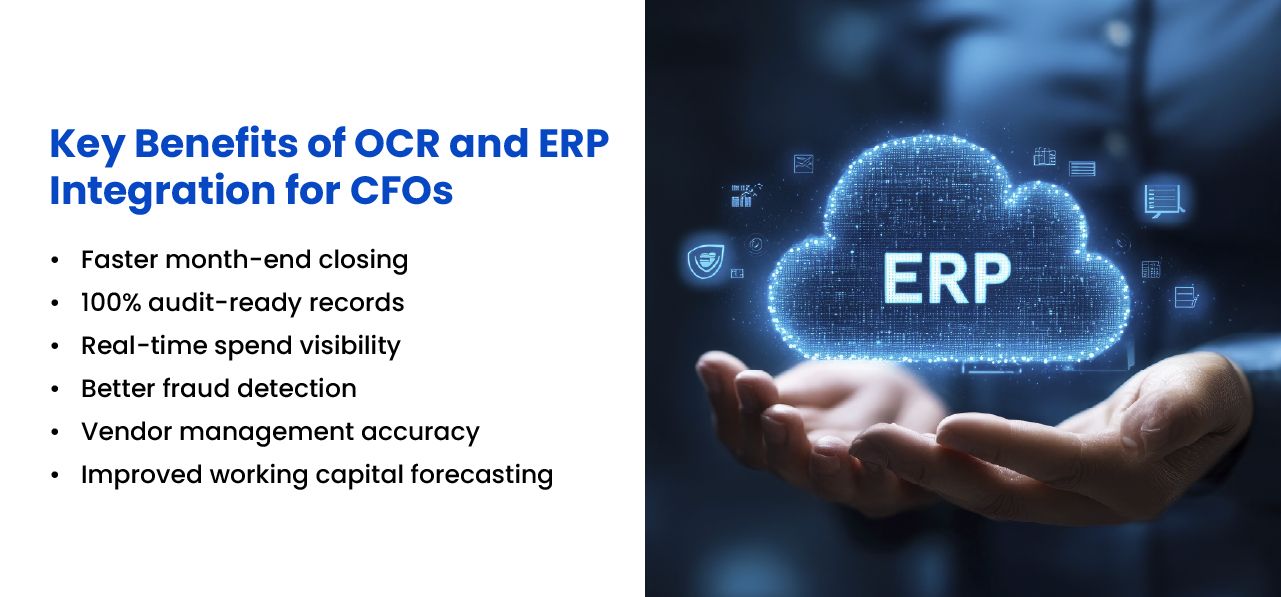
Benefits of OCR ERP Integration
Reduces Manual Data Entry
OCR can capture common invoice fields and line-item information before the document reaches an employee. Finance teams can review extracted values instead of entering every field manually.
This is particularly useful for organizations processing invoices from suppliers that use different document layouts.
Speeds Up Invoice Processing
Validated invoices can move directly to matching, approval, and posting. Employees spend less time downloading attachments, renaming files, entering data, and searching for related purchase orders.
The resulting processing time still depends on document quality, master-data accuracy, approval availability, and the number of exceptions.
Improves Matching Consistency
The ERP can apply the same price, quantity, tax, and approval tolerances to each transaction. This creates a more consistent process than relying on employees to perform every check manually.
Strengthens Duplicate-Invoice Controls
The integration can compare invoice numbers, suppliers, dates, amounts, and other transaction attributes with existing ERP records.
Potential duplicates can be held for review. The system should not automatically reject an invoice based on one matching value because legitimate invoices may share similar amounts or dates.
Provides Better Transaction Visibility
Finance teams can see whether an invoice is awaiting extraction, validation, matching, approval, correction, or posting.
This makes it easier to identify processing backlogs and respond to supplier questions without tracing the document across several inboxes.
Supports More Complete Audit Trails
When the document, extracted data, validation results, approvals, and ERP posting remain connected, reviewers can follow how the transaction moved through the process.
The quality of the audit trail still depends on system configuration, access controls, retention practices, and consistent use of the workflow.
Helps Finance Teams Focus on Exceptions
Invoices that meet the configured rules can move through a streamlined path, while unusual transactions are directed to employees.
Finance teams can spend more time reviewing mismatches, supplier changes, unusual charges, missing receipts, and other issues that require judgment.
How Exception Handling Should Work
Exception handling is one of the most important parts of an OCR ERP implementation. A process that extracts invoice data but leaves employees to resolve every mismatch through email has only moved the manual work to another stage.
Exceptions should be categorized and assigned based on their cause.
| Exception | Possible Owner |
|---|---|
| Unknown supplier | Supplier management or accounts payable |
| Missing purchase order | Requester or procurement |
| Price mismatch | Procurement or contract owner |
| Quantity mismatch | Receiving or purchasing |
| Missing receipt | Receiving department or requester |
| Possible duplicate | Accounts payable |
| Changed bank details | Supplier verification or finance control team |
| Tax-code uncertainty | Finance or tax team |
Each exception should have a status, responsible owner, resolution history, and expected completion time. This prevents disputed invoices from disappearing into private email conversations.
The Role of AI in OCR and Invoice Processing
OCR traditionally relies on document templates, character recognition, and field mapping. Newer document-processing systems may also use machine learning or language models to identify fields, classify documents, suggest accounting codes, and interpret less consistent layouts.
These capabilities can improve document handling, but they should not bypass financial controls.
AI-generated suggestions should be treated as proposed values when:
- The extraction confidence is low
- The supplier is new
- Payment details have changed
- The amount exceeds a defined threshold
- The invoice does not reference a purchase order
- The proposed coding differs from previous transactions
The ERP should remain the system that applies supplier, purchasing, accounting, approval, and posting rules.
Documents That Can Be Processed Beyond Supplier Invoices
OCR ERP integration may support other finance and operational documents, depending on the business process.
- Credit notes
- Purchase orders
- Receipts
- Expense documents
- Delivery notes
- Bank documents
- Tax documents
- Customer remittance records
- Contracts and supporting attachments
Each document type requires its own extraction fields, validation rules, ownership, and retention requirements. Adding every document to the first implementation usually creates more complexity than value.
Security and Governance Requirements
Invoices and finance documents may contain supplier details, addresses, tax identifiers, bank information, contract references, and commercially sensitive data.
An OCR ERP workflow should therefore include:
- Role-based access controls
- Secure document storage
- Encryption where appropriate
- Approval segregation
- Change and activity logs
- Retention and deletion rules
- Backup and recovery procedures
- Controls for supplier payment-detail changes
Access should be based on job responsibilities. Employees who create or change supplier payment records should not automatically control the complete invoice approval and payment process.
Common OCR ERP Integration Methods
API Integration
The OCR platform sends extracted document data to the ERP through an application programming interface. The ERP returns validation results, transaction identifiers, or processing status.
This approach can support near-real-time processing when both systems provide suitable APIs.
Middleware or Integration Platform
An integration layer can transform data, manage authentication, route messages, and handle failures between the OCR system and ERP.
This may be useful when several document sources, business units, or ERP instances are involved.
File-Based Exchange
Some implementations use structured files transferred at scheduled intervals. This may be sufficient for lower processing volumes, although error handling and status updates can be less immediate.
Custom ERP Module
Organizations using a customizable ERP may develop document-processing capabilities directly within the platform or create a dedicated integration component.
A custom ERP development approach may be appropriate when the workflow requires specialized supplier validation, matching, approval, or accounting logic.
How to Plan an OCR ERP Integration
Document the Existing Process
Map how invoices arrive, who enters the information, which checks are performed, how approvals are requested, and where delays occur.
Record the exception paths, not just the standard process. Exceptions usually account for much of the actual workload.
Review Master Data
Supplier records, purchase orders, tax codes, payment terms, cost centers, and approval structures must be accurate before automation begins.
OCR cannot reliably validate a document against incomplete or inconsistent ERP data.
Define Required Fields
Identify which document fields are essential for validation, matching, accounting, payment, and reporting.
Avoid extracting information simply because it appears on the invoice. Every captured field adds configuration, testing, and maintenance work.
Set Matching Tolerances
Define acceptable differences for quantities, prices, freight, tax, and rounding. Tolerances may differ by supplier, business unit, currency, or purchase category.
Design Exception Ownership
Specify who handles each type of issue and what evidence is required before the invoice can continue.
Start with a Controlled Scope
A first phase may focus on one legal entity, invoice type, business unit, or supplier group. This allows the organization to test extraction, validation, approvals, and posting before expanding the workflow.
Test with Real Documents
Use invoices with different layouts, currencies, tax treatments, line counts, image quality, and exception types.
A demonstration based on clean sample invoices does not show how the system will behave with the documents finance teams actually receive.
Metrics to Track After Implementation
Useful performance measures include:
- Average invoice processing time
- Percentage of invoices requiring manual correction
- Percentage matched without human intervention
- Number of duplicate warnings reviewed
- Approval turnaround time
- Exceptions by type and department
- Invoices awaiting action
- Cost per processed invoice
- Posting errors identified after approval
Automation should not be judged only by extraction accuracy. A system may read fields correctly while still producing slow approvals, unresolved exceptions, or inaccurate ERP postings.
When OCR ERP Integration Is Most Useful
OCR ERP integration may provide value when an organization:
- Processes a high volume of supplier invoices
- Receives documents in several layouts and file formats
- Relies heavily on manual invoice entry
- Uses purchase-order matching
- Has complex approval rules
- Needs clearer invoice status and exception reporting
- Operates several legal entities or finance teams
For a business processing only a small number of straightforward invoices, a complex OCR integration may cost more to implement and maintain than the manual work it replaces.
Building a Controlled OCR ERP Workflow
NOI Technologies provides ERP development, workflow automation, document-processing integration, and system integration services. Our team can assess existing finance processes and develop OCR-enabled workflows around specific ERP, approval, and reporting requirements.
Schedule a call to discuss your OCR and ERP integration requirements.
Frequently Asked Questions About OCR ERP Integration
Can OCR automatically enter invoice data into an ERP?
Yes. OCR software can extract invoice details such as supplier name, invoice number, date, line items, quantities, taxes, and totals and send that data to the ERP. The ERP can then validate the information before creating or updating the appropriate transaction.
How does OCR integrate with ERP systems?
OCR platforms can connect with ERP systems through APIs, native connectors, middleware, file-based integrations, or robotic process automation for legacy environments. The best integration method depends on the ERP system, available APIs, document volume, security requirements, and workflow complexity.
Can OCR ERP integration match invoices with purchase orders?
Yes. Once OCR extracts the invoice data, the ERP can compare it with purchase orders and goods receipts. This enables two-way or three-way matching to identify differences in quantities, prices, received goods, or other transaction details before an invoice is approved or posted.
What happens when OCR invoice data does not match ERP records?
Invoices with missing or inconsistent information can be routed to an exception workflow instead of being posted automatically. Finance or accounts payable teams can review issues such as duplicate invoices, missing purchase orders, price differences, quantity mismatches, supplier discrepancies, or missing receipt records.
Does OCR ERP integration require artificial intelligence?
No. OCR ERP integration does not require generative AI or language models. However, AI and machine learning can improve document classification, field recognition, extraction accuracy, anomaly detection, and handling of invoices with different layouts or formats.