Prepared collaboratively by Shahbaz Khan (COO), Visvendra Singh (CEO), and Nirendra Singh Panwar (CTO)
Official sources last reviewed: September 21, 2026
An Apache OFBiz upgrade rarely becomes difficult because the new release refuses to start. The expensive problems usually sit inside the existing implementation: a service changed directly in the framework, a custom entity absent from the technical documentation, an integration tied to an old library, or a scheduled process that depends on a server path configured years ago.
The Apache OFBiz versions compared in this guide are 18.12 and 24.09. Many OFBiz 18.12 environments have been running long enough to accumulate undocumented framework changes, custom entities, older integrations, and dependencies tied to the original environment. Moving to OFBiz 24.09 brings those decisions back into view.
For a lightly customized system, the move may behave like a conventional Apache OFBiz upgrade. For a heavily modified production environment, it is more accurately treated as an Apache OFBiz migration involving code, data, integrations, infrastructure, testing, and business-process validation.
The Java runtime changes from JDK 11 to JDK 17. Custom components must work against a newer framework generation, database structures require comparison and reconciliation, and connected systems need more than a successful API response. Production cutover also requires a tested recovery plan.
This guide compares Apache OFBiz 18.12 and 24.09 and explains the upgrade and migration work involved. For request flow, the Entity Engine, Service Engine, widgets, and component structure, see our Apache OFBiz architecture guide.
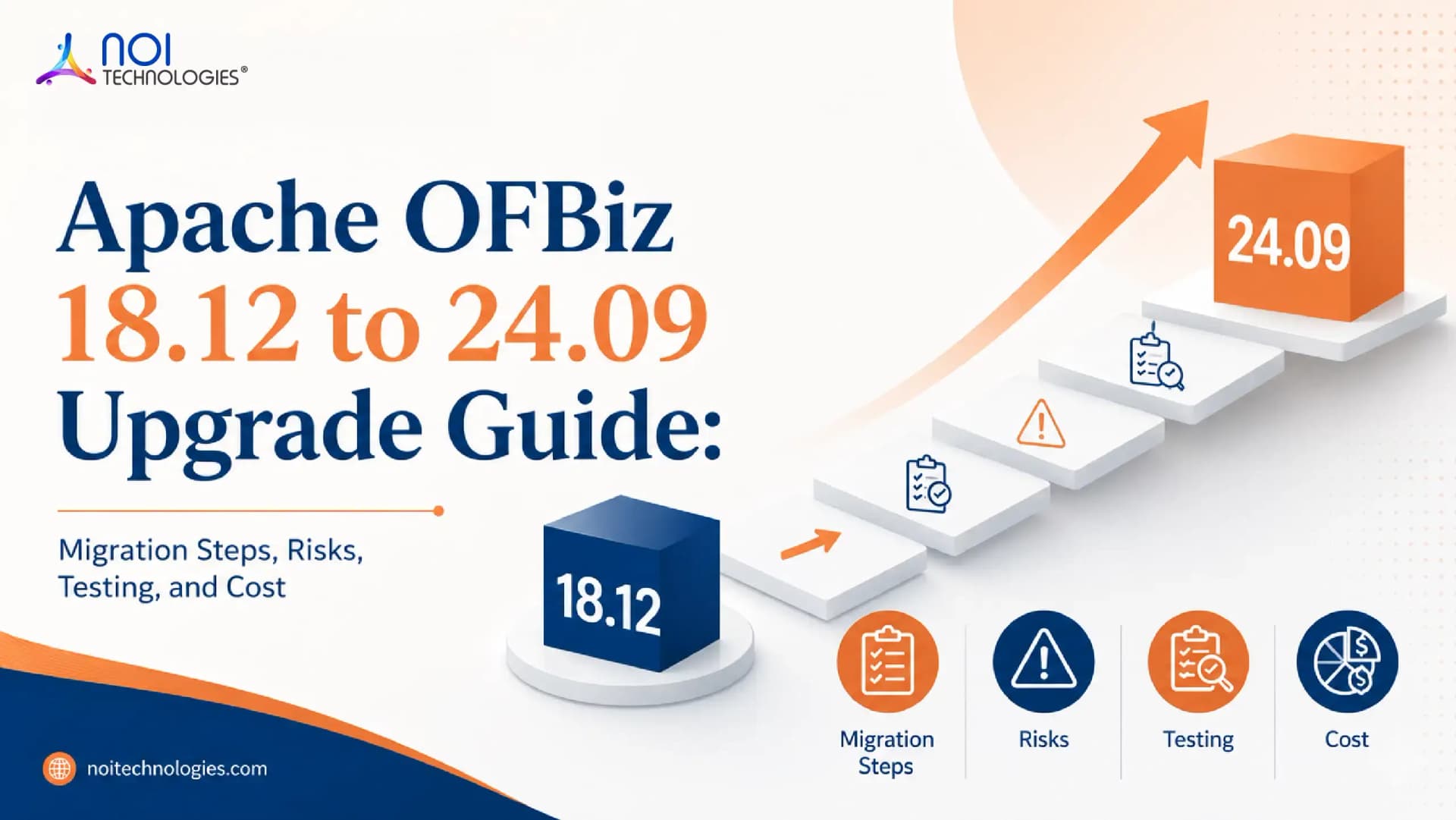
Apache OFBiz 18.12 to 24.09 Upgrade and Migration Path
Discover
Document the production code, database, integrations, dependencies, infrastructure, and business-critical workflows.
Rebuild
Prepare a clean OFBiz 24.09 environment and move only the customizations that still have a valid purpose.
Validate
Reconcile migrated data and test complete transactions across OFBiz modules and connected systems.
Cut Over
Run the rehearsed migration, apply the approval criteria, and stabilize the production environment.
Is Moving From OFBiz 18.12 to 24.09 an Upgrade or a Migration?
A standard or lightly customized installation can follow a relatively direct upgrade path. Most production systems that have operated for several years need a controlled migration.
Custom components change the nature of the project. So do modified entities, framework-level patches, external integrations, historical transaction data, old Java libraries, and scheduled services that support daily operations.
The first technical question is not how to install OFBiz 24.09. The team first needs to identify which parts of the existing system still serve a valid business purpose and how each one will move to the target release.
A direct upgrade fits an environment where custom code stays inside isolated plugins, the database remains close to the standard entity model, integrations are documented, and automated tests cover critical transactions.
Choose selective reimplementation when the business process remains useful but the current code is tightly coupled to modified framework files. Rebuilding one problematic workflow can carry less risk than copying years of technical debt into a newer release.
Inspect the deployed system before choosing the migration method. Two companies can both report that they run OFBiz 18.12 while operating systems with completely different levels of complexity.
Apache OFBiz Version Comparison: 18.12 vs 24.09
As of August 6, 2026, the official Apache OFBiz download page lists 24.09.07 as the latest stable release. It was released in June 2026 and belongs to the 24.09 series, which has been feature-frozen since September 2024.
Apache recommends using releases from the most recent branch wherever possible and upgrading to the latest stable release to reduce exposure to known security vulnerabilities. Confirm the current version through the official Apache OFBiz download page when the project begins.
The most immediate technical change is the Java runtime. The official release18.12 branch specifies JDK 11, while the release24.09 branch specifies JDK 17.
That change reaches far beyond the OFBiz startup command. Review custom Java code, database drivers, PDF-generation tools, identity clients, payment SDKs, shipping connectors, reporting libraries, logging extensions, and monitoring agents.
A library does not become compatible merely because the application compiles. A document renderer, for example, might build correctly under JDK 17 and fail only when it processes an invoice containing real fonts, images, templates, or production data.
The framework has also moved forward. Services, entities, screens, build behavior, dependencies, and internal application logic have changed since the 18.12 generation. Every custom component needs to run against the selected 24.09 maintenance release.
The database brings another layer of work. Production environments frequently contain fields, tables, indexes, triggers, stored procedures, or reporting structures that do not appear in standard OFBiz entity definitions. Compare the official models with the actual database before writing migration scripts.
Establish the Existing OFBiz 18.12 Baseline
A reliable Apache OFBiz upgrade begins with the system that is actually running.
Record the exact release, branch, commit, production patches, custom components, database structure, Java version, external libraries, integration endpoints, scheduled jobs, deployment process, and environment configuration.
Then compare the deployed files with the repository your team considers authoritative.
Do not assume they match. Long-running ERP environments often contain emergency production fixes, manually created database indexes, edited property files, certificate changes, or server-level configuration that never returned to source control.
The baseline also needs business context. Identify which processes generate revenue, move inventory, create supplier commitments, issue invoices, post accounting transactions, or exchange information with external systems. Those processes become the core regression set later.
Document known defects and accepted workarounds as well. Without that record, teams waste time reporting an existing issue as an upgrade regression. They may also reproduce an old workaround after the underlying framework problem has already been fixed.
Use a simple rule for unexplained changes: investigate first. An unknown modification does not earn a place in OFBiz 24.09 merely because it exists in production.
Compare the Three Code States
The source review needs three reference points: the official source matching the deployed 18.12 maintenance release or commit, the deployed production source, and the exact 24.09 maintenance release selected as the target.
First, compare the matching official 18.12 source with the deployed application. This helps distinguish organization-specific changes from differences introduced by later framework maintenance releases.
Next, examine how the corresponding standard files evolved in 24.09. That comparison helps the team distinguish among an active business requirement, an old patch, a temporary workaround, and functionality now available in the framework.
Copying the full custom codebase into the new release and resolving errors until the application starts creates an unnecessarily noisy project. Framework differences, dependency failures, undocumented modifications, and genuine defects all arrive in the same debugging queue.
Classify each change by purpose. Useful categories include business requirement, bug fix, security patch, integration requirement, performance adjustment, temporary workaround, and unknown modification.
Assign an owner and a decision after classification. The requirement behind the code matters more than the code itself.
Review Existing OFBiz Customizations
Every customization needs a decision before it enters the 24.09 environment.
Retain it when the requirement still exists and the component already behaves correctly on the target release. Approval requires more than a successful build. Check permissions, data output, connected workflows, and the final business result.
Port it when the requirement remains valid but the implementation depends on an older OFBiz service, entity, template, library, or framework behavior. Rewrite the affected parts and test the component against 24.09.
Refactor it when useful logic is buried inside standard framework files or tightly coupled to unrelated code. Moving that logic into a clearer extension boundary reduces the difficulty of the next upgrade.
Replace it when the newer framework or another maintained component now covers the requirement. Compare the old and new behavior before retiring the custom implementation.
Retire a customization when the requirement is no longer active and the dependency review confirms it is safe to remove. Document the decision, check affected workflows, and obtain approval from the relevant business owner before removal.
Apache OFBiz uses the plugins directory as the extension location for optional and custom components. That separation makes custom code easier to manage, but it does not make old plugins automatically compatible with 24.09.
Build each component against a clean target environment and introduce related plugins in dependency order. General extension strategy belongs in our Apache OFBiz customization guide. The responsibility here is narrower: determine the future of every customization currently running in production.
What a Customized OFBiz ERP Looks Like in Practice
NOI Technologies used Apache OFBiz to build MPStyle’s fashion manufacturing ERP. The implementation connects production planning, material requirements, procurement, inventory visibility, order processing, CRM, reporting, and external logistics and financial systems.
The MPStyle case study illustrates the dependency depth of a customized OFBiz environment. It is not presented here as evidence of a completed 18.12 to 24.09 version upgrade.
In a system with this level of operational coverage, a change to one entity or service can affect material availability, production orders, fabric inventory, supplier coordination, customer orders, or financial reporting. A scheduled process may update inventory across several brands. An integration failure may prevent completed transactions from reaching logistics or accounting.
Every customized workflow therefore needs a business owner, a migration decision, representative test data, and a recorded acceptance result.
Read the MPStyle fashion manufacturing ERP case study.
Review Java and Third-Party Dependencies
Treat the move from JDK 11 to JDK 17 as a separate workstream.
Start with database drivers, document-generation libraries, authentication clients, payment and shipping SDKs, search tools, messaging libraries, reporting utilities, and monitoring agents.
For each dependency, determine whether its current version supports JDK 17, whether the library remains maintained, whether it carries known security issues, and whether the project needs a replacement before production deployment.
After that review, test the operation the library supports.
Generate the PDF. Submit the payment. Request the shipping label. Run the export. Process enough data to expose performance or memory problems. Check the output instead of treating a clean build log as proof of compatibility.
Keep dependency changes isolated where practical. Updating the Java runtime, database driver, PDF engine, authentication client, and integration SDK in one deployment makes failures harder to trace.
Migrate and Reconcile OFBiz Data
The database review needs to cover both OFBiz definitions and database-level changes.
Compare the official 18.12 entity model with the production schema. Then compare the production schema with the planned 24.09 model.
This exposes custom fields, tables, indexes, constraints, triggers, stored procedures, staging structures, and reporting objects that standard entity XML files may not reveal.
Run the migration against a recent production copy in an isolated environment. Record execution time, warnings, failed records, transformation rules, manual corrections, and row counts.
Row counts offer a quick technical check. They do not prove that the migrated ERP is correct.
An order can exist with the wrong status. Inventory records can migrate while reservations no longer reconcile. Invoice and payment rows can be present while customer balances are wrong.
Validate customer and supplier relationships, products and prices, open sales and purchase orders, inventory quantities and reservations, shipments and returns, invoices and payment applications, and accounting transactions.
For finance-sensitive environments, compare the trial balance and selected control reports before and after migration. Agree on the reconciliation rules with finance and operations before the final cutover.
The official OFBiz documentation distinguishes among seed, seed-initial, demonstration, external, and test data readers. It also warns that broad data-loading commands such as loadAll can overwrite existing database content.
Do not use a generic loading command in production merely because it appears in the documentation. Select and rehearse the exact data operations required for the target environment. The official OFBiz data-loading documentation provides the available reader and command options.
Broader cleansing, governance, and legacy-data preparation are covered in our ERP data migration guide. This article stays focused on release-specific entity changes and transaction integrity.
Retest Integrations and Scheduled Services
A successful API response proves only that an endpoint answered.
Inspect what happened inside OFBiz and in the connected system. Did the order create the correct items and adjustments? Was inventory reserved once? Did the payment reference reach the invoice? Was the shipment status returned to the storefront?
Test every business-critical integration under successful, invalid, duplicate, delayed, failed, and retried conditions. Those scenarios reveal idempotency defects, weak error handling, status-mapping differences, and transaction-boundary problems that remain invisible during a happy-path test.
Scheduled services need similar scrutiny. Confirm the execution user, dependencies, file paths, input selection, restart behavior, logging, and monitoring.
A job can complete without throwing an error and still select the wrong records. It can also process the same batch twice after a restart.
Our ERP integration challenges guide covers broader questions such as ownership, synchronization, monitoring, and exception handling. During this migration, the question is more specific: does each existing connection behave correctly against OFBiz 24.09?
Run Cross-Module Regression Testing
Apache OFBiz provides Gradle tasks for unit and integration testing, including gradlew test and gradlew testIntegration. Use them as the technical baseline.
Then test the business system.
ERP defects often cross module boundaries. A sales order can look correct on screen while inventory, payment, invoicing, or accounting contains the actual error.
Build detailed scenarios around complete transactions. Instead of writing “test order management,” define the event:
Create a prepaid order containing two inventory items. Partially ship one item, cancel the remaining quantity, issue the correct refund, and verify the inventory, invoice, payment, and accounting results.
That scenario has an observable outcome. It gives developers, operations, finance, and quality teams the same definition of success.
Start with build validation and isolated component tests. Continue through database and integration tests, then run complete order, procurement, inventory, fulfillment, manufacturing, finance, and returns workflows. Finish with performance, restart, backup-restoration, and failure-recovery tests.
Business users belong in the regression phase.
A developer can confirm that an invoice was generated. Finance confirms the account, tax treatment, date, total, and downstream reports. Warehouse users identify whether a technically valid inventory status creates a practical problem on the floor.
Where OFBiz Upgrade Projects Go Wrong
Undocumented Core Changes
A direct edit to a standard service or entity can remain hidden until the same file is replaced during migration. Compare the deployed source with the official 18.12 branch before porting code.
Testing Only the User Interface
A screen that loads successfully says little about the records created behind it. Validate the database state, related services, accounting effects, integrations, and scheduled processes.
Using Production Data Commands Without Rehearsal
OFBiz provides powerful data-loading tools. The official documentation warns that some commands can overwrite data. Run every production migration operation against a recent database copy first.
Activating Every Integration at Once
Reconnect external systems in a controlled order. Validate one transaction flow before enabling the next high-volume source. This limits the number of systems involved when an error appears.
Keeping Customizations Without an Owner
An old report or service often remains because nobody wants to authorize its removal. Require a business owner and acceptance test for every customization retained in 24.09.
Planning Rollback Too Late
Rollback becomes harder once the upgraded system accepts new orders, payments, stock movements, or accounting entries. Define the recovery window before cutover and decide when the team will fix forward instead.
Review Security Before Production
Check the official Apache OFBiz security notices before selecting the final production release.
The Apache security page lists vulnerabilities affecting older releases and identifies the maintenance releases containing fixes. As of August 6, 2026, it includes issues affecting releases before 24.09.07 that were fixed in 24.09.07.
The version upgrade covers only part of the security work.
Review user accounts, groups, permissions, service authorization, administrative functions, exposed requests, secrets, certificates, demo credentials, file uploads, proxy configuration, database access, backups, logs, and monitoring.
Custom components require their own security review. Their request mappings and permission checks do not receive the same public scrutiny as the standard framework.
Test access through screens, APIs, exports, scheduled services, and administrative functions. A user blocked in the interface might still be able to call a service directly if permissions were implemented inconsistently.
Plan Cutover and Rollback
Rehearse the complete cutover using production-like data before deployment. Record migration duration, reconciliation results, integration activation, and recovery steps.
Repeat the rehearsal after correcting failures or changing migration steps until the process meets the agreed downtime, data-validation, and recovery criteria.
The final runbook needs named owners and decision points for transaction control, backups, migration operations, reconciliation, integration activation, scheduled jobs, smoke testing, business approval, rollback, and user communication.
Test the restore process before production day. A backup file proves that a backup ran. It does not prove that the system can be recovered.
Define the rollback boundary as well. Once 24.09 accepts new transactions, restoring the 18.12 database can create missing or duplicated business activity. Beyond the agreed boundary, fixing forward may carry less risk than returning to the old environment.
Apache OFBiz Upgrade Cost by Implementation Complexity
There is no standard Apache OFBiz upgrade cost.
OFBiz is open source, but the migration requires technical discovery, code review, component work, data transformation, integration testing, infrastructure preparation, business validation, cutover support, and stabilization.
The categories below provide a relative planning framework rather than a fixed quotation.
| Complexity | Typical Implementation | Where the Work Concentrates | Relative Cost |
|---|---|---|---|
| Lower | Few isolated plugins, limited integrations, no major core modifications, documented deployment, and manageable data volume | Runtime preparation, plugin validation, regression testing, and cutover | Lower |
| Moderate | Several custom components, custom entities, multiple integrations, limited automated testing, and some undocumented changes | Code migration, schema work, integration testing, repeated data rehearsals, and business acceptance | Medium |
| High | Direct framework modifications, custom accounting or inventory logic, large databases, older dependencies, and business-critical integrations | Reverse engineering, refactoring, data transformation, performance testing, and extended stabilization | High |
| Reimplementation-level | Extensive core changes, obsolete workflows, duplicated structures, unsupported libraries, and recurring production problems | Process redesign, selective rebuilding, data restructuring, user acceptance, and phased deployment | Highest |
Prepare the estimate after reviewing the deployed source, database, components, integrations, infrastructure, and critical workflows. The OFBiz version alone does not provide enough information to estimate migration effort reliably.
If the upgrade also involves rebuilding or extending custom functionality, estimate that work separately. Our OFBiz customization cost guide covers the development, testing, integration, and release factors involved.
Apache OFBiz Upgrade and Migration Checklist
| Before Production | Evidence Required |
|---|---|
| Confirm the target maintenance release | Current Apache release and security information has been reviewed |
| Capture the production baseline | The deployed code, database, plugins, dependencies, integrations, and infrastructure are documented |
| Classify core modifications | Every difference from the official 18.12 source has an owner and migration decision |
| Review custom components | Each component has been retained, ported, refactored, replaced, or retired |
| Validate Java and external libraries | JDK 17 and required third-party dependencies have passed functional tests |
| Rehearse database migration | Schema changes and transformations have run successfully on production-like data |
| Reconcile critical data | Operational and financial acceptance rules have been approved |
| Retest integrations | Success, invalid input, duplicate, timeout, partial failure, and retry conditions have been covered |
| Review security | Permissions, exposed requests, credentials, custom services, and infrastructure controls have been checked |
| Complete regression testing | Critical cross-module workflows have passed technical and business acceptance |
| Compare performance | Response times and batch durations have been checked against the existing production baseline |
| Rehearse cutover | The production sequence has been repeated until its timing and results are predictable |
| Test rollback | The restore process and rollback decision boundary have been validated |
| Prepare stabilization support | Monitoring, ownership, escalation, and post-launch coverage are in place |
When Specialist OFBiz Support Becomes Useful
Specialist support becomes valuable when the implementation was built by another development team, contains direct framework changes, has weak documentation, supports high transaction volume, or cannot tolerate a long outage.
An experienced upgrade team needs to explain how it will compare source branches, identify customizations, review entity differences, test plugins, reconcile data, validate integrations, manage cutover, and recover from failure.
Ask for evidence of production OFBiz work rather than general Java experience.
For technical questions and assessment criteria, read our guide on how to evaluate Apache OFBiz developers.
If the immediate requirement is to stabilize and maintain the existing system before deciding on an upgrade, see our guide to taking over and maintaining an Apache OFBiz system.
How NOI Technologies Approaches an Apache OFBiz Upgrade
NOI Technologies begins with technical discovery.
We review the deployed framework, direct source modifications, custom components, entity changes, database differences, integrations, scheduled services, dependencies, permissions, infrastructure, and critical business workflows.
The findings become a compatibility and migration plan. Each customization receives a decision. Each major data area receives a reconciliation rule. Each integration receives failure and recovery scenarios. The production process is rehearsed against representative data before the final outage is scheduled.
That experience reinforces a practical point: framework compatibility covers only part of an ERP upgrade. The business transaction still needs to work from beginning to end.
A New Version Should Leave Less Mystery Behind
The strongest outcome of an Apache OFBiz upgrade is not the version number shown in the repository. It is a system the team understands better than the one it replaced.
By the end of the project, direct framework changes should no longer be unexplained, retained plugins should have active owners, migration rules should be documented, and critical transactions should have repeatable tests. The organization should also know where the remaining technical debt sits and why it was accepted.
Document unresolved technical debt, its operational impact, and the agreed follow-up work so future maintainers can assess changes with the necessary context.
If your upgrade involves custom components or integrations, NOI Technologies' Apache OFBiz development and consulting services can help assess compatibility and plan implementation and testing.
Contact NOI Technologies to assess an existing OFBiz 18.12 environment and define the migration scope, risks, cost factors, testing requirements, and cutover plan.