ERP software development usually involves developers, business analysts, project managers, quality assurance teams, and other specialists working across connected modules. Without clear workload planning, teams can experience duplicated work, missed dependencies, uneven task distribution, and delayed delivery.
Team allocation tools help project managers assign responsibilities, review workloads, track progress, and identify resource constraints throughout the ERP software development process. They provide a shared view of who is working on each task, when the work is due, and whether the team has enough capacity to complete it.
A team allocation tool, sometimes called a workload management or resource allocation tool, helps organizations coordinate people across projects and tasks. It can show individual workloads, deadlines, assigned responsibilities, project status, and resource availability in one place.
In ERP development, this visibility is particularly useful because modules such as inventory, accounting, procurement, order management, and customer relationship management are often developed by different specialists. A delay in one area can affect several connected workflows.
Why Use Team Allocation Tools in ERP Software Development?
ERP projects require coordination between technical teams and business stakeholders. Development may follow Agile, Scrum, Kanban, or a hybrid delivery model, but every approach depends on clear ownership and realistic workload planning.
A team allocation tool helps project managers connect tasks with the appropriate skills and available capacity. It can also make dependencies easier to identify. For example, a developer may be unable to complete an integration until a business analyst finalizes the data requirements or another team completes an API.
10 Benefits of Team Allocation Tools in ERP Development
1. More Accurate Resource Planning
Team allocation tools give project managers a clearer view of employee availability, workload, skills, and scheduled assignments. This makes it easier to determine whether the current team can handle the planned work or whether additional support is required.
Better resource planning also reduces the risk of assigning too many critical tasks to the same person while other team members remain underused.
2. Better Coordination Across Teams
ERP development frequently involves several teams working on related components. A centralized allocation system helps everyone understand assigned tasks, deadlines, priorities, and project dependencies.
This shared visibility can reduce communication gaps between developers, testers, analysts, designers, and implementation teams. It also gives project managers a consistent source of information when reviewing progress.
3. Improved Use of Employee Skills
Tasks can be assigned based on experience, technical knowledge, availability, and project requirements. A developer with integration experience, for example, may be assigned API-related work, while a specialist with accounting knowledge may focus on financial workflows.
Matching work with relevant skills can improve delivery quality while giving employees opportunities to strengthen their expertise in specific areas.
4. Clearer Work Scope and Accountability
Every task should have a defined owner, deadline, scope, and expected outcome. Team allocation tools make these responsibilities visible and allow employees to update the status of their work.
This creates accountability without requiring project managers to request updates repeatedly. It also helps teams distinguish between work that is planned, in progress, blocked, under review, or completed.
5. Simpler Task and Workload Management
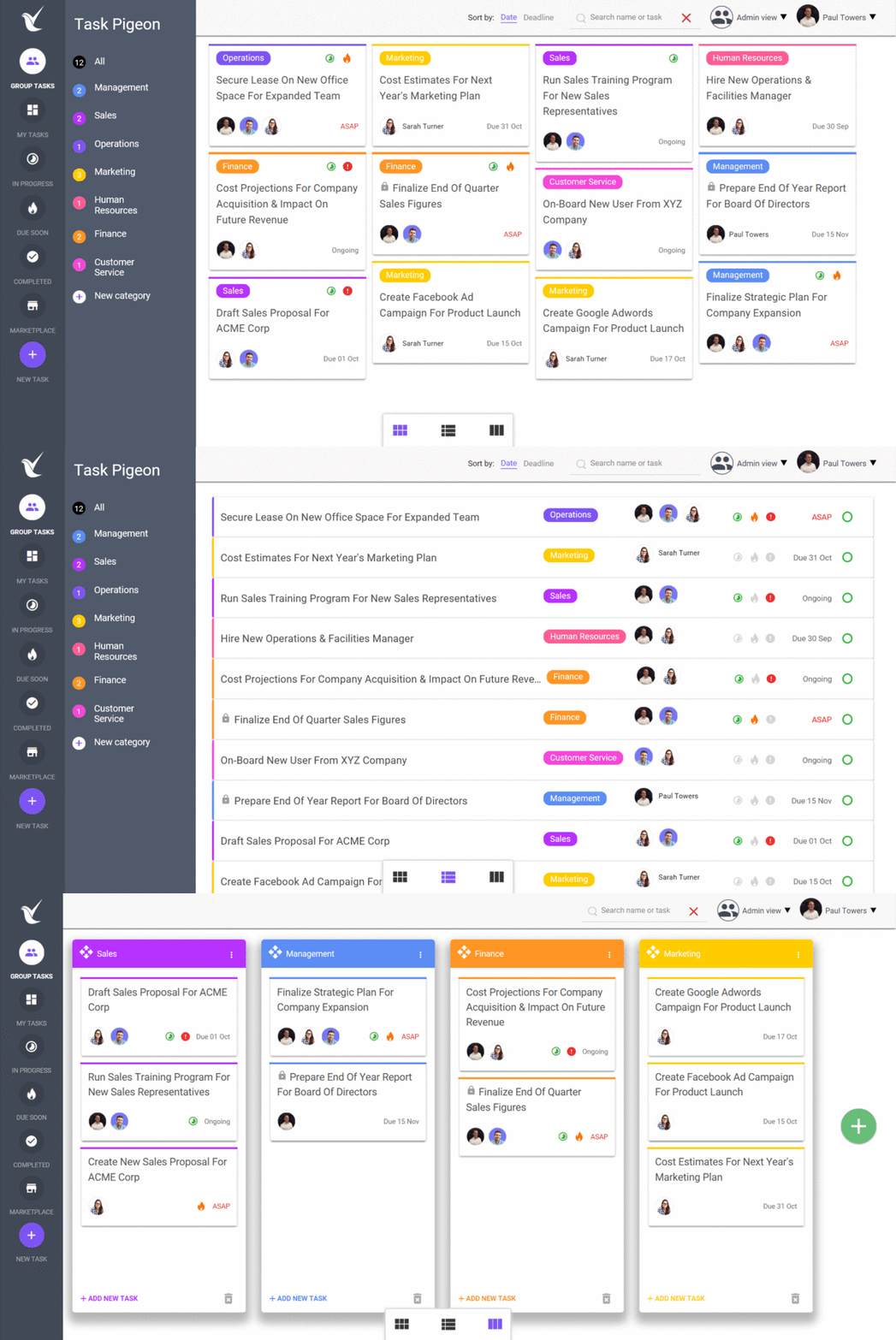
A shared dashboard can bring tasks, workloads, deadlines, and project updates into one system. Team members can review their assigned work and understand how it contributes to the wider ERP project.
Managers can also identify overloaded employees, unassigned tasks, or conflicting deadlines before they begin affecting delivery.
6. Controlled Access to Project Information
Many team allocation platforms support role-based permissions that limit access according to a user’s responsibilities. Developers may see technical tasks, while managers may have broader access to workload reports, budgets, or project performance information.
These controls can support internal data protection, although security still depends on proper configuration, authentication, software maintenance, and organizational policies.
7. Better Time Management
Allocation tools help teams compare planned effort with actual time spent on development, testing, reviews, and implementation. This information can improve future estimates and reveal activities that regularly require more time than expected.
Managers can use these insights to adjust schedules, redistribute tasks, or resolve bottlenecks before deadlines are missed.
8. Fewer Coordination and Assignment Errors
Poorly coordinated projects can result in duplicated work, forgotten tasks, unclear ownership, or incomplete handoffs. A team allocation tool reduces these risks by maintaining a visible record of assignments, dependencies, deadlines, and status updates.
It does not eliminate every project error, but it can make planning problems easier to detect and correct.
9. More Useful Performance Metrics
Team allocation tools can provide metrics such as task completion rates, workload distribution, estimated versus actual effort, blocked work, and project capacity.
These measurements should not be used as simplistic employee scorecards. They are more useful when evaluating whether tasks were estimated accurately, resources were distributed appropriately, and teams had the support required to complete their work.
10. Clearer Task Prioritization
ERP projects often contain competing requirements across modules and departments. Allocation tools help project managers identify which tasks are urgent, which are dependent on other work, and which can be scheduled for a later phase.
Clear priorities allow teams to focus on work that has the greatest effect on project delivery instead of treating every task as equally urgent.
What to Look for in a Team Allocation Tool
The right tool should match the size, workflow, and reporting needs of the development team. Useful capabilities may include:
- Workload and capacity views
- Task ownership and deadline tracking
- Role-based access permissions
- Dependency management
- Time and effort tracking
- Project dashboards and reports
- Integrations with development and communication platforms
The software should also be straightforward enough for the team to update consistently. A feature-heavy platform provides little value when employees avoid using it or when project information quickly becomes outdated.
Final Thoughts
Team allocation tools can improve ERP software development by giving managers and employees a shared view of responsibilities, workloads, deadlines, and project dependencies. They are particularly valuable in complex projects where several specialists are working on connected ERP modules.
However, the tool alone will not solve poor planning or unclear communication. Organizations still need realistic timelines, defined responsibilities, regular project reviews, and a delivery process that reflects actual team capacity.
NOI Technologies LLC develops open-source ERP solutions using frameworks such as Moqui and Apache OFBiz. Our team supports ERP planning, development, customization, integration, and implementation for businesses with complex operational requirements.
NOI Technologies is also listed among ERP consulting companies on GoodFirms.