Custom ERP development can help a business replace disconnected applications, spreadsheets, and manual processes with one coordinated system. Unlike packaged ERP products, a custom platform is designed around the organization’s workflows, data structures, reporting needs, integrations, and user roles.
That flexibility can be valuable, but it also creates responsibility. A custom ERP project requires careful requirements analysis, technical planning, testing, user involvement, security controls, and long-term maintenance.
This guide explains when custom ERP software may be appropriate, how it compares with off-the-shelf ERP, and the steps involved in planning, developing, deploying, and supporting a tailored system.
What Is Custom ERP Software?
Custom enterprise resource planning software is a business management system designed for the processes and requirements of a specific organization.
It may connect functions such as:
- Accounting and finance
- Inventory and warehouse operations
- Procurement and supplier management
- Sales and order processing
- Customer relationship management
- Manufacturing and production
- Human resources
- Reporting and analytics
A custom ERP system may be developed from the ground up or built using an existing enterprise framework such as Moqui or Apache OFBiz.
Businesses should evaluate custom development alongside off-the-shelf ERP solutions before choosing an implementation model.
When Should a Business Consider Custom ERP Development?
Custom ERP development may be worth considering when existing software cannot support critical workflows without extensive workarounds, manual processing, or repeated data entry.
Common reasons include:
- The business has specialized operational processes.
- Departments rely on disconnected systems.
- Existing software cannot support required integrations.
- Reporting depends heavily on manual spreadsheet work.
- The company needs greater control over data, hosting, or source code.
- Available ERP products include unnecessary features but lack essential ones.
- The organization expects its processes or transaction volumes to change significantly.
A custom ERP is not always the best answer. A packaged solution may be more practical when business processes are standard, implementation speed is important, internal technical resources are limited, or an established product already meets most requirements.
Custom ERP vs Off-the-Shelf ERP
| Comparison Area | Custom ERP | Off-the-Shelf ERP |
|---|---|---|
| Process fit | Designed around defined business requirements | Uses standard product workflows and configuration options |
| Initial implementation | Usually requires more discovery, design, and development | May be faster when standard functionality is sufficient |
| Customization | Broad control over workflows, interfaces, and integrations | Limited by the product architecture and vendor policies |
| Cost structure | Development, hosting, support, and maintenance costs | Licensing or subscription, implementation, and support costs |
| System ownership | Can provide greater control over code and infrastructure | Product direction remains controlled by the vendor |
| Maintenance | Managed by an internal or external development team | Core product updates are usually managed by the vendor |
| Best suited for | Specialized or differentiated workflows | Common and standardized business processes |
The correct choice depends on total cost of ownership, implementation risk, technical resources, process complexity, integration requirements, and expected system lifespan.
Our comparison of open-source ERP and custom ERP development provides additional guidance on selecting an appropriate approach.
Benefits of Custom ERP Development
Closer Alignment With Business Processes
A custom ERP can be designed around the way the organization receives orders, manages inventory, approves purchases, calculates pricing, serves customers, or reports performance.
This can reduce the need for manual workarounds, duplicate data entry, or separate spreadsheets.
Greater Integration Control
The system can be designed to exchange data with ecommerce platforms, payment services, CRM software, accounting tools, shipping providers, warehouse applications, supplier portals, and business intelligence systems.
Integration requirements should still be documented carefully. Custom software does not make unreliable or poorly documented third-party APIs disappear, despite how convenient that would be.
Flexible Reporting and Data Structures
A custom ERP can organize information according to the company’s products, locations, departments, clients, projects, or operating entities.
Reports and dashboards can then be designed around the performance indicators used by decision-makers rather than being limited to predefined templates.
Control Over the Development Roadmap
The organization can prioritize features according to operational value instead of waiting for a commercial vendor to add them.
This control must be supported by clear product ownership, documentation, testing, and release management.
Phased Expansion
A modular ERP architecture can allow the organization to begin with essential functions and introduce additional modules later.
For example, the first phase may cover inventory and order management, followed by accounting, procurement, customer management, or reporting.
Custom ERP Development Strategy
1. Identify the Business Problems
The project should begin with specific operational problems rather than a general request to “build an ERP.”
Examples may include:
- Inventory records are inconsistent across systems.
- Orders require manual entry in several applications.
- Finance teams cannot reconcile operational data quickly.
- Managers lack timely reporting.
- Departments use different customer or product records.
- Existing software cannot support required workflows.
Documenting these problems gives the project a measurable purpose and helps prevent unnecessary features from entering the scope.
2. Map Current Business Processes
Process mapping shows how work moves between people, departments, and systems.
The project team should document:
- Who performs each activity
- Which system or document is used
- Where approvals are required
- Where data is entered or transferred
- Which exceptions occur
- Where delays and errors are common
Stakeholders from operations, finance, sales, customer service, IT, and management should be involved. Senior leadership alone may understand the objective, but employees performing the process usually know where it actually breaks.
3. Define Requirements and Success Metrics
Business requirements should describe what users need to accomplish and why the capability matters.
Each requirement should include:
- The user or department affected
- The workflow being supported
- The required data
- Approvals and permissions
- Integration dependencies
- Expected outputs or reports
- Acceptance criteria
The team should also define measurable goals, such as reducing order processing time, improving inventory accuracy, shortening financial closing, or eliminating duplicate data entry.
4. Prioritize the Minimum Viable Scope
Trying to replace every business system in one release increases risk. A better approach is to identify the smallest set of functions that can deliver measurable operational value.
Requirements can be classified as:
- Required for the initial launch
- Important but suitable for a later phase
- Optional or experimental
- Outside the ERP project
This prioritization helps control cost and allows users to begin working with the system before every possible feature has been developed.
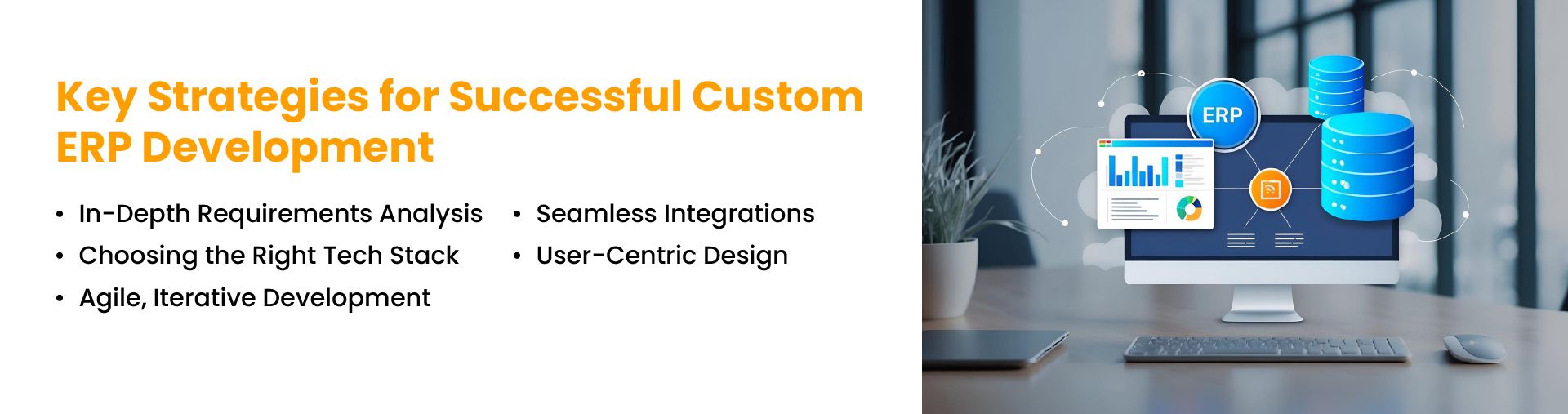
5. Select the Architecture and Technology Stack
The technology stack should reflect security requirements, expected transaction volumes, integration needs, hosting preferences, available expertise, and long-term maintenance plans.
Open-source enterprise frameworks can provide reusable components and reduce the need to build every capability from the beginning.
For example:
- Moqui Framework can support the development of enterprise applications using service, entity, screen, security, and workflow capabilities.
- Apache OFBiz provides an open-source foundation with components for common enterprise processes.
The selected framework should be evaluated against actual requirements. Familiarity or popularity alone is not a sufficient reason to choose an architecture that may be maintained for many years.
6. Design a Modular System
A modular architecture separates major business capabilities into manageable components.
Possible modules include:
- Finance and accounting
- Inventory
- Order management
- Procurement
- Manufacturing
- CRM
- Human resources
- Reporting
Modules still need shared data standards and integration rules. Poorly coordinated modules can recreate the same information silos the ERP was intended to remove.
7. Design for Users and Roles
The interface should reflect the tasks each user performs. Warehouse employees, finance staff, executives, customer service teams, and system administrators should not receive identical screens and navigation.
User-centered design should address:
- Role-specific dashboards
- Clear task sequences
- Search and filtering
- Validation and error messages
- Mobile or handheld access
- Accessibility
- Permission-based visibility
Prototype reviews with real users can reveal workflow issues before they become expensive development problems.
8. Plan Integrations Before Development
The ERP may need to connect with accounting platforms, ecommerce channels, payment gateways, shipping carriers, CRM systems, warehouse tools, or legacy databases.
For each integration, define:
- Which system owns the data
- Which information is exchanged
- How frequently synchronization occurs
- How errors are recorded and resolved
- Which security and authentication methods are required
- What happens when an external service is unavailable
Leaving these decisions until late in development often produces duplicate records, inconsistent reporting, and fragile connections.
9. Develop in Controlled Iterations
Iterative development allows teams to build, review, and test smaller groups of features instead of waiting for one large launch.
A typical cycle may include:
- Confirming the requirements
- Designing the workflow
- Developing the feature
- Testing technical behavior
- Reviewing it with business users
- Correcting issues before the next release
Iteration does not mean changing requirements without control. Scope changes should be documented along with their cost, risk, and schedule impact.
10. Test the Complete Business Process
Testing should cover complete operational scenarios rather than isolated fields or screens.
Testing may include:
- Functional testing
- Integration testing
- Data migration testing
- Permission and security testing
- Performance and load testing
- User acceptance testing
- Backup and recovery testing
Users should validate whether the system supports real work, including exceptions such as damaged inventory, rejected approvals, partial shipments, refunds, or corrected invoices.
11. Prepare Data Migration Carefully
Legacy information often contains duplicates, incomplete fields, obsolete records, and inconsistent formats.
Data migration should include:
- Selecting the records to retain
- Cleaning and standardizing data
- Mapping old fields to the new system
- Testing the migration process
- Reconciling balances and quantities
- Defining a final cutover plan
Poor-quality data can undermine an otherwise well-built ERP from its first day in production.
12. Plan Deployment and User Training
Deployment may be completed as a single cutover, a phased rollout, or a pilot followed by wider adoption.
The deployment plan should cover:
- Final data migration
- System access and permissions
- User training
- Operational support
- Issue escalation
- Rollback procedures
- Communication with affected teams
Training should be based on user roles and actual tasks. Employees need to know how to complete their work, not receive a tour of every module the system contains.
13. Maintain and Improve the ERP After Launch
A custom ERP is an ongoing software product, not a project that ends at launch.
Post-launch work may include:
- Technical support
- Security updates
- Performance monitoring
- Integration maintenance
- User access reviews
- Bug fixes
- New reports and features
- Training for new employees
The organization should define who owns the ERP roadmap, who approves changes, and how releases are tested before reaching production.
Common Custom ERP Development Mistakes
Rebuilding Every Legacy Process
Some existing processes are inefficient because of old software limitations. Reproducing them exactly can preserve the problem in a newer interface.
Allowing the Scope to Expand Without Control
Small feature requests can gradually increase cost, testing requirements, and implementation time. Every change should have a documented business reason.
Ignoring Data Quality
A new ERP will not automatically correct inaccurate product, customer, supplier, or inventory records.
Involving Users Too Late
Waiting until final user acceptance testing to involve employees can reveal major workflow problems when they are already expensive to change.
Underestimating Maintenance
Custom software requires documentation, monitoring, updates, backups, testing, and technical ownership after launch.
Depending on One Developer or Provider
Source-code access does not eliminate dependency when architecture, deployment procedures, passwords, and technical decisions are not documented.
Custom ERP Project Example
NOI Technologies worked with ecommerce business MPStyle.it on an Apache OFBiz-based ERP implementation.
The project focused on connecting inventory, order processing, and other business functions within a coordinated system rather than relying on scattered applications and manual processes.
This type of implementation illustrates where custom ERP development may be appropriate: the business requires connected workflows and a system that can be extended as operational requirements change.
Is Custom ERP Development Right for Your Business?
Custom ERP development may be appropriate when specialized processes, complex integrations, or long-term system control justify the additional development and maintenance responsibility.
It may not be the right choice when a packaged ERP already supports the required processes, when rapid deployment is the main priority, or when the organization does not have access to dependable technical support.
The decision should be based on requirements, implementation risk, expected system lifespan, internal capabilities, and total cost of ownership.
NOI Technologies provides custom ERP planning, architecture, development, integration, deployment, and support using platforms such as Moqui and Apache OFBiz.
Schedule a call to discuss your ERP requirements.
Frequently Asked Questions
What is the custom ERP development process?
The process typically includes requirements analysis, process mapping, system architecture, interface design, development, integrations, data migration, testing, user training, deployment, and long-term maintenance.
How long does custom ERP development take?
The timeline depends on the number of modules, workflow complexity, integrations, data migration, user roles, security requirements, and deployment approach. A phased project may deliver essential functions earlier than a single full-system rollout.
Is custom ERP more expensive than packaged ERP?
Custom ERP often requires a larger initial investment in analysis, design, and development. Packaged ERP may involve licensing, subscriptions, configuration, and extension costs. The more useful comparison is the total cost of ownership over the expected life of the system.
Can open-source frameworks be used to build custom ERP software?
Yes. Frameworks such as Moqui and Apache OFBiz can provide reusable enterprise components and development tools. They still require implementation, customization, hosting, security, testing, and support.
What integrations should a custom ERP support?
The required integrations depend on the business. Common examples include ecommerce platforms, accounting software, payment gateways, shipping providers, CRM systems, warehouse applications, supplier systems, and analytics tools.
How can a business reduce custom ERP project risk?
Businesses can reduce risk by defining a limited initial scope, involving users early, documenting requirements, testing complete workflows, cleaning legacy data, controlling change requests, and planning long-term technical ownership.
Who owns the source code of a custom ERP system?
Source-code ownership depends on the development contract, software licenses, third-party components, and intellectual property terms. Ownership and access rights should be documented before development begins.