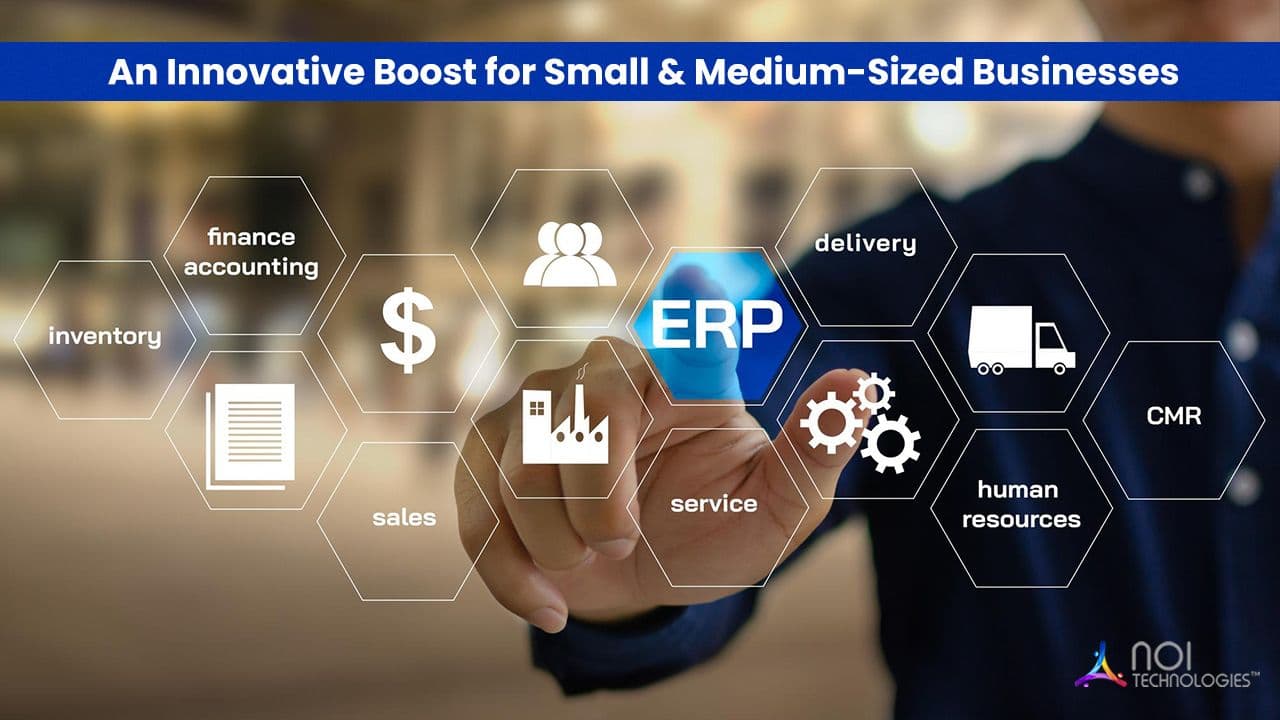
Small and medium-sized businesses often begin with separate tools for accounting, inventory, sales, purchasing, payroll, and customer management. These applications may work well individually, but operational problems can develop as the business grows.
Employees may need to enter the same information into several systems, reports may contain conflicting data, and managers may struggle to understand what is happening across departments.
A custom enterprise resource planning system can bring these processes together in one platform. Unlike a standard ERP product, custom ERP software is designed around the organization’s workflows, users, reporting requirements, and integration needs.
This article explains when a custom ERP solution may be suitable for a small or medium-sized business, the benefits it can provide, and the risks that should be considered before development begins.
What Is a Custom ERP Solution?
A custom ERP solution is business management software developed or configured to support the specific processes of an organization.
Depending on the business, the system may include modules for:
- Accounting and financial management
- Sales and customer management
- Purchasing and supplier management
- Inventory and warehouse operations
- Manufacturing and production planning
- Human resources and payroll
- Order processing and fulfillment
- Reporting and business intelligence
A custom ERP does not necessarily need to be developed entirely from the beginning. Businesses can also use an open-source ERP framework or configurable platform as a foundation and develop the required workflows, modules, and integrations around it.
NOI Technologies provides custom ERP solutions based on operational requirements, system architecture, and existing business applications.
When Does a Business Need Custom ERP Software?
Custom development is not the correct choice for every organization. Many businesses can operate effectively with standard accounting, inventory, CRM, or ERP software.
A custom solution becomes more relevant when existing products cannot support important workflows without extensive workarounds.
Common indicators include:
- Employees repeatedly enter the same information into different systems
- Departments maintain separate and inconsistent records
- Standard ERP products require excessive customization
- Reporting depends on manual spreadsheets
- The business has specialized approval or pricing rules
- Existing software cannot integrate with important applications
- The company operates across multiple locations or business units
- Operational complexity is increasing faster than the current systems can support
The decision should be based on business requirements rather than company size alone. A relatively small organization with specialized manufacturing, distribution, or service workflows may have more complex software needs than a larger business with standardized processes.
Benefits of Custom ERP for Small and Medium-Sized Businesses
Processes Designed Around the Business
Standard ERP products are designed to support common business processes. This can be useful when an organization is willing to adapt its workflows to the software.
However, some businesses have operational methods that provide a practical advantage or are required by their industry. Custom ERP software can reflect these processes without forcing employees to rely on spreadsheets, manual approvals, or disconnected tools.
Examples may include:
- Special pricing and discount structures
- Multi-stage approval workflows
- Industry-specific production processes
- Customer-specific order requirements
- Complex inventory ownership rules
- Regional tax and reporting requirements
Centralized Business Information
When departments use separate systems, information can become fragmented. Finance may maintain one customer record while sales, inventory, and support teams maintain others.
A custom ERP can provide a shared source of information for authorized users. This can reduce duplicate records and improve coordination between departments.
Centralization does not mean every employee should have access to all information. The system should use role-based permissions so users can access only the data and functions required for their responsibilities.
Reduced Manual Work
Manual data entry consumes time and increases the possibility of mistakes. It also makes business processes dependent on specific employees who understand how information moves between systems.
A custom ERP can automate activities such as:
- Creating invoices from completed orders
- Updating inventory after shipments
- Generating purchase requests when stock falls below defined levels
- Routing transactions for approval
- Sending operational alerts
- Preparing recurring management reports
Automation should be applied carefully. A poorly designed automated process can repeat errors more quickly than a manual one. Business rules should therefore be documented and tested before automation is introduced.
Better Inventory and Supply Chain Visibility
Businesses that buy, store, manufacture, or distribute products need accurate information about inventory movement.
A custom ERP can connect purchasing, receiving, stock management, production, sales, and fulfillment activities. This helps teams understand:
- Current inventory levels
- Available and allocated stock
- Outstanding purchase orders
- Supplier lead times
- Production material requirements
- Order fulfillment status
Connecting ERP with supply chain management processes can improve planning, although the quality of the result still depends on accurate data and consistent warehouse procedures.
Integration With Existing Business Applications
Small and medium-sized businesses rarely replace every system at once. They may need to retain an ecommerce platform, payment gateway, payroll application, customer portal, shipping system, or industry-specific tool.
A custom ERP can be designed to exchange information with these applications through APIs, middleware, scheduled imports, or other supported methods.
Common integrations include:
- Ecommerce platforms
- Customer relationship management systems
- Point-of-sale systems
- Warehouse management software
- Shipping carriers
- Banking and payment services
- Payroll applications
- Business intelligence platforms
Integration requirements should be identified early because they can significantly affect the project scope, architecture, testing effort, and maintenance cost.
Reporting Based on Actual Business Requirements
Standard software often provides generic reports that may not reflect how a particular business measures performance.
A custom ERP can provide reports and dashboards based on the organization’s operational and financial requirements.
Examples include:
- Profitability by customer or product
- Inventory turnover by location
- Supplier performance
- Order processing time
- Production cost and output
- Outstanding approvals
- Cash flow and payment status
Reports are useful only when the underlying data is reliable. Data ownership, validation rules, and reporting definitions should be established during implementation.
Scalability for New Processes and Locations
A growing business may add employees, warehouses, branches, products, currencies, or legal entities.
Custom ERP architecture can be planned to support these changes. However, scalability is not automatic. It depends on database design, infrastructure, integrations, security, and the quality of the application architecture.
The system should also allow selected workflows and configuration rules to change without requiring custom code for every adjustment.
User Experience Based on Employee Roles
Employees are more likely to use an ERP correctly when the interface reflects their daily responsibilities.
A warehouse employee, financial controller, sales representative, and senior manager should not necessarily see the same screens or navigation.
Role-specific dashboards and workflows can reduce unnecessary steps and make training more practical. Usability should be tested with actual users rather than determined only by managers or developers.
Custom ERP Compared With Standard ERP Software
The best option depends on how closely a standard product matches the business requirements.
Standard ERP May Be More Suitable When:
- The business follows common industry processes
- Implementation speed is a priority
- The organization can adapt its workflows to the software
- A predictable subscription model is preferred
- Internal technical resources are limited
Custom ERP May Be More Suitable When:
- Core workflows are specialized
- Several existing systems must be integrated
- The organization needs control over the source code and architecture
- Standard products require extensive workarounds
- Reporting and approval requirements are highly specific
Businesses should compare configuration, customization, integration, support, and long-term ownership costs rather than focusing only on the initial price.
Costs and Risks of Custom ERP Development
Custom ERP software can provide operational flexibility, but it also requires a larger planning and governance commitment than purchasing a basic off-the-shelf application.
Development and Implementation Cost
The project may include discovery, architecture, interface design, development, integrations, data migration, testing, deployment, and employee training.
An incomplete requirements process can lead to scope changes and unexpected costs later in the project.
Longer Implementation Time
Custom functionality must be designed, developed, and tested. A phased launch is often more manageable than attempting to implement every module at once.
Maintenance Responsibility
The business must plan for security updates, performance monitoring, bug fixes, infrastructure, integration changes, and future enhancements.
Support responsibilities should be clearly defined between the organization, development team, hosting provider, and third-party software vendors.
Dependence on Accurate Requirements
Software cannot correct an unclear or inefficient business process by itself. Developing a custom system around poorly defined workflows may make those problems more difficult to change.
Process review should therefore take place before development begins.
How to Plan a Custom ERP Project
Document Current Processes
Map how information moves through sales, purchasing, inventory, finance, operations, and customer service. Identify manual steps, duplicate records, delays, and approval bottlenecks.
Separate Essential and Optional Requirements
Determine which features are required for the initial launch and which can be introduced later. This prevents the first phase from becoming unnecessarily large.
Identify Data and Integration Requirements
List the applications that must connect with the ERP and the data that must be migrated from existing systems.
Data should be reviewed for duplicates, missing fields, outdated records, and inconsistent formats before migration.
Define User Roles and Permissions
Document what each type of user should be able to view, create, approve, edit, or delete.
Role-based access should be part of the initial design rather than added after the system has been developed.
Plan a Phased Implementation
A phased project may begin with financial management, inventory, or order processing before introducing additional modules.
This approach allows the business to test the system in real operations, collect feedback, and reduce implementation risk.
Include Training and Post-Launch Support
Employees need role-specific training, documentation, and assistance during the transition.
After launch, the project team should monitor adoption, data quality, system performance, integration errors, and unresolved workflow issues.
Using Open-Source Frameworks for Custom ERP
Open-source frameworks offer different starting points for a custom ERP. Some include ready-made business applications, while others provide reusable data models and services that teams can build on.
Apache OFBiz and Moqui can both serve as foundations for customized enterprise applications. The right choice depends on which existing capabilities fit your workflows and what your team needs to build.
NOI Technologies offers configurable ERP with Apache OFBiz and custom Moqui development for businesses that choose either path.
Open source does not mean implementation is free. Businesses still need to budget for requirements analysis, configuration, development, hosting, security, testing, training, maintenance, and support.
Conclusion
Custom ERP software can help a small or medium-sized business connect departments, reduce duplicate work, improve reporting, and support specialized operational processes.
However, custom development should not be treated as the default solution. It is most valuable when standard software cannot support important business requirements without extensive manual work or costly workarounds.
A successful ERP project begins with documented processes, realistic priorities, reliable data, clear system ownership, and a plan for maintenance after launch.
Planning a Custom ERP Solution?
NOI Technologies can help evaluate business processes, integration requirements, system architecture, data migration, and implementation scope for a custom or open-source ERP project.