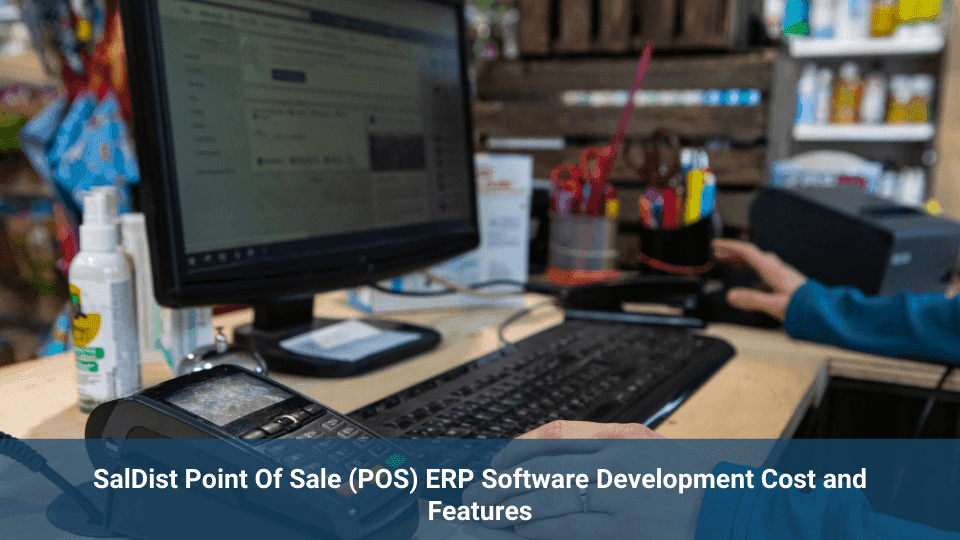
A point-of-sale system handles more than checkout and payment processing. For retailers operating across stores, websites, mobile applications, and other sales channels, POS software may also need to connect with inventory, customer records, orders, invoicing, and business reporting.
SalDist POS is part of the SalDist retail and distribution software suite. It is designed to support store billing, payment processing, checkout, and daily retail sales while connecting with broader back-office ERP operations.
This article explains the main capabilities of SalDist POS and the factors that affect the cost of developing, customizing, and implementing a retail POS system.
What Is SalDist POS?
SalDist POS is a point-of-sale solution developed for retail businesses that need to manage transactions across different devices and operating environments.
The POS application can support everyday store processes such as:
- Creating and processing sales transactions
- Accepting different payment methods
- Managing checkout and billing
- Continuing sales during temporary connectivity problems
- Synchronizing transaction data with connected systems
When connected with the SalDist product suite, POS activity can also contribute to inventory, order management, invoicing, returns, customer management, and operational reporting.
SalDist POS Features
Multi-Platform Support
SalDist POS can operate across Android, iOS, and Microsoft Windows devices. This gives retailers more flexibility when selecting devices for counters, temporary sales locations, events, or mobile checkout workflows.
Device compatibility should still be reviewed during implementation because operating system versions, peripherals, security requirements, and application integrations can affect the final setup.
Offline Sales Support
Retail stores may experience temporary internet outages or unreliable connectivity. SalDist POS can allow selected sales activity to continue while the connection is unavailable and synchronize the data after connectivity is restored.
Offline workflows should define which transactions are allowed, how payment authorization is handled, how duplicate records are prevented, and what happens when synchronized data conflicts with updated inventory or pricing.
Multiple Payment Methods
SalDist POS can help businesses record and process different payment modes through a consistent checkout workflow.
The exact payment options depend on the selected payment providers, regional requirements, supported hardware, and integrations. Businesses should confirm how refunds, split payments, failed transactions, cash handling, and payment reconciliation will be managed.
Flexible Hardware Setup
SalDist POS is not restricted to one proprietary hardware configuration. It can be implemented across different compatible computers, tablets, printers, barcode scanners, and other retail devices.
Hardware independence does not mean every device will work automatically. Printers, scanners, payment terminals, cash drawers, and customer displays should be tested before rollout.
Connected POS and ERP Capabilities
A POS application manages customer-facing sales activity, while an ERP system manages broader business processes. Connecting the two can help retailers maintain more consistent transaction, inventory, financial, and customer information.
Inventory Updates
Completed sales can update inventory records so store teams and connected sales channels have more accurate stock information.
Inventory accuracy still depends on receiving, returns, transfers, damaged stock, manual adjustments, and other warehouse or store activities being recorded correctly.
Order and Invoice Management
POS transactions can be connected with sales orders, invoices, payments, and accounting records. This reduces the need to enter the same transaction into separate systems.
The workflow should clearly define when an invoice is created, how taxes and discounts are calculated, and how refunds or cancelled transactions affect financial records.
Sales Reporting
Connected reporting can help managers review sales by location, employee, product, category, payment method, or period.
Reports may also be configured to show:
- Gross and net sales
- Discounts and promotions
- Returns and refunds
- Payment reconciliation
- Inventory movement
- Product performance
Reporting requirements should be documented before development so the required data is captured correctly from the beginning.
Customer and Loyalty Management
A connected retail platform may associate transactions with customer accounts, purchase history, membership details, or loyalty programs.
Businesses should define how customer consent, data access, account matching, reward calculation, expiration rules, and promotional communication will be managed.
Employee Access and Activity Tracking
Role-based access can help businesses control which actions employees are allowed to perform within the POS system.
Depending on the implementation, businesses may track activities such as logins, sales, discounts, refunds, cancellations, and cash-drawer actions. Sensitive functions should require appropriate permissions or managerial approval.
What Affects SalDist POS Development Cost?
The cost of developing or customizing a POS system cannot be determined from a feature list alone. It depends on the operational scope, integrations, device requirements, number of locations, and level of customization.
Number of Stores and Devices
A system for one store and a small number of devices is less complex than a rollout covering multiple stores, warehouses, registers, and regional operations.
Multi-location projects may require centralized configuration, location-specific pricing, store inventory visibility, inter-store transfers, and consolidated reporting.
POS and ERP Modules
Development scope increases when the POS must connect with modules for inventory, accounting, purchasing, CRM, order management, returns, or warehouse operations.
Each module introduces additional workflows, permissions, validation rules, and testing requirements.
Payment Integrations
Payment gateway and terminal integrations vary by provider, country, currency, and transaction type.
The implementation may need to support card payments, cash, digital wallets, refunds, partial payments, split payments, authorization failures, and reconciliation.
Hardware and Peripheral Integration
Barcode scanners, receipt printers, payment terminals, cash drawers, weighing scales, and customer displays may require separate configuration or development.
Existing hardware should be reviewed early to determine whether it can be reused or must be replaced.
Offline Functionality and Synchronization
Offline operation adds complexity because the application must temporarily store transactions and synchronize them safely after the connection returns.
The development team must define conflict resolution, data encryption, local storage limits, transaction sequencing, and recovery procedures.
Data Migration
Retailers replacing an existing POS system may need to migrate product catalogs, customers, pricing, inventory, loyalty balances, suppliers, and historical transactions.
Migration costs increase when data is incomplete, duplicated, inconsistent, or stored across several systems and spreadsheets.
Custom Workflows and User Roles
Retailers may require custom approval processes for discounts, refunds, price overrides, returns, inventory adjustments, and cash handling.
The number of employee roles and permission levels can affect configuration, development, testing, and training effort.
Training, Support, and Maintenance
The project budget should include user training, documentation, testing, deployment, technical support, bug fixes, security updates, and future improvements.
A POS system is used throughout daily retail operations, so post-launch support should be planned before implementation rather than discovered during the first weekend outage.
How to Estimate a POS Development Project
A reliable estimate should begin with a discovery and requirement-analysis phase.
The business should document:
- Store locations and expected transaction volume
- Devices and operating systems
- Payment methods and providers
- Inventory and pricing rules
- Required ERP and third-party integrations
- Offline transaction requirements
- Employee roles and approval workflows
- Reporting requirements
- Customer, loyalty, and promotional processes
- Data migration and deployment requirements
After these requirements are defined, the development team can estimate the design, configuration, integration, testing, migration, training, and support work more accurately.
Businesses planning a broader ERP implementation can also review the custom ERP development cost guide for additional pricing factors.
Plan Your SalDist POS Implementation
SalDist POS can support store billing, payment processing, multi-device use, offline transactions, and integration with connected retail and ERP operations.
The final capabilities and development cost depend on the number of stores, devices, integrations, workflows, users, reports, and custom requirements included in the project.
NOI Technologies provides SalDist POS development, ERP integration, customization, data migration, testing, deployment, and ongoing support services.
Contact NOI Technologies to discuss your POS and retail ERP requirements.