Open-source ERP systems give businesses control over workflows, data structures, integrations, and deployment. That flexibility can make them a practical foundation for artificial intelligence, particularly when a company needs AI capabilities designed around its own operational processes.
However, AI integration involves more than adding a chatbot or connecting an ERP database to a language model. A reliable implementation requires suitable data, secure system access, defined business rules, user permissions, validation controls, and a clear understanding of which decisions should remain under human review.
This article explains where AI can provide value within an open-source ERP system, how the integration can be structured, and what businesses should evaluate before development begins. AI is one of several top ERP trends for 2026 that businesses should watch when planning their next implementation or upgrade.
What Does AI Integration in ERP Actually Mean?
AI integration in ERP means connecting artificial intelligence models or services to ERP data and workflows so that the system can analyze information, identify patterns, process documents, generate summaries, or recommend actions.
The ERP remains the primary system for business records and transactions. The AI layer uses authorized information from that system to perform a specific task.
For example, an AI model may examine order history to forecast demand. It may read supplier invoices and extract relevant fields before sending the information to an approval workflow. It may also review transaction patterns and flag unusual activity for an employee to investigate.
These functions are different from conventional ERP automation. A fixed rule might route an invoice for approval when its value exceeds a defined amount. An AI model may instead identify an invoice as unusual based on previous supplier behavior, pricing patterns, or transaction history.
Why Open-Source ERP Can Support AI Integration
Open-source ERP does not make AI implementation automatic. Its main advantage is that development teams can inspect and extend the application architecture instead of working only within the limits of a closed product. This is a key difference from traditional ERPs, which often restrict how deeply AI capabilities can be customized or embedded within core workflows.
Access to Application Logic
Developers can adapt services, workflows, data models, and interfaces when the source code and framework architecture are available. This makes it possible to place AI functionality at a suitable point in the business process rather than treating it as a separate tool.
For example, an invoice-processing model can be connected directly to document intake, supplier records, purchase orders, approval rules, and accounting workflows.
Control Over Data and Integrations
Businesses can determine which ERP data an AI service may access, where the model runs, and how results are returned to the application.
This control is useful when an organization has requirements involving private cloud deployment, on-premise infrastructure, data residency, custom security policies, or specialized third-party systems. These deployment choices often overlap with the broader decision between cloud-based ERP and on-premise infrastructure.
Support for Business-Specific Workflows
Generic AI tools are often designed around common tasks. ERP processes are usually more specific. A manufacturer, distributor, ecommerce company, and logistics provider may all use inventory forecasting, but their data structures, constraints, and decision rules can differ substantially.
An open-source ERP framework allows AI workflows to be developed around those differences.
Reduced Dependence on a Single AI Vendor
A well-designed integration can separate the ERP application from the selected AI model. The business may then replace a model, change an API provider, or move to a privately hosted model without rebuilding the entire ERP system.
This requires an integration layer rather than placing model-specific code throughout the application.
AI Use Cases for Open-Source ERP
Demand and Inventory Forecasting
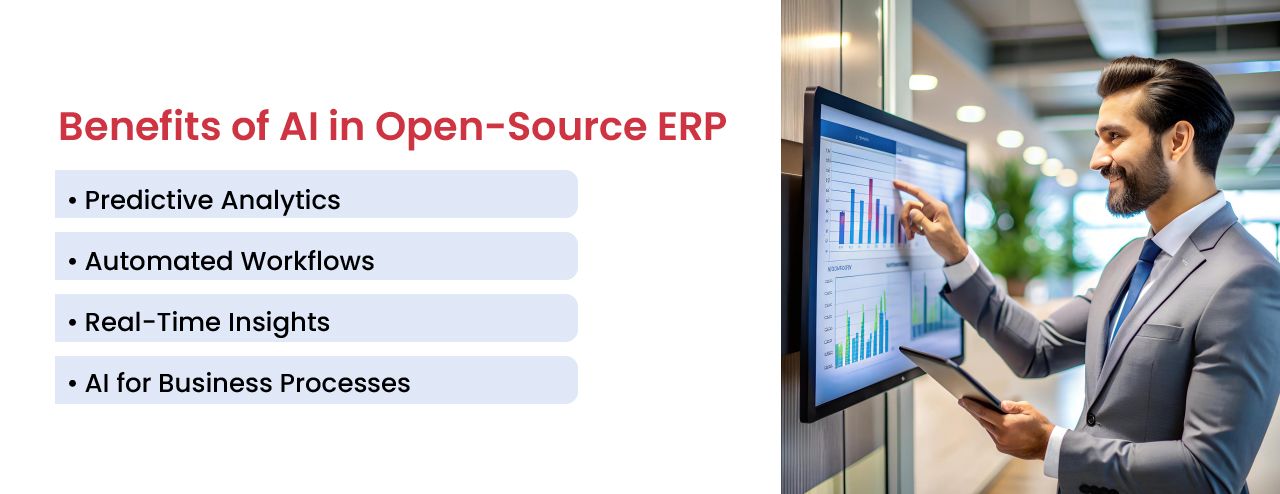
AI models can analyze order history, seasonal patterns, promotions, supplier lead times, product availability, and other relevant variables to estimate future demand.
The results may support replenishment planning, purchasing, warehouse allocation, production scheduling, and inventory transfers. Forecasts should be monitored against actual outcomes because demand patterns and business conditions change over time.
Invoice and Document Processing
AI can extract information from invoices, purchase orders, receipts, shipping documents, and other business files. Extracted fields can be compared with ERP records before the transaction enters an approval or exception workflow.
Document processing should include validation rules. Low-confidence results and mismatched information should be routed to an employee instead of being posted automatically.
Transaction and Process Exception Detection
AI can examine historical activity and highlight transactions that differ from normal patterns. Examples may include unusual invoice amounts, repeated inventory adjustments, unexpected order cancellations, delayed purchase orders, or changes in supplier performance.
An exception is not necessarily an error or fraudulent activity. It is a signal that a transaction or process may require review.
Natural Language ERP Search
A natural language interface can allow authorized users to ask questions such as:
- Which customer orders are delayed because of unavailable inventory?
- Which suppliers have missed delivery dates during the current quarter?
- Which products had the largest margin decline last month?
- Which invoices remain unmatched to a purchase order?
The response should be generated from authorized ERP data and linked to the supporting records. The system must also respect the same access permissions that apply elsewhere in the ERP application.
Reporting and Operational Summaries
AI can help summarize changes in sales, procurement, inventory, finance, production, or fulfillment. Instead of presenting only a dashboard, the system can explain which figures changed and identify records that contributed to the result.
Generated summaries should remain traceable to the underlying data. Users need a way to verify important statements before acting on them.
Workflow Recommendations
An AI service can recommend a possible action based on current conditions. It may suggest changing a reorder point, reviewing a supplier, transferring inventory, prioritizing an order, or rescheduling production.
The ERP workflow should determine whether the recommendation is informational, requires approval, or can trigger a limited automated action.
A Practical Architecture for AI-Enabled ERP
A reliable AI implementation usually separates transactional ERP functions from AI processing.
The ERP manages business records, permissions, workflows, and transaction integrity. An integration service sends only the required information to the AI model. The model returns a forecast, classification, extracted value, summary, or recommendation. The ERP then validates that result and decides what happens next.
A typical architecture may include:
- An ERP service or approved API that provides the required business data
- An integration layer that prepares information for the AI model
- An AI model selected for the specific task
- Validation rules that check the model output
- An approval workflow for sensitive or uncertain results
- Audit records showing the input, output, user action, and final outcome
This separation improves maintainability. It also reduces the risk of allowing an AI service to make unrestricted changes to core ERP records.
How to Implement AI in an Open-Source ERP System
Start with One Operational Problem
Begin with a process that has a clear problem and a measurable outcome. Suitable starting points may include reducing invoice-entry time, improving demand forecasts, identifying delayed orders, or producing daily operational summaries.
A narrow use case makes it easier to evaluate data quality, implementation cost, user adoption, and business value.
Assess the Available Data
The project team should identify which records are required, how complete they are, and whether they use consistent formats.
Duplicate product records, missing transaction statuses, inconsistent units of measure, and incomplete supplier data can reduce model accuracy. These problems should be addressed before expecting AI to produce reliable results.
Choose the Appropriate AI Method
Not every problem requires generative AI. Different tasks may require different methods:
- Forecasting models for demand and resource planning
- Classification models for documents or transactions
- Anomaly detection for unusual operational activity
- Language models for search, summaries, and document interpretation
- Optimization methods for scheduling and resource allocation
Rule-based automation may remain the better option when the process is deterministic and the conditions are already known.
Define Access and Approval Rules
The AI service should receive only the information required for its task. Access should follow ERP roles, data restrictions, and security policies.
Businesses should also decide which outputs require human approval. Financial postings, supplier changes, customer communications, and inventory adjustments generally need stronger controls than internal summaries.
Test with Real Business Scenarios
Testing should include normal transactions, incomplete records, unusual values, duplicate documents, conflicting information, and unavailable services.
The system should fail safely. When a model cannot produce a reliable result, the transaction should move to an exception queue rather than silently continuing with uncertain information.
Measure the Operational Result
Performance should be measured against the original business problem. Depending on the use case, relevant measures may include forecast accuracy, document-processing time, exception resolution time, manual corrections, user adoption, or the number of transactions completed without rework.
Risks and Limitations to Address
Incorrect or Unsupported Outputs
Generative AI can produce convincing information that is not supported by ERP records. Important responses should therefore include references to the underlying transaction, report, or document.
Data Security and Privacy
Sending ERP information to an external model can create security, privacy, contractual, or regulatory concerns. Businesses must understand how data is transmitted, stored, logged, and used by the selected provider.
Model Drift
A model can become less accurate as purchasing behavior, demand, pricing, suppliers, products, or business processes change. Forecasting and classification models require ongoing monitoring and periodic retraining.
Overautomation
AI should not be allowed to make unrestricted operational changes simply because automation is technically possible. Human review remains important where decisions affect finances, customers, employees, compliance, or contractual obligations.
Long-Term Maintenance
AI integrations introduce additional components, including model APIs, prompts, training data, monitoring tools, and validation logic. These components must be documented, secured, tested, and maintained alongside the ERP application. These ongoing maintenance needs should be budgeted alongside typical open-source ERP customization costs.
Using Apache OFBiz and Moqui for AI-Enabled ERP
Apache OFBiz provides applications and framework capabilities for accounting, order management, ecommerce, inventory, warehousing, manufacturing, MRP, CRM, and related enterprise processes.
AI services can be connected to OFBiz through custom services, integrations, data pipelines, scheduled processes, or external applications. The implementation should follow the framework’s service, entity, security, and transaction patterns.
Moqui Framework provides tools for enterprise application development, including entities, services, screens, security, search, analytics, business rules, and system integration.
Its service-oriented structure can support AI workflows that need controlled access to business data and processes. As with OFBiz, AI capabilities must be designed and developed for the required use case rather than assumed to exist automatically.
How NOI Technologies Supports AI and ERP Integration
NOI Technologies develops and modernizes open-source ERP systems using Apache OFBiz, Moqui Framework, and connected enterprise technologies.
Our AI and ERP work can include:
- ERP data and workflow assessments
- AI use case planning and technical architecture
- Forecasting and operational analytics
- Document extraction and validation workflows
- Natural language search across authorized ERP records
- ERP workflow automation and exception handling
- Integration with external or privately hosted AI models
- Security controls, testing, monitoring, and ongoing support
Frequently Asked Questions
Can AI be added to an existing open-source ERP system?
Yes. AI can often be integrated with an existing ERP through services, APIs, scheduled data processes, or an external integration layer. The implementation depends on the ERP architecture, data quality, security requirements, and intended use case.
Does an open-source ERP include AI by default?
Not necessarily. Open-source ERP frameworks provide business applications and development capabilities, but AI models, data pipelines, validation rules, and user workflows usually need to be added or configured separately.
Should a business use generative AI for every ERP automation?
No. Fixed rules are more suitable for predictable processes with known conditions. Generative AI is useful for tasks involving language, unstructured documents, summaries, or flexible user questions. Forecasting and anomaly detection may require other machine learning methods.
Can AI update ERP records automatically?
It can, but unrestricted updates are risky. AI-generated changes should pass through validation rules, permission checks, and approval workflows. Sensitive transactions should remain subject to human review.
How should a company begin an AI ERP project?
Start with one measurable operational problem. Review the available data, define the expected outcome, build a controlled pilot, and compare the results with the current process before expanding the implementation.
Evaluate AI Opportunities in Your ERP System
Discuss your ERP data, automation, reporting, forecasting, or AI integration requirements with the NOI Technologies team.