Cloud-based ERP software helps businesses manage finance, inventory, sales, supply chain, HR, reporting, and daily operations through a secure online system instead of local servers. For companies moving away from spreadsheets, disconnected tools, or outdated on-premise ERP, a cloud ERP system can reduce infrastructure costs, improve remote access, simplify updates, and support faster growth.
This guide explains what cloud ERP software is, how it works, where it helps most, and when a custom cloud ERP solution makes more sense than a ready-made platform. It also covers open-source ERP options such as Moqui Framework and Apache OFBiz for businesses that need deeper customization, workflow control, or long-term flexibility.
This guide is useful for growing businesses, manufacturers, retailers, logistics companies, and multi-location teams evaluating whether cloud ERP or custom ERP development is the right fit.
How Cloud-Based ERP Software Works
Cloud ERP runs on remotely hosted infrastructure. Authorized users access the application online, while connected modules share business records across departments. Responsibility for hosting, backups, security, and updates depends on whether the system is a managed SaaS product or a custom cloud-hosted implementation.
Key Benefits of Cloud ERP for Growing Businesses
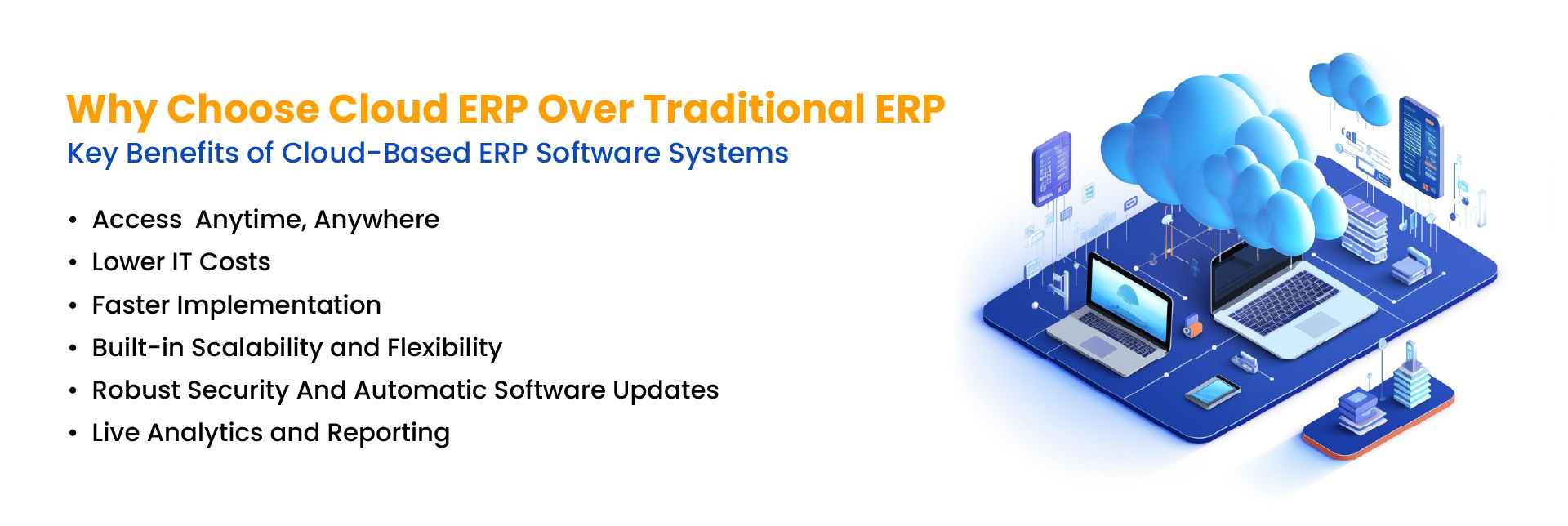
A cloud ERP system helps businesses reduce IT dependency, improve access to real-time data, and scale operations without maintaining complex local infrastructure. For growing companies, this can make finance, inventory, sales, HR, reporting, and supply chain workflows easier to manage across teams and locations.
1. Access Business Data from Anywhere
Cloud ERP allows authorized users to access business data through a secure internet connection. This helps teams manage finance, inventory, sales, HR, and reporting from different locations while supporting faster collaboration and decision-making.
2. Reduce IT and Infrastructure Costs
Traditional ERP often requires local servers, hardware maintenance, and larger upfront investment. A cloud-hosted ERP system reduces the need for physical infrastructure and usually follows a subscription-based model, helping businesses manage costs more predictably.
3. Speed Up ERP Implementation
Cloud ERP systems can often be deployed faster than traditional on-premise systems because businesses do not need to build and maintain the full infrastructure themselves. This can reduce setup time, lower disruption, and help teams start using core ERP features sooner.
4. Scale Users, Modules, and Workflows
As business needs change, cloud ERP makes it easier to add users, modules, workflows, integrations, and reporting capabilities. This flexibility is useful for growing businesses, multi-location operations, and companies with changing process requirements.
5. Keep Systems Updated and Secure
In a managed SaaS ERP, the provider typically handles application updates and infrastructure maintenance. For a custom cloud-hosted ERP, responsibilities for patches, upgrades, backups, and monitoring must be agreed with the hosting provider and development team. Security also depends on access controls, configuration, and ongoing operational practices.
6. Improve Real-Time Reporting and Visibility
Cloud ERP gives teams access to real-time data across departments, including stock levels, cash flow, sales activity, purchase orders, and customer operations. This improves visibility and helps leaders make faster, better-informed decisions.
How AI Improves Cloud ERP Workflows
AI helps cloud ERP systems move beyond basic data storage and process automation. With AI-enabled workflows, businesses can forecast demand, detect unusual transactions, automate routine tasks, and turn ERP data into practical insights across finance, inventory, procurement, supply chain, customer service, and reporting.
In a cloud ERP environment, AI is most useful when it solves specific workflow problems instead of adding generic automation. Common AI use cases in ERP include:
- Predictive maintenance: Helps identify equipment, system, or production issues before they cause downtime.
- Demand forecasting: Helps purchasing and inventory teams reduce stockouts, overstocking, and slow-moving inventory by using sales, inventory, and seasonal patterns.
- Automated invoice processing: Reduces manual work in invoice matching, approval routing, and payment workflows.
- AI chatbots and assistants: Helps users search ERP data, answer process questions, check order details, and complete routine tasks faster.
- AI reporting: Turns ERP data into summaries, alerts, and recommendations for finance, inventory, sales, and operations teams.
- Customer support insights: Gives service teams faster access to order history, inventory availability, billing data, and customer records.
- Fraud and anomaly detection: Flags unusual transactions, duplicate payments, suspicious activity, or unexpected changes in financial data.
At NOI Technologies, we help businesses add AI capabilities to cloud ERP systems through features such as demand forecasting, automated reporting, invoice processing, anomaly detection, and workflow automation. These AI-driven ERP features can reduce manual work, improve operational visibility, and help teams act faster on business data. For a deeper look at how these capabilities fit into a broader modernization strategy, see our guide to AI in ERP transformation.
Is Cloud ERP the Right Deployment Model for Your Business?
Cloud ERP is generally a good fit for businesses that need remote access, easier scalability, lower infrastructure responsibility, and simpler software maintenance. On-premise ERP can still make sense when an organization requires direct infrastructure control, specialized internal hosting, or strict data-location policies.
For a detailed comparison of hosting, costs, maintenance, security, scalability, and control, see our Cloud ERP vs On-Premise ERP guide.
Open-Source Cloud ERP: Flexibility, Control, and Scalability
Open-source ERP gives businesses more flexibility to customize workflows, modules, integrations, reporting, and user experiences compared to many proprietary ERP systems. When deployed in the cloud, open-source ERP can combine deep customization with easier access, scalability, and lower infrastructure dependency.
Open-source cloud ERP platforms such as Moqui Framework and Apache OFBiz can support:
- Custom workflows for finance, inventory, procurement, sales, and operations
- Lower licensing costs compared to some proprietary ERP platforms
- Flexible customization for e-commerce, retail, logistics, manufacturing, and service-based businesses
- Integration with AI modules, analytics tools, third-party apps, and internal business systems
- Greater control over system design, data structure, and long-term ERP roadmap
This makes open-source cloud ERP a strong option for businesses that need more control than standard ERP platforms can provide, especially when workflows, integrations, or reporting needs are complex.
Popular Cloud ERP Platforms vs Custom ERP Development
Businesses usually compare cloud ERP platforms based on cost, implementation complexity, customization needs, reporting requirements, and integration flexibility. Ready-made ERP platforms can work well for standard processes, while custom cloud ERP development is often better for companies with unique workflows, complex data structures, or long-term customization needs.
Cloud ERP vs On-Premise ERP
| Factor | Cloud ERP | On-Premise ERP |
|---|---|---|
| Hosting | Hosted online or on cloud infrastructure | Hosted on local company servers |
| Upfront Cost | Usually lower upfront cost | Usually higher upfront investment |
| Maintenance | Managed by provider or implementation team | Managed by internal IT team |
| Scalability | Easier to add users, modules, and integrations | Scaling may require more hardware and IT work |
| Best For | Growing, remote, multi-location, and flexible businesses | Businesses needing full local control or strict internal hosting |
The right cloud ERP option depends on your business size, workflows, budget, customization needs, and integration requirements. Some businesses prefer ready-made ERP platforms, while others need custom ERP development using open-source frameworks.
| ERP Option | Best For | Common Limitation |
|---|---|---|
| NetSuite | Growing businesses that need finance, inventory, CRM, and order management in one system | Customization and licensing costs can increase as requirements grow |
| SAP Cloud ERP | Larger enterprises with complex finance, procurement, manufacturing, and supply chain operations | Implementation can be more complex and resource-heavy |
| Acumatica | Mid-market companies that need flexible financial, distribution, project, and inventory management | Advanced workflows may still require partner customization |
| Custom Open-Source ERP | Businesses with unique workflows, integrations, reporting needs, or AI-enabled automation requirements | Requires experienced ERP planning, development, and long-term support |
Who Should Use Cloud-Based ERP Software?
A cloud ERP system is a good fit for businesses that need real-time visibility, remote access, easier scaling, and centralized control across departments. It is especially useful for companies managing inventory, finance, sales, procurement, logistics, manufacturing, or multi-location operations.
- Growing businesses replacing spreadsheets or disconnected tools
- Companies moving away from legacy on-premise ERP
- E-commerce, retail, logistics, and manufacturing companies
- Businesses needing custom workflows or third-party integrations
- Teams that need real-time reporting across multiple departments
When Does Custom Cloud ERP Development Make Sense?
Custom cloud ERP development makes sense when standard ERP platforms cannot support your business workflows, integrations, reporting needs, or long-term customization requirements. Instead of forcing teams to adjust to rigid software, a custom ERP system can be designed around how the business actually operates.
Custom ERP may be the better option when:
- Your business has unique approval flows, billing rules, or inventory processes
- You need deep integration with e-commerce, accounting, CRM, logistics, or internal systems
- Your team needs custom dashboards, AI reporting, or role-based workflows
- Licensing costs for proprietary ERP platforms are becoming too high
- You want long-term control over modules, data, and roadmap
Businesses with complex workflows can also build a custom cloud ERP on open-source platforms through custom Apache OFBiz development or Moqui Framework development.
For businesses evaluating long-term ERP flexibility, working with an experienced ERP consulting team can help define workflows, integration needs, data migration risks, and implementation priorities before development begins.
Cloud ERP Cost: What Affects Pricing?
Cloud ERP software cost depends on the number of users, modules, integrations, customization level, hosting requirements, data migration, training, and support. Ready-made ERP platforms often use subscription pricing, while custom cloud ERP development may involve planning, development, implementation, and ongoing maintenance costs.
In most ERP projects, cost is shaped by three levels of complexity:
- Basic cloud ERP setup: Suitable for businesses that need standard modules, limited customization, and simple user access.
- Mid-level cloud ERP implementation: Suitable for companies that need data migration, third-party integrations, custom reports, and role-based workflows.
- Custom cloud ERP development: Suitable for businesses with complex workflows, AI features, industry-specific modules, or deeper integration requirements.
For businesses comparing ready-made ERP and custom ERP development, the lowest upfront cost is not always the best long-term option. A rigid ERP platform may become expensive if it requires heavy workarounds, extra licenses, or manual processes outside the system.
For a small or growing business, a simple cloud ERP setup may cost less than a heavily customized enterprise ERP implementation. For businesses with complex workflows, custom ERP development can offer better long-term value by reducing licensing limits and adapting the system to actual business processes.
Cloud ERP Use Cases by Industry
E-commerce and Retail
Cloud ERP helps e-commerce and retail businesses connect inventory, orders, returns, customer data, purchasing, and financial reporting in one system. This reduces manual updates and improves stock visibility across online and offline channels.
Manufacturing
Manufacturing companies can use cloud ERP to manage production planning, procurement, bill of materials, inventory, quality checks, equipment maintenance, and demand forecasting. Businesses with complex production workflows may also need custom manufacturing ERP capabilities.
Logistics and Distribution
Logistics and distribution businesses can use cloud ERP to manage warehouse operations, supplier coordination, shipment tracking, billing, and performance reporting. For a deeper look at how cloud ERP improves supply chain visibility across shipments, warehouses, and carriers, see our dedicated guide.
Planning a Cloud ERP Project?
Before choosing a deployment approach, identify which workflows standard software can support and which require customization. Include integrations, data migration, hosting, security, upgrades, and ongoing support in the project scope.
For help assessing these requirements, explore NOI Technologies' ERP consulting services.
Final Thoughts
Cloud ERP can help businesses reduce infrastructure dependency, improve real-time visibility, simplify updates, and scale operations across finance, inventory, supply chain, HR, sales, and reporting. For companies moving away from legacy ERP systems, the right ERP strategy depends on how much flexibility, customization, and integration control the business needs.
Ready-made platforms such as NetSuite, SAP Cloud ERP, and Acumatica can work well for businesses with standard ERP requirements. Companies with complex workflows, unique operational processes, or deeper integration needs may benefit more from custom cloud ERP development using open-source platforms such as Moqui Framework and Apache OFBiz.
Author Bio:Visvendra Singh is the CEO and Founder of NOI Technologies LLC. With 9+ years of experience in ERP systems, open-source ERP frameworks, and AI-enabled business automation, he helps companies design scalable ERP solutions for complex operational workflows.