
As a business grows, managing finance, sales, purchasing, inventory, customer data, reporting, and approvals through separate tools becomes increasingly difficult. Employees may spend more time reconciling information, correcting duplicate records, and searching for accurate data across disconnected systems.
Enterprise resource planning software addresses this problem by connecting core business functions within a shared platform. A well-planned ERP system can improve process consistency, reduce manual work, provide better operational visibility, and support growth without requiring teams to continually add disconnected applications.
This article explains the main benefits of ERP software and the conditions businesses should consider before beginning an ERP implementation.
How ERP Software Supports Business Operations
An ERP system brings information from different departments into a coordinated environment. Depending on the implementation, it may connect finance, accounting, sales, procurement, inventory, manufacturing, supply chain, human resources, customer management, and reporting.
Instead of each department maintaining separate versions of the same information, teams can work with shared records and standardized workflows. This can reduce data duplication, simplify collaboration, and help decision-makers understand how activities in one department affect the rest of the organization.
Businesses with specialized workflows may also consider a custom ERP solution when standard software cannot adequately support their operational requirements. Our guide to planning and delivering a custom ERP project walks through how that kind of build is typically scoped and run.
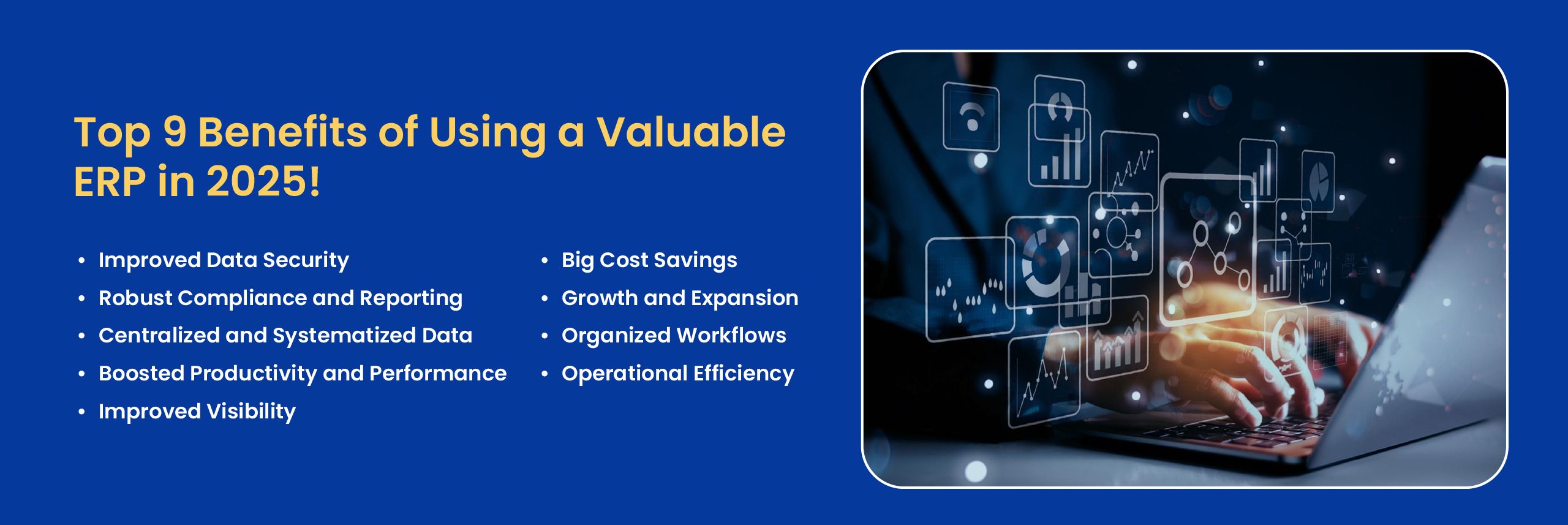
9 Key Benefits of ERP Software
1. Centralized Business Data
Departments often create separate spreadsheets, databases, and reports when they do not share a common business system. This can result in duplicate records, inconsistent figures, and uncertainty about which source contains the latest information.
ERP software centralizes data from connected departments and provides a more consistent operational record. Employees can access relevant information through the same system instead of transferring files or manually comparing data between applications.
Centralized data also makes it easier to establish common naming conventions, approval procedures, reporting formats, and data ownership responsibilities.
2. Reduced Manual Work
Routine activities such as entering orders, updating inventory, preparing invoices, routing approvals, and compiling reports can consume substantial employee time when completed manually.
An ERP system can automate parts of these processes and move information between connected workflows. For example, an approved customer order may update inventory availability, create fulfillment tasks, and provide relevant information for invoicing without requiring each department to recreate the same record.
Automation does not remove the need for oversight. It allows employees to spend less time on repetitive administration and more time reviewing exceptions, solving problems, and supporting customers.
3. Improved Operational Visibility
Managers need current information to understand inventory levels, sales activity, purchasing commitments, production status, expenses, and outstanding customer payments. When this data exists in separate systems, creating a complete view of operations can take considerable time.
ERP software can provide dashboards, reports, and shared records that bring operational information together. This visibility helps teams identify delays, shortages, unusual costs, and process bottlenecks earlier.
For example, a purchasing team can review available inventory and expected demand before placing a new order. This can help reduce both stock shortages and unnecessary purchases.
4. More Consistent Reporting
Manual reports may contain outdated figures or conflicting calculations when departments use different data sources. ERP reporting tools can draw information from connected records and apply consistent reporting rules.
Businesses may use these reports to monitor revenue, expenses, inventory movement, sales performance, purchasing activity, production output, customer orders, and other operational measures.
Reporting requirements vary between organizations. Some businesses can use standard reports, while others need customized dashboards, calculations, or business intelligence integrations.
5. Better Process Standardization
Employees sometimes complete the same task in different ways because processes have developed informally over time. These variations can create inconsistent results, additional training requirements, and difficulty measuring performance.
ERP implementation gives businesses an opportunity to document and standardize workflows across departments. Approval stages, required information, task ownership, and exception procedures can be built into the system.
Standardization is particularly useful when a business operates across multiple departments, warehouses, offices, or legal entities.
6. Stronger Access Control
Business systems often contain sensitive financial, customer, employee, and operational information. ERP platforms commonly provide role-based permissions that allow administrators to control which users can view, create, edit, approve, or export specific information.
These controls can improve accountability and reduce unnecessary access to sensitive records. Audit logs may also help administrators review selected system activities and changes.
However, ERP software does not automatically guarantee data security. Effective protection still depends on secure configuration, user management, infrastructure, monitoring, employee training, backups, and internal security policies.
7. Improved Audit and Compliance Readiness
Businesses in regulated industries may need to maintain detailed records of transactions, approvals, system changes, and user activity. ERP software can make these records easier to organize, retrieve, and review.
Structured workflows and centralized documentation can also help teams prepare information for internal reviews or external audits. Some systems can be configured to support specific accounting, operational, or reporting requirements.
An ERP system does not make a company compliant by itself. Compliance depends on applicable regulations, system configuration, documented procedures, data controls, and how employees use the platform.
8. Better Cost Control
ERP software can help businesses identify operational costs and inefficiencies that are difficult to see through disconnected reports. Managers may be able to compare purchasing costs, labor requirements, inventory carrying costs, production output, shipping expenses, and product margins more effectively.
Better information can help businesses reduce unnecessary purchases, excess inventory, duplicate work, emergency shipments, and avoidable administrative effort.
The financial benefit depends on selecting an appropriate system and implementing it effectively. Poor planning, unnecessary customization, weak data migration, or limited user adoption can reduce the expected value of an ERP investment.
9. Support for Business Growth
Processes that work for a small company may become difficult to manage as transaction volume, employee count, product range, or geographic coverage increases.
A scalable ERP system allows businesses to add users, workflows, departments, integrations, and reporting capabilities as requirements evolve. Cloud ERP solutions may also reduce the need to maintain some infrastructure internally, depending on the hosting and service model.
Scalability does not mean every ERP platform will support unlimited growth. Businesses should evaluate system architecture, licensing, performance, integration capabilities, infrastructure, and long-term maintenance requirements before selecting a solution.
Example of ERP Supporting Better Decisions
Consider a manufacturer that sells several product lines but calculates profitability using separate production, labor, purchasing, and sales reports. Because the information is disconnected, management may not immediately recognize that two products have unusually high labor costs.
By connecting production activity, material usage, labor records, and financial data through an ERP system, the company can compare product costs more accurately. Management may then decide to adjust the production process, review pricing, renegotiate material costs, or invest in equipment that reduces manual work.
The ERP system does not make the decision. It provides more complete information so the business can identify the problem and evaluate possible actions.
When ERP Software Provides the Most Value
ERP software may provide substantial value when a business is experiencing:
- Repeated data entry across different applications
- Conflicting reports or inconsistent business records
- Limited visibility across departments or locations
- Manual approval and reporting processes
- Difficulty managing increasing transaction volumes
- Complex inventory, purchasing, or production workflows
- Applications that cannot exchange information reliably
These issues do not automatically mean a business needs to replace every existing system. An ERP assessment can help determine whether the better approach is process improvement, integration, system modernization, module implementation, or development of a new ERP solution.
What to Consider Before Implementing ERP
The benefits of ERP software depend heavily on implementation quality. Businesses should define their requirements before comparing platforms or beginning development.
Important considerations include:
- Business processes and departmental requirements
- Required integrations with existing applications
- Data migration and data quality
- User roles and approval responsibilities
- Reporting and analytics requirements
- Security, hosting, and backup responsibilities
- Employee training and change management
- Implementation budget and long-term maintenance
Businesses should also avoid customizing every existing process without first deciding whether that process is still useful. ERP implementation is an opportunity to simplify workflows, not preserve every inefficient routine inside newer software.
FAQs About ERP Software Benefits
Which departments benefit most from an ERP system?
ERP software can support finance, accounting, sales, procurement, inventory, manufacturing, supply chain, human resources, customer service, and management reporting. The departments that benefit most depend on the modules and workflows included in the implementation.
Can ERP software reduce operating costs?
ERP software can reduce costs by automating repetitive work, improving inventory planning, reducing duplicate data entry, and providing better visibility into operational expenses. Actual savings depend on the selected system, implementation quality, user adoption, and existing process inefficiencies.
Does ERP software improve data security?
ERP software can support stronger access control, centralized user management, audit records, and structured data governance. Security still depends on correct configuration, hosting, monitoring, backups, employee practices, and ongoing system maintenance.
Can small and growing businesses use ERP software?
Yes. Growing businesses can implement selected ERP modules based on their current needs and add capabilities later. The system should be evaluated for cost, scalability, usability, integration options, and the technical resources needed to maintain it.
How long does it take to see benefits from an ERP implementation?
The timeline varies based on implementation scope, business complexity, data quality, integrations, customization, and employee adoption. Some workflow improvements may appear soon after deployment, while broader financial and operational benefits usually require consistent use and process adjustment.
Plan an ERP System Around Your Business Requirements
NOI Technologies develops and integrates ERP solutions for businesses with complex operational requirements. Our work can include ERP assessment, architecture planning, custom development, workflow automation, data migration, reporting, system integration, and ongoing technical support.
We also help businesses connect processes such as purchasing, sales, inventory, warehouse operations, supply chain management, and finance within a coordinated system.
Learn more about our custom ERP development services or discuss your ERP requirements with our team.