
Managing accounting becomes more complex as transaction volumes, approval requirements, reporting needs, and the number of system users increase. Manual processes and disconnected spreadsheets can lead to duplicate entries, delayed approvals, inconsistent records, and limited visibility into financial activity.
Apache OFBiz accounting capabilities can help businesses manage financial workflows while connecting them with sales, purchasing, inventory, order management, manufacturing, and other operational processes. OFBiz includes accounting functionality for general ledger, accounts payable, accounts receivable, invoicing, payments, financial reporting, asset management, and budgeting.
This guide explains the main accounting capabilities, their connections with operational records, and the configuration and validation needed before daily use.
How Does Apache OFBiz Accounting Work?
Apache OFBiz connects accounting applications with operational records such as orders, purchases, inventory movements, and production activity. The resulting financial treatment depends on the configured chart of accounts, posting rules, transaction statuses, and business procedures.
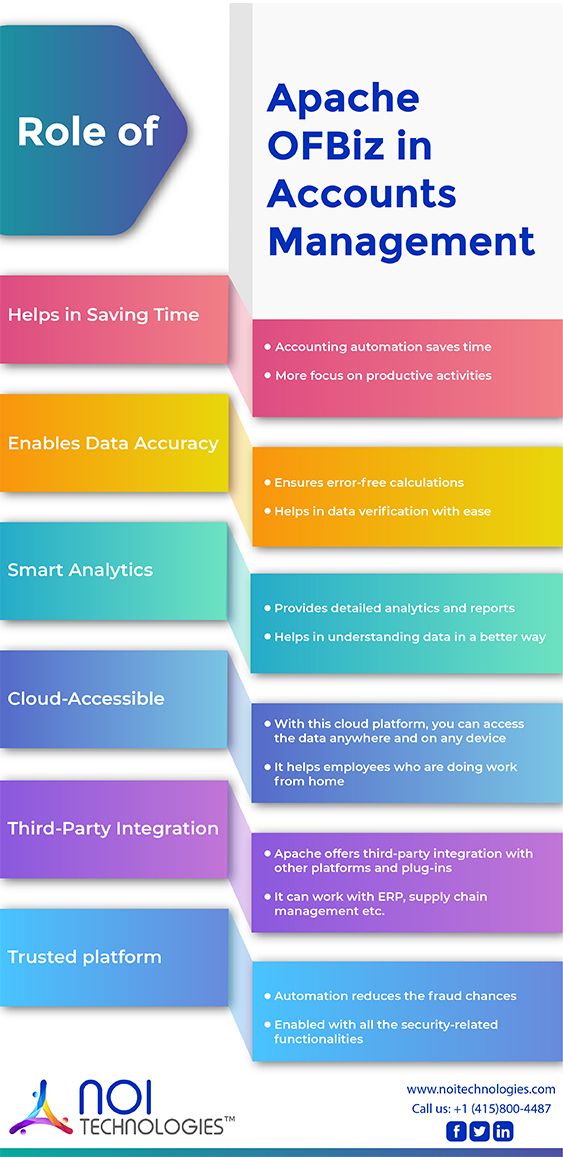
Apache OFBiz Accounting Features
| Accounting Capability | What It Supports |
|---|---|
| General Ledger | Double-entry accounting, account hierarchies, segmentation, and financial transactions. |
| Accounts Receivable | Customer invoices, incoming payments, statements, outstanding balances, and aging. |
| Accounts Payable | Supplier invoices, outgoing payments, and related purchasing workflows. |
| Invoices and Payments | Billing, payment tracking, financial accounts, and payment processing workflows. |
| Asset Management | Fixed-asset records and depreciation-related processes. |
| Budgeting | Budget management as part of broader financial planning and control. |
| Financial Reporting | Financial reports using accounting and related operational information. |
| ERP Integration | Connects accounting with orders, inventory, purchasing, manufacturing, and other operations. |
1. General Ledger
Apache OFBiz includes a standard double-entry general ledger for recording and organizing financial transactions. It can support multiple organizations, account hierarchies, and account segmentation, which can be useful when financial activity needs to be managed across different parts of a business.
Organizations still need to define an appropriate chart of accounts, accounting rules, responsibilities, and reporting structure during implementation.
2. Accounts Receivable
OFBiz can support accounts receivable workflows involving customer invoices, incoming payments, outstanding balances, statements, and aging.
Because accounts receivable can connect with customer and sales-order information, finance teams can work with the operational context behind a customer balance rather than maintaining the same information independently in separate systems.
3. Accounts Payable
Apache OFBiz also supports accounts payable workflows for supplier invoices and payments. These financial processes can be connected with purchasing and other operational activity where the implementation requires it.
Approval rules, payment responsibilities, supplier processes, and internal controls should be configured around the organization’s accounting procedures.
4. Invoicing and Payment Management
OFBiz supports invoices, payments, payment groups, billing accounts, financial accounts, and related transaction workflows.
Businesses can configure these processes around customer billing, supplier payments, approval requirements, payment tracking, and other financial procedures. Payment gateways and external payment services can also be integrated when needed.
5. Financial Reporting
Businesses need more than transaction records. Finance teams also need reporting that helps them understand balances, revenue, expenses, outstanding payments, account activity, and overall financial performance.
Apache OFBiz supports financial reporting and can combine financial information with related operational data. Existing reports can be used where appropriate, while additional reporting can be developed when an organization has specialized requirements.
6. Asset Management and Depreciation
Apache OFBiz includes fixed-asset management capabilities, including support for depreciation. This can help organizations maintain information about business assets alongside other financial records.
The exact asset structure and depreciation treatment should be configured according to the organization’s accounting policies and applicable financial requirements.
7. Budgeting and Financial Controls
OFBiz includes budgeting capabilities that can be incorporated into broader financial management processes.
Organizations can also configure user permissions, responsibilities, and approval workflows to control who can create, review, approve, or process sensitive financial information.
How OFBiz Accounting Connects With ERP Operations
Accounting is closely connected with the transactions taking place elsewhere in a business. One of the strengths of Apache OFBiz is that financial processes can work alongside other enterprise applications rather than requiring every department to maintain completely separate records.
Order Management
Customer orders can contribute to related invoicing, payments, account activity, and financial reporting. This creates a clearer connection between the commercial transaction and its financial outcome.
Inventory
Inventory activity can be connected with other operational and financial processes, helping organizations maintain better context around transactions involving products and stock.
Purchasing
Purchasing activity can connect with supplier invoices, accounts payable, payments, and related financial records.
Manufacturing
Organizations using OFBiz manufacturing capabilities can connect production activity with related costing and financial processes as part of a broader ERP implementation.
The actual accounting flow depends on how the organization configures OFBiz and maps its business processes.
Example: Checking a Partial Shipment Against Accounting Records
A customer orders 10 units, but only six ship initially. The configured billing rules determine what is invoiced, how an advance payment is applied, and what happens if the remaining four units are canceled. Developers review existing OFBiz services before adding any custom billing logic.
Testing checks shipped quantities, invoice totals, payment applications, outstanding balances, and the resulting accounting entries. Finance users confirm the expected treatment, while retry tests check that repeated operations do not duplicate invoices or payment applications.
Considerations Before Implementing OFBiz for Accounting
Apache OFBiz provides accounting applications and an extensible ERP foundation, but implementation still requires planning. Businesses should define their chart of accounts, organizational structure, accounts receivable and payable processes, approval rules, reporting requirements, integrations, security responsibilities, and data migration needs before development begins.
Organizations should also determine whether standard OFBiz accounting capabilities meet their requirements or whether additional configuration, integrations, reports, or custom workflows are necessary.
Before replacing standalone accounting software, assess whether the proposed OFBiz implementation meets your accounting, tax, regulatory, reporting, localization, and integration requirements. Finance users should validate the required workflows and reports before approving the replacement.
The project should account for testing, user training, access controls, system maintenance, security updates, framework upgrades, and long-term technical ownership. Custom development should be documented and kept maintainable so that future upgrades do not become unnecessarily difficult.
Planning OFBiz Accounting Workflows?
NOI Technologies can help assess your accounting requirements, configure OFBiz workflows, and connect financial records with operational systems. Explore how we support OFBiz accounting implementations.