E-commerce businesses often rely on separate systems for storefront management, inventory, orders, customer records, accounting, shipping, and reporting. When these platforms do not exchange information reliably, teams may need to enter the same data multiple times and resolve inconsistencies manually.
E-commerce ERP integration connects the customer-facing sales platform with back-office business systems. It can help synchronize orders, products, inventory, customers, payments, shipments, and financial records across the organization.
This article explains how e-commerce and ERP integration works, the benefits it can provide, the challenges businesses should prepare for, and the steps involved in planning a reliable integration.
What Is E-Commerce ERP Integration?
E-commerce ERP integration is the process of connecting an online commerce platform with an enterprise resource planning system.
The e-commerce platform typically manages customer-facing activities such as:
- Product browsing
- Shopping carts and checkout
- Online payments
- Customer accounts
- Promotions and storefront content
The ERP system may manage back-office processes such as:
- Inventory and purchasing
- Sales orders
- Accounting and invoicing
- Supplier management
- Manufacturing
- Warehouse and fulfillment operations
- Business reporting
Integration allows selected data to move between these systems according to defined business rules.
For example, an online order may be transferred to the ERP system, inventory availability may be updated, fulfillment may be initiated, and shipment information may be returned to the customer-facing platform.
What Data Can Be Synchronized?
The integration scope depends on the organization’s systems, workflows, and operational requirements.
Common data exchanges include:
- Products and product categories
- Prices and promotional rules
- Inventory availability
- Customer records
- Sales orders
- Payment status
- Invoices and credit notes
- Shipment and tracking information
- Returns and refunds
- Tax and financial records
Not every data type must move in both directions. Businesses should determine which system owns each record and which applications are allowed to update it.
Without clear data ownership, one system may overwrite information created by another, resulting in conflicting prices, duplicate customers, incorrect stock levels, or incomplete order records.
Benefits of E-Commerce ERP Integration
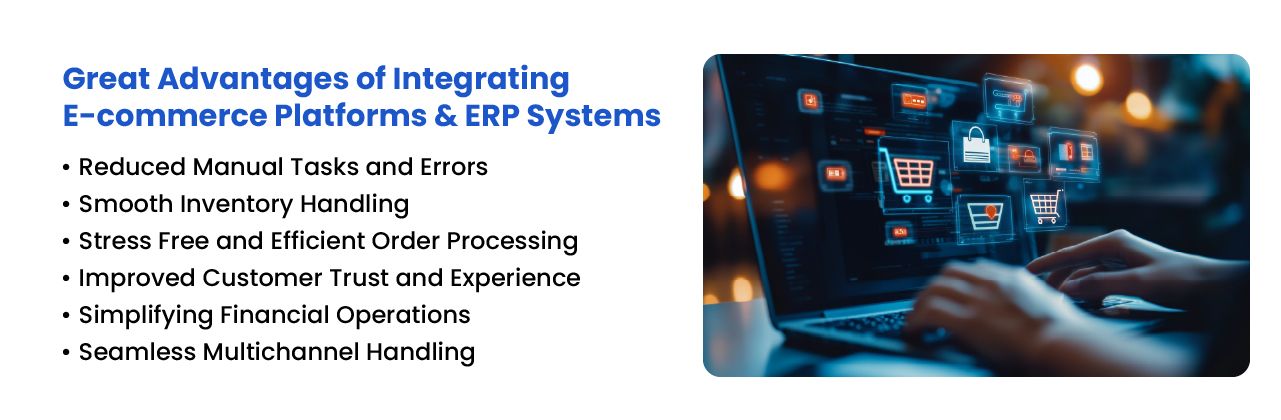
Reduced Manual Data Entry
Without integration, employees may need to re-enter online orders, customer information, payments, and shipment details into the ERP system.
Automating these transfers can reduce repetitive work and lower the likelihood of typing errors, duplicate records, and missed updates.
Automation should still include validation and exception handling. Incorrect source data can move between systems just as efficiently as correct data, because software remains admirably indifferent to human inconvenience.
More Accurate Inventory Information
Integration can help update online inventory availability when products are sold, received, transferred, returned, or adjusted in the ERP or warehouse system.
This can reduce the risk of accepting orders for unavailable items. It can also help teams coordinate stock across warehouses, stores, and sales channels.
Inventory accuracy depends on physical warehouse activities being recorded correctly. Integration cannot correct unscanned receipts, unrecorded damages, or inaccurate stock counts by itself.
Faster Order Processing
Online orders can be transferred automatically into the ERP system rather than waiting for an employee to create them manually.
Depending on the workflow, the ERP system may then:
- Validate the customer and order
- Check inventory availability
- Allocate stock
- Create fulfillment instructions
- Generate an invoice
- Update accounting records
Automating these activities can reduce processing delays, particularly when the business handles a high volume of orders.
Connected Financial Records
E-commerce transactions can be connected with invoices, taxes, payments, refunds, fees, and accounting entries.
This may reduce the need for finance teams to reconcile information across multiple spreadsheets and applications.
The integration should define how payment failures, partial refunds, discounts, marketplace fees, shipping charges, and chargebacks are recorded.
Improved Customer Service
Customer service teams can respond more effectively when order, payment, shipment, and return information is available through connected systems.
Employees may spend less time asking other departments for updates and more time resolving the customer’s actual issue, a surprisingly efficient use of a support team.
Better Operational Reporting
Connected data can support reporting across sales, inventory, fulfillment, customers, and finance.
Businesses may use this information to review:
- Sales by product or channel
- Order processing time
- Inventory availability
- Return and cancellation rates
- Fulfillment delays
- Revenue and margins
- Customer purchasing activity
Reports are only reliable when field definitions, currencies, time zones, taxes, and transaction statuses are consistent across systems.
Support for Multiple Sales Channels
An ERP system may receive orders from websites, marketplaces, mobile applications, physical stores, and direct sales teams.
Centralizing operational data can help businesses coordinate inventory and fulfillment across these channels. Coordinating physical stores alongside digital storefronts means tying online and offline retail systems together, which involves its own set of integration considerations.
However, each channel may use different product identifiers, order statuses, payment methods, and return rules. These differences must be considered during integration design.
Challenges of Integrating ERP and E-Commerce Platforms
System Compatibility
ERP and e-commerce platforms may use different data structures, technologies, authentication methods, and integration standards.
Older ERP systems may not provide modern APIs, while e-commerce platforms may impose rate limits or restrictions on the data that applications can access.
Businesses should review available APIs, webhooks, middleware, file exchanges, and custom development requirements before selecting an integration approach.
Data Quality Problems
Duplicate customers, inconsistent product codes, missing addresses, outdated prices, and incomplete inventory records can create integration problems.
Data should be reviewed and cleaned before migration or synchronization begins. Otherwise, the project may simply distribute existing errors across more systems.
Security and Privacy
ERP and e-commerce integration may involve customer information, payment references, financial data, employee records, and supplier information.
The integration should use appropriate:
- Authentication and authorization controls
- Data encryption
- User permissions
- Logging and monitoring
- Backup and recovery procedures
- Privacy and retention policies
Only the information required for each workflow should be transferred or exposed.
Integration and Maintenance Costs
The project cost may include discovery, architecture, custom development, middleware, testing, data migration, deployment, monitoring, and ongoing maintenance.
Updates to the ERP system, e-commerce platform, payment provider, or third-party application may also require changes to the integration.
Businesses should include ongoing support and upgrade compatibility in the project budget rather than treating integration as a one-time task.
Order and Inventory Exceptions
Standard transactions may be easy to automate. Exceptions often require more planning.
The integration should define how it will manage:
- Partial shipments
- Backorders
- Cancelled orders
- Failed payments
- Product substitutions
- Returns and exchanges
- Inventory synchronization failures
- Duplicate orders
Employees also need a clear process for identifying and resolving failed transactions.
User Training and Process Changes
Integration changes how sales, warehouse, customer service, finance, and purchasing teams complete their work.
Users should understand which system they are expected to use, which records they may edit, and how integration errors should be reported.
Without training and ownership, employees may create manual workarounds that weaken the benefits of the connected system.
How to Plan an E-Commerce ERP Integration
1. Document Existing Workflows
Map how products, customers, orders, inventory, payments, shipments, and returns currently move through the organization.
Identify manual steps, duplicate data entry, delays, errors, and unclear responsibilities.
2. Define Data Ownership
Decide which system is responsible for creating and maintaining each type of data.
For example, the ERP system may own inventory and accounting records, while the e-commerce platform owns storefront content and customer checkout sessions.
3. Prioritize Integration Requirements
Separate essential workflows from optional improvements.
The first implementation phase may focus on:
- Order creation
- Inventory synchronization
- Shipment updates
- Customer records
- Invoices and payments
Additional processes can be added after the core integration operates reliably.
4. Select an Integration Method
The appropriate architecture may use direct APIs, middleware, integration platforms, webhooks, scheduled imports, or a combination of methods.
The decision should consider transaction volume, update frequency, error recovery, scalability, maintenance, and security.
5. Design Error Handling
The integration should record failures and provide enough information for employees or support teams to resolve them.
Failed transactions should not disappear into a server log that nobody reads until a customer complains.
6. Test Real Business Scenarios
Testing should cover standard and exceptional situations, including:
- Successful orders
- Out-of-stock products
- Failed payments
- Duplicate customer records
- Partial shipments
- Refunds and returns
- Connection interruptions
- Large order volumes
7. Monitor the Integration After Launch
Teams should monitor synchronization delays, failed transactions, inventory differences, duplicate records, and API errors after deployment.
Regular reviews can help identify changing business requirements and integration issues before they affect a larger number of customers.
Connect E-Commerce and ERP Operations
E-commerce ERP integration can reduce manual work, improve inventory visibility, accelerate order processing, and connect sales activity with financial and operational records.
The results depend on clear requirements, reliable data, appropriate integration architecture, effective testing, and ongoing support.
NOI Technologies provides ERP consulting, custom integration, data migration, testing, deployment, and support services for e-commerce and enterprise systems.
Schedule a call with NOI Technologies to discuss your e-commerce ERP integration requirements.