E-commerce businesses manage inventory, orders, payments, customers, suppliers, shipping, and financial data across multiple systems. An ERP system connects these operations, helping teams reduce manual work, improve data accuracy, and gain better visibility into business performance.
As an e-commerce business grows, disconnected tools and spreadsheets can make routine operations harder to manage. Inventory records may not match actual stock, orders can be delayed, and financial reporting can require extensive manual reconciliation.
ERP software provides a central system for managing functions such as inventory, accounting, sales, customer relationships, procurement, supply chain operations, and reporting. When connected with an e-commerce platform, it allows information to move between departments and sales channels without repeated data entry.
Why Do E-Commerce Businesses Need ERP Software?
ERP integration connects an online store with the operational systems that support it. Orders placed through an e-commerce platform can automatically flow into inventory, fulfillment, accounting, and customer management workflows.
This connection becomes especially important for businesses selling through multiple websites, marketplaces, retail locations, or wholesale channels. Without a central system, each channel may maintain separate product, customer, payment, and inventory records.
An ERP system helps synchronize this information and gives teams a consistent view of business activity. It can also automate routine processes such as order creation, stock updates, invoicing, payment reconciliation, purchasing, and shipment tracking.
10 Essential ERP Features for E-Commerce Businesses
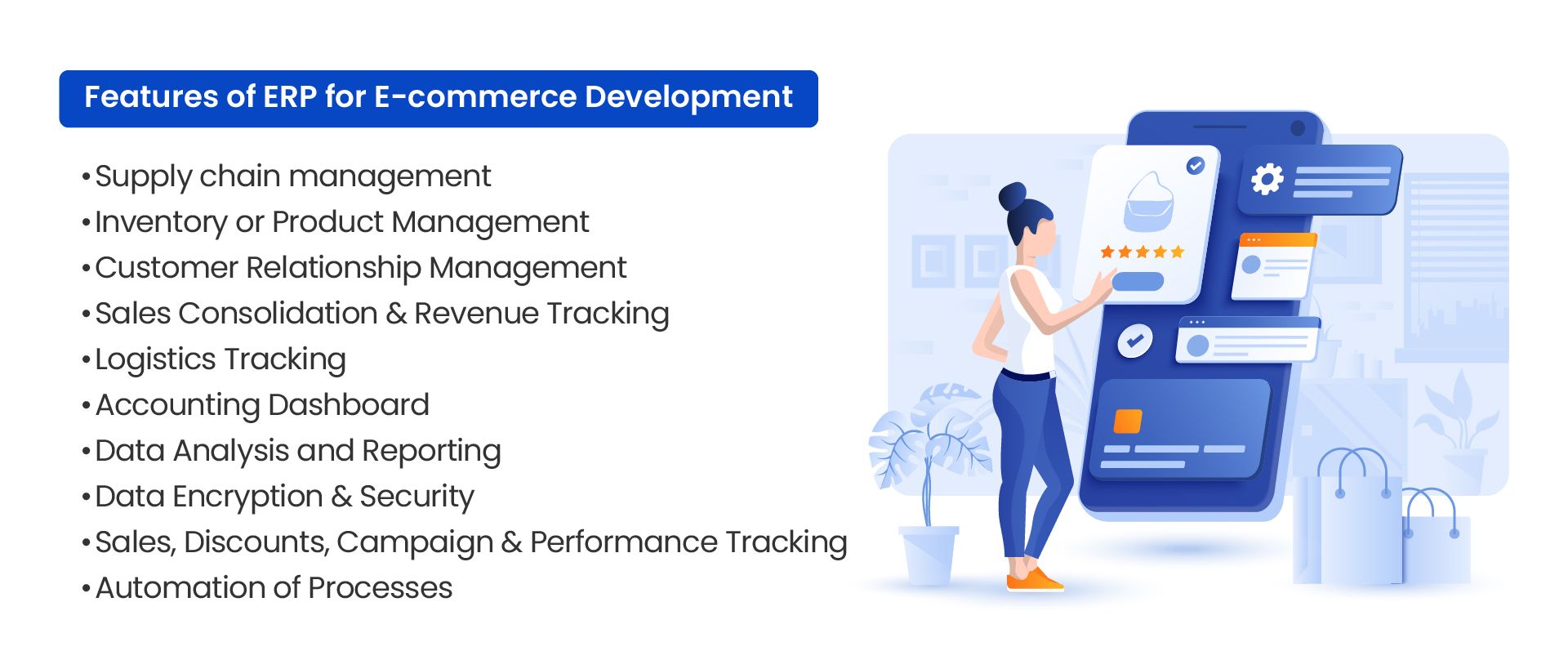
The right ERP features depend on the size, sales model, operational complexity, and growth plans of the business. However, the following capabilities are useful for most e-commerce operations.
1. Supply Chain Management
Supply chain management features help businesses coordinate purchasing, suppliers, inventory movement, order demand, and product availability. Teams can review current orders, historical sales, supplier lead times, and expected inventory requirements from one system.
Connecting ERP software with supply chain management processes can also improve communication between online sales channels, warehouses, vendors, and logistics partners.
2. Inventory and Product Management
Inventory management provides visibility into available, reserved, incoming, and sold stock. This helps prevent businesses from selling products that are unavailable or holding more stock than demand requires.
For companies operating multiple warehouses or sales channels, centralized inventory records make it easier to track stock by location, manage product variations, and keep inventory quantities synchronized across platforms.
3. Customer Relationship Management
CRM functionality stores customer information, purchase history, communication records, returns, service requests, and account details. This gives sales and support teams the context they need to respond to customers efficiently.
When CRM and ERP data are connected, employees can review customer activity alongside payment status, order progress, shipment details, and return history without switching between several applications.
4. Multi-Channel Sales Consolidation
E-commerce businesses often receive orders from their website, online marketplaces, social commerce platforms, physical stores, and wholesale customers. ERP software can consolidate these sales into a central system.
This provides a more accurate view of revenue, order volume, channel performance, refunds, fees, and outstanding payments. It also reduces the time required to combine reports from separate platforms.
5. Order and Logistics Tracking
Order management features help teams monitor each order from placement through picking, packing, shipping, delivery, and return processing. Employees can identify delayed orders, missing information, fulfillment problems, and delivery exceptions more quickly.
Integration with warehouse and shipping systems can also provide customers and support teams with more reliable order status information.
6. Accounting and Financial Management
An ERP accounting module can record sales, expenses, taxes, supplier invoices, customer payments, refunds, and other financial transactions. When connected with e-commerce channels, this information can be captured without repeated manual entry.
Financial dashboards and reports help businesses review cash flow, revenue, operating costs, margins, and outstanding balances. They also make month-end reconciliation easier by keeping operational and financial records connected.
7. Data Analysis and Reporting
ERP reporting tools bring together information from sales, inventory, finance, procurement, fulfillment, and customer operations. Businesses can use this data to understand product performance, inventory turnover, order trends, fulfillment costs, and customer behavior.
Automated reports, dashboards, and alerts can help teams identify changes that require attention. Learn more about improving data analysis with ERP software.
8. Security and Access Controls
E-commerce ERP systems process sensitive business, customer, supplier, and financial information. Security features should include role-based access, data encryption, authentication controls, activity logs, backups, and appropriate user permissions.
Access controls help ensure that employees can use the information required for their roles without receiving unnecessary access to confidential records or administrative functions.
9. Pricing, Promotions, and Performance Tracking
ERP software can help businesses manage product pricing, discounts, promotional campaigns, customer-specific rates, and sales agreements across different channels.
Teams can compare campaign activity with actual sales, product margins, inventory movement, and order volume. This helps businesses understand whether a promotion generated profitable sales rather than simply increasing transactions.
10. Business Process Automation
Automation reduces the need for employees to repeat predictable administrative tasks. Depending on the system and integrations, an ERP can automate order creation, inventory updates, invoices, payment records, purchase requests, stock replenishment, shipment notifications, and management reports.
Automation should be introduced around clearly defined workflows. Poorly designed automation can reproduce existing process problems more quickly, while well-planned workflows can improve consistency and reduce avoidable errors.
Choosing the Right ERP Features
Not every e-commerce business needs the same ERP configuration. A small online retailer may initially focus on inventory, orders, accounting, and marketplace integrations. A larger business may also require multi-warehouse management, supplier portals, advanced reporting, customer-specific pricing, or international tax support.
Before choosing or developing an ERP system, businesses should document their current workflows, identify recurring operational problems, and determine which systems need to exchange data. This helps avoid unnecessary customization and ensures the ERP supports actual business requirements.
Conclusion
An ERP system can help an e-commerce business connect sales channels with inventory, fulfillment, finance, customer service, and supply chain operations. The most useful systems do more than store information. They provide accurate operational visibility and reduce the manual work required to manage growing order volumes.
Businesses should evaluate ERP features based on their sales channels, fulfillment model, reporting requirements, integration needs, and future growth plans.
Discuss your e-commerce ERP requirements with NOI Technologies.