Warehouse operations depend on accurate inventory records, reliable order data, coordinated receiving, and clear shipment workflows. When these processes are managed across disconnected systems, businesses may experience stock discrepancies, fulfillment delays, and limited operational visibility.
Apache OFBiz can provide a connected ERP foundation for managing inventory, facilities, orders, shipments, purchasing, manufacturing, and accounting. It includes warehouse management capabilities as part of its broader enterprise framework, including support for facilities, inventory, receiving, picking, packing, shipments, and related processes.
For more advanced warehouse execution requirements, such as mobile workflows, complex picking strategies, automation, or detailed 3PL operations, businesses may need additional customization or integration with a dedicated warehouse management system.
Is Apache OFBiz a Warehouse Management System?
Apache OFBiz provides warehouse management functionality within a broader ERP environment. Whether it is sufficient as the primary warehouse system depends on the complexity of the operation and the execution requirements on the warehouse floor.
OFBiz can support inventory, facilities, purchase-order receiving, sales orders, shipments, packing, pick lists, inventory transfers, and related financial transactions.
Apache OFBiz Capabilities Relevant to Warehouse Operations
Facility and Storage Location Management
Apache OFBiz uses facilities to represent warehouses, stores, production locations, and other physical sites.
Facilities can be connected with inventory, orders, shipments, and organizational records. This allows businesses to track which location owns, receives, stores, or ships particular products.
Additional configuration or customization may be required for detailed zone, aisle, rack, bin, or operational location structures depending on the warehouse process.
Purchase Order Receiving
Warehouse teams can receive inventory against approved purchase orders and shipments.
OFBiz can support scenarios such as:
- Receiving a complete purchase order
- Receiving only part of a shipment
- Receiving one purchase order through multiple shipments
- Recording accepted and rejected quantities
- Updating inventory after receipt
These workflows help connect procurement records with warehouse inventory and related accounting activity.
Inventory Tracking
Apache OFBiz can record inventory items, quantities, facilities, product availability, receipts, issuances, transfers, reservations, and adjustments.
This provides a transactional inventory record that can support purchasing, order fulfillment, manufacturing, and financial reporting.
Inventory accuracy still depends on physical movements being recorded consistently. Barcode, scanner, or handheld workflows may require customization or connection with a dedicated warehouse application.
Order and Shipment Management
OFBiz can connect sales orders with inventory reservations, shipments, packing, fulfillment status, and invoicing.
This makes it possible to coordinate warehouse activity with customer orders and financial transactions through one ERP environment.
Picking and Packing Support
Apache OFBiz includes shipment, packing, and pick-list capabilities that can support basic warehouse fulfillment processes.
Evaluate the installed version and existing workflows against your picking requirements. More advanced rules, task allocation, optimization, or device interfaces may require extensions, including:
- Wave release and prioritization rules
- Batch picking with required sorting and validation steps
- Zone-based task assignment and handoffs
Inventory Transfers Between Facilities
Businesses operating several warehouses or stores may need to move inventory between locations.
OFBiz can provide the order, shipment, inventory, and facility records needed to represent transfers. Custom workflows may be added for transfer approvals, dispatch confirmation, receiving, and discrepancy handling.
Manufacturing and Warehouse Coordination
Manufacturing operations depend on accurate information about raw materials, work in progress, finished goods, and production requirements.
Apache OFBiz can connect manufacturing activity with inventory, purchasing, facilities, orders, and accounting.
This can help manufacturers coordinate material availability with production and fulfillment requirements.
Accounting Integration
Warehouse transactions often affect financial records. Receiving may be connected with supplier activity, while shipments may be connected with customer invoicing and inventory valuation.
Using OFBiz as the ERP system of record can help maintain relationships between operational and accounting transactions.
Common Warehouse Challenges Apache OFBiz Can Help Address
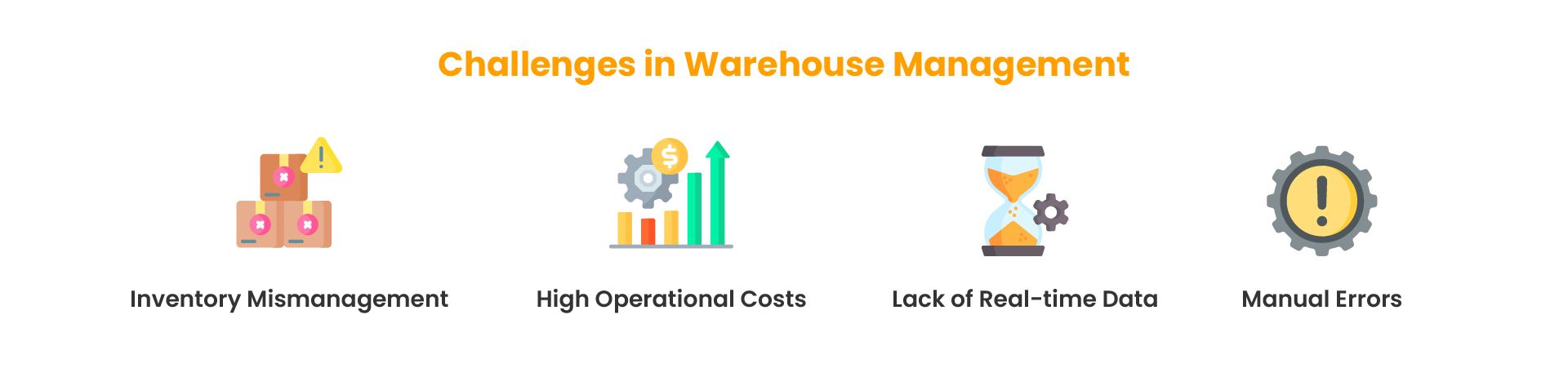
Disconnected Inventory and Order Data
When inventory and customer orders are managed separately, teams may accept orders without dependable stock information.
OFBiz can connect product, inventory, order, facility, shipment, and accounting records within one ERP environment.
Inconsistent Receiving Processes
Manual receiving can result in missing quantities, duplicate records, or inventory being updated without a corresponding purchase order.
Structured receiving workflows can help connect physical receipts with approved orders and shipment records.
Limited Inventory Visibility
Businesses with multiple locations may struggle to understand where products are stored, reserved, expected, or unavailable.
A centralized inventory model can provide a clearer view across facilities, provided warehouse transactions are recorded accurately.
Manual Order and Shipment Updates
Repeatedly transferring order details between sales, warehouse, shipping, and accounting systems increases administrative work and the risk of inconsistencies.
Connected ERP workflows can reduce duplicate data entry and help maintain consistent transaction statuses.
Weak Coordination Between Warehouse and Finance
Warehouse receipts, shipments, returns, and inventory adjustments can affect financial reporting.
Connecting operational and accounting records can make transaction review and reconciliation more manageable.
Operational Benefits of Using Apache OFBiz for Warehousing
Connected Warehouse and ERP Data
Warehouse operations can be connected with procurement, sales, manufacturing, customers, suppliers, inventory, and finance.
This reduces the need to maintain separate copies of the same order, product, supplier, or inventory information across multiple systems.
Customizable Warehouse Workflows
OFBiz provides access to its source code, data model, services, and application components.
Development teams can create workflows around specialized receiving, inventory, fulfillment, manufacturing, approvals, and operational requirements when standard processes are not sufficient.
Control Over Warehouse Integrations
Organizations can connect OFBiz with ecommerce platforms, shipping systems, supplier applications, reporting platforms, warehouse tools, and other enterprise systems.
This flexibility is useful when warehouse processes depend on several connected applications, but integrations still require clear data ownership, monitoring, validation, and error handling.
Warehouse Capabilities That May Require Custom Development or a Dedicated WMS
Businesses should evaluate warehouse requirements carefully before treating OFBiz as a complete warehouse execution platform.
The following capabilities may require substantial customization or integration with a specialized WMS:
- Handheld receiving and picking applications
- Barcode and QR code scanning workflows
- Wave, batch, and zone picking
- Dynamic slotting
- Labor productivity tracking
- Dock scheduling
- Carrier rate shopping
- Route optimization
- Automated cartonization
- Warehouse robotics
- Conveyor and sortation control
- Detailed 3PL billing
- Client-facing warehouse portals
Some businesses develop selected functions within the OFBiz architecture. Others keep OFBiz as the enterprise system of record and connect it with a specialized warehouse management system.
Using Apache OFBiz with a Dedicated WMS
Apache OFBiz and a dedicated warehouse management system can serve different but complementary roles.
OFBiz may manage:
- Products and catalogs
- Customers and suppliers
- Purchase and sales orders
- Manufacturing
- Financial transactions
- Enterprise reporting
A dedicated WMS may manage:
- Receiving execution
- Putaway
- Warehouse locations
- Replenishment
- Picking
- Packing
- Shipping
- Returns
- Handheld operations
- Warehouse productivity
Integrations can synchronize products, facilities, inventory, orders, receipts, shipments, tracking numbers, and status updates between the two platforms.
This architecture allows OFBiz to remain responsible for broader enterprise processes while specialized warehouse software handles detailed floor execution where required.
Planning an Apache OFBiz Warehouse Implementation
Document Warehouse Requirements
Map current receiving, storage, replenishment, picking, packing, shipping, returns, transfers, and inventory-counting processes.
Identify which workflows are straightforward and which depend on mobile devices, scanning, complex location rules, automation, or specialized warehouse logic.
Separate ERP and WMS Responsibilities
Define which system will own products, inventory balances, orders, shipment status, financial records, warehouse tasks, and operational exceptions.
Clear ownership is especially important when OFBiz is integrated with a separate warehouse platform. Two systems should not independently update the same business record without defined synchronization and reconciliation rules.
Review OFBiz Architecture
Development teams should understand the Entity Engine, Service Engine, components, plugins, request routing, and integration patterns before making significant customizations.
For a deeper technical explanation, review the Apache OFBiz architecture guide.
Design Integration Workflows
Document how products, orders, inventory, receipts, shipments, tracking details, and exceptions will move between systems.
Each integration should include validation, monitoring, retry handling, duplicate prevention, and clear ownership when a transaction fails.
Prioritize Mobile Warehouse Workflows
Warehouse teams need interfaces designed around receiving, movement, picking, packing, counting, and shipping tasks.
Desktop ERP screens should not simply be reduced to fit handheld devices. Mobile workflows should focus on the information and actions required on the warehouse floor.
Test Complete Operational Scenarios
Testing should cover complete processes such as:
- Purchase order to inventory receipt
- Sales order to shipment
- Partial receiving
- Multiple shipment receiving
- Inventory transfers
- Returns
- Stock discrepancies
- Duplicate transactions
- Integration failures and retries
The test should verify the final inventory, order, shipment, and financial result rather than only confirming that an individual screen or API request completed successfully.
When to Use OFBiz Alone and When to Add a WMS
OFBiz may be sufficient when warehouse operations are relatively straightforward and the business primarily needs connected inventory, receiving, order, shipment, manufacturing, and accounting records.
Consider adding a dedicated WMS when the execution requirements identified above would demand extensive custom development within OFBiz. Compare the work needed to extend OFBiz with the integration, operating costs, and maintenance responsibilities of a separate WMS. Base the decision on documented workflows and tested requirements.
Warehouse Implementation FAQ
What should businesses check before using barcode scanners with Apache OFBiz?
Confirm whether the installed OFBiz version and existing customizations support each required scanning workflow. Test receiving, inventory movements, picking, and packing with the intended devices. Define validation rules and exception handling, and identify where additional development or a dedicated warehouse application is needed.
Plan Your OFBiz Warehouse Implementation
Apache OFBiz can provide a flexible ERP foundation for businesses that need connected inventory, orders, procurement, manufacturing, shipments, facilities, and accounting.
Its warehouse capabilities can support many operational processes, but advanced execution requirements should be evaluated carefully. In some environments, OFBiz alone may be sufficient. In others, using OFBiz as the enterprise backend alongside a dedicated WMS can provide a cleaner division between enterprise management and warehouse-floor execution.
NOI Technologies' Apache OFBiz development and consulting services can help assess which warehouse workflows belong in OFBiz, which need extensions, and where a dedicated WMS integration would be more practical.