
E-commerce warehouses must process orders accurately while managing changing inventory levels, multiple sales channels, returns, and customer expectations for faster delivery.
A warehouse management system, or WMS, can help businesses organize these activities by connecting inventory records with receiving, storage, picking, packing, and shipping workflows.
This article explains the main types of WMS available for e-commerce operations and the factors businesses should evaluate before selecting a system.
What Is a Warehouse Management System?
A warehouse management system is software used to manage and track daily warehouse activities.
Depending on the system and implementation, a WMS may support:
- Inventory tracking
- Receiving and putaway
- Storage location management
- Order allocation
- Picking and packing
- Shipping preparation
- Returns processing
- Warehouse reporting
A WMS can give warehouse teams greater visibility into where inventory is stored, which orders require attention, and how goods move through the facility.
When Does an E-Commerce Business Need a WMS?
Smaller businesses may initially manage inventory through an e-commerce platform, accounting application, or spreadsheet. These methods often become difficult to maintain as the number of products, orders, channels, and warehouse locations increases.
An e-commerce business may need a WMS when:
- Inventory records frequently differ from physical stock
- Orders are delayed because products are difficult to locate
- Picking and packing errors are increasing
- Inventory is managed across multiple warehouses or stores
- Employees depend heavily on manual lists and spreadsheets
- Marketplace and e-commerce orders must be managed together
- Returns are difficult to track
- Management lacks reliable warehouse performance data
The right system should match the current operation while providing enough flexibility to support future order volume, products, users, and locations.
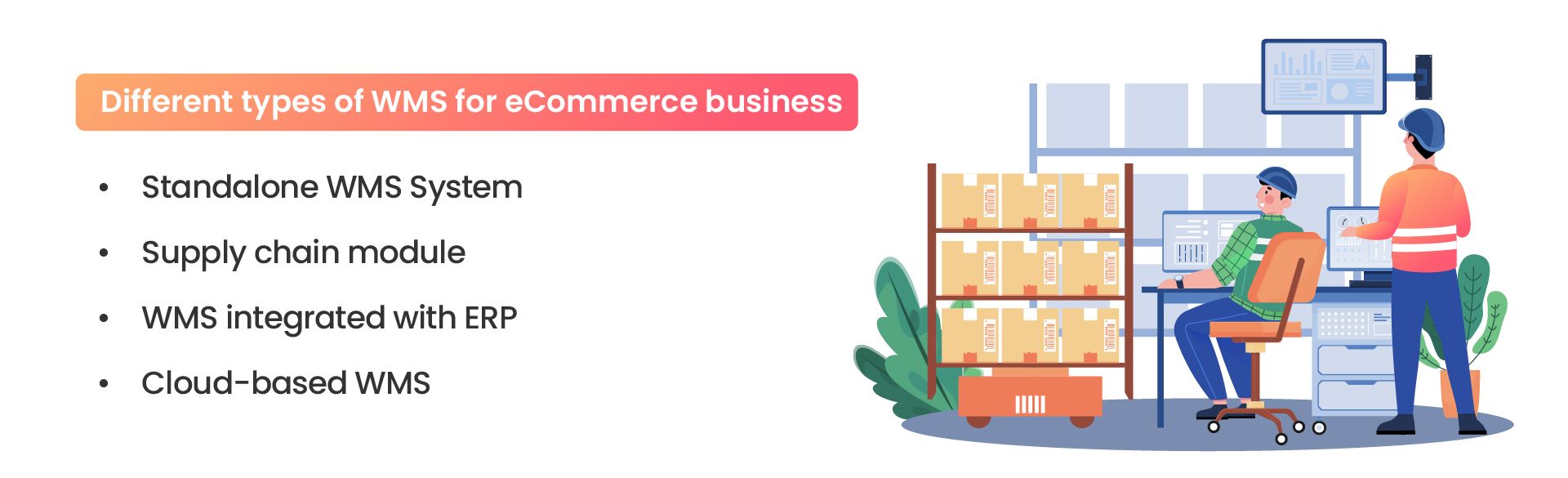
Four Types of WMS for E-Commerce Operations
1. Standalone WMS
A standalone WMS is dedicated primarily to warehouse and inventory operations. It may operate independently while exchanging information with e-commerce, accounting, shipping, or order-management systems through integrations.
A standalone platform may suit businesses that need more advanced warehouse functionality without replacing their existing enterprise or financial software.
However, integration requirements should be reviewed carefully. When systems are poorly connected, employees may still need to transfer order, inventory, and shipment information manually.
2. Supply Chain Management Module
A WMS may be included as part of a broader supply chain management platform.
This type of system can connect warehouse operations with areas such as:
- Supplier management
- Purchasing
- Demand planning
- Manufacturing
- Transportation
- Distribution
A supply chain platform may be appropriate for businesses that need to coordinate inventory and product movement across suppliers, manufacturing sites, warehouses, stores, and customers.
It may be unnecessarily complex for a smaller operation that only requires basic receiving, inventory, picking, and shipping capabilities.
3. ERP-Integrated WMS
An ERP-integrated WMS connects warehouse operations with broader business functions such as accounting, purchasing, sales, manufacturing, and customer management.
For example, receiving inventory can update purchasing records, completed shipments can update sales orders, and transaction data can flow into invoicing and financial reporting.
This approach may benefit organizations that need warehouse activities to remain closely connected with other departments.
Businesses evaluating this model should determine whether the warehouse functionality is built into the ERP system or provided through a separately integrated WMS. The answer can affect implementation scope, customization, support, and upgrade planning.
Learn more about developing and integrating custom ERP solutions for connected business operations.
4. Cloud-Based WMS
A cloud-based warehouse management system is hosted on remote infrastructure and accessed through an internet-connected application or browser.
This model may reduce the need for businesses to maintain extensive on-site server infrastructure. It can also support software updates, remote access, integrations, and expansion across multiple warehouse locations.
Cloud-based does not mean infrastructure, security, or support costs disappear. Businesses should evaluate subscription fees, implementation costs, data storage, integrations, service availability, backup policies, and technical support.
How to Choose the Right WMS
The best WMS is not necessarily the platform with the longest feature list. Businesses should compare systems based on their warehouse processes, integrations, users, order volume, and long-term plans.
Evaluate Inventory Complexity
Consider the number of products, units of measure, storage locations, lots, serial numbers, expiration dates, and inventory conditions the system must manage.
A business handling a small catalog of standard products may need less complexity than an operation managing serialized, regulated, perishable, or multi-unit inventory.
Review Order Volume and Fulfillment Workflows
Document how orders are received, prioritized, allocated, picked, packed, and shipped.
The system may need to support workflows such as:
- Single-order picking
- Batch or wave picking
- Multi-order packing
- Partial shipments
- Backorders
- Store or warehouse pickup
- Multi-location fulfillment
Demonstrations should show these workflows using realistic examples instead of carefully staged screens that avoid every difficult operational question.
Identify Required Integrations
An e-commerce WMS may need to connect with:
- E-commerce platforms
- Online marketplaces
- ERP and accounting systems
- Shipping carriers
- Payment platforms
- Supplier systems
- Customer portals
- Point-of-sale applications
Businesses should confirm which integrations are already available, which require custom development, and who will maintain them after launch.
Consider Warehouse Devices
Warehouse teams may use barcode scanners, mobile computers, tablets, printers, weighing equipment, or other devices.
Confirm whether the WMS supports the required hardware, operating systems, barcode formats, and warehouse environment. Devices should be tested under real working conditions rather than only in a meeting room with excellent Wi-Fi and suspiciously cooperative software.
Assess Reporting Requirements
A WMS should provide information that helps teams manage operations and identify problems.
Useful measurements may include:
- Inventory accuracy
- Order processing time
- Picking accuracy
- Orders completed per employee
- Warehouse space utilization
- Returns and damaged inventory
- Orders delayed by stock shortages
Businesses should define their reporting requirements before implementation so the system captures the necessary information correctly.
Calculate the Total Cost
The total cost of a WMS can include more than its license or subscription.
Businesses should account for:
- Implementation and configuration
- Custom development
- Integrations
- Data migration
- Hardware and devices
- User training
- Technical support
- Maintenance and upgrades
A lower initial price may not represent better value when the platform requires extensive manual work or expensive customizations to support basic warehouse processes.
Benefits of a WMS for E-Commerce Businesses
Improved Inventory Accuracy
A WMS can record inventory movements as products are received, stored, picked, packed, transferred, returned, or adjusted.
This can reduce discrepancies between system records and physical stock when employees consistently follow the required scanning and transaction procedures.
More Consistent Order Processing
Defined warehouse workflows can help employees complete orders in a consistent sequence.
The system may guide workers through product allocation, picking, verification, packing, documentation, and shipment preparation.
Greater Warehouse Productivity
A WMS can reduce the time employees spend searching for inventory, preparing manual lists, and confirming order details across multiple applications.
Productivity improvements depend on warehouse layout, process design, employee training, system configuration, and the quality of inventory data.
Better Operational Visibility
Managers can use WMS data to monitor inventory levels, workload, order status, exceptions, and warehouse performance.
This information can help teams identify recurring delays, inventory problems, and process bottlenecks before they affect a larger number of orders.
Support for Business Growth
A suitable WMS can help an e-commerce business add products, users, sales channels, and warehouse locations without relying on the same volume of manual coordination.
Scalability should be verified during selection. Businesses should ask how the system handles increased transactions, additional facilities, larger product catalogs, and more complex fulfillment requirements.
Select a WMS Based on Operational Requirements
Standalone, supply chain, ERP-integrated, and cloud-based WMS platforms can each support different business requirements.
The appropriate choice depends on warehouse complexity, integrations, fulfillment workflows, reporting needs, budget, and future growth plans.
NOI Technologies helps businesses evaluate, develop, customize, and integrate warehouse and enterprise management systems.
Contact NOI Technologies to discuss your WMS and ERP requirements.