
Homegrown ERP systems are often retained because they are familiar and closely tied to existing business processes. Many were originally developed to solve specific operational problems that commercial software could not address at the time.
As the business grows, however, an internally built ERP may become difficult to scale, integrate, secure, and maintain. Reporting slows down, teams create manual workarounds, and even minor changes begin to require significant development effort.
These problems do not always mean the entire ERP system must be replaced. In some cases, a phased modernization can preserve valuable business logic while improving architecture, integrations, usability, and data access.
What Is a Homegrown ERP System?
A homegrown ERP system is enterprise software developed internally or specifically commissioned for one organization.
It may manage processes such as:
- Accounting and financial reporting
- Inventory management
- Order processing
- Procurement
- Manufacturing planning
- Customer records
- Warehouse operations
- Internal approvals
Unlike standard ERP products, a homegrown system is usually designed around the organization’s existing workflows, terminology, and reporting requirements.
This level of customization can provide an advantage during the early stages of the system. Over time, however, undocumented code, outdated technologies, limited integrations, and dependence on a small technical team can create substantial technical debt.
Why Homegrown ERP Systems Become Difficult to Maintain
A homegrown ERP does not become outdated simply because it is old. It becomes a problem when the cost and risk of maintaining it begin to exceed the operational value it provides.
Common causes include:
- Core technologies that are no longer supported
- Years of undocumented customizations
- Direct changes to foundational code
- Limited automated testing
- Inconsistent data structures
- Manual integrations between systems
- Dependence on one developer or internal team
- Security updates that are difficult to apply
These conditions can make every enhancement more expensive and increase the risk that one change will affect several unrelated business processes.
7 Signs Your Homegrown ERP Needs Modernization
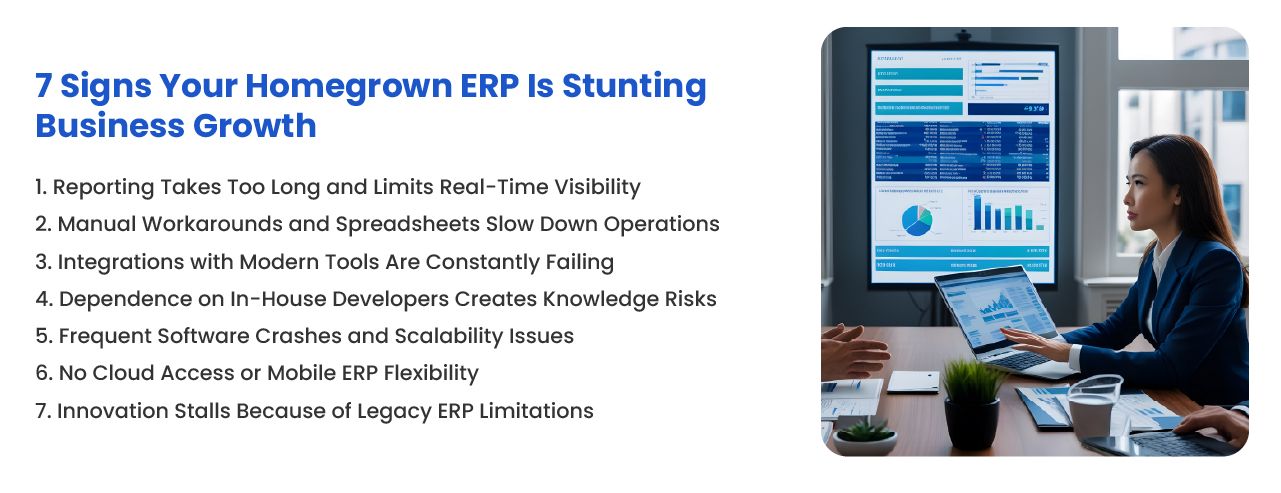
1. Reporting Takes Too Long
Managers should not need to wait several days for basic operational or financial reports.
Slow reporting often indicates that data is stored across separate databases, spreadsheets, or departmental systems. Employees may need to export information manually, correct inconsistencies, and combine several files before a useful report can be produced.
This delays decisions and makes it difficult to determine whether the information is still current.
A modernized ERP should provide consistent reporting data, clearer ownership of records, and dashboards that reflect actual operational requirements.
2. Teams Depend on Spreadsheets and Manual Workarounds
Spreadsheets are useful tools, but they should not become permanent replacements for missing ERP functionality.
Warning signs include:
- Orders being copied manually between systems
- Inventory being adjusted outside the ERP
- Approvals being managed through email
- Financial reports being rebuilt every month
- Customer or supplier records being maintained separately
These workarounds create duplicate information, inconsistent processes, and a greater risk of human error.
They also suggest that the ERP no longer reflects how the business actually operates.
3. Integrations Frequently Fail
Modern businesses depend on connections between ERP, ecommerce, CRM, warehouse, payment, shipping, analytics, and supplier systems.
Older ERP platforms may rely on file transfers, direct database connections, or custom scripts that are difficult to monitor and maintain.
When integrations fail frequently, teams may experience missing orders, delayed inventory updates, duplicate customer records, or inconsistent financial information.
An API-first ERP integration strategy can help create more stable and maintainable connections between systems.
4. System Knowledge Depends on a Small Number of People
A homegrown ERP becomes a serious operational risk when only one developer or a small internal team understands how it works.
If these employees leave, retire, or become unavailable, the organization may struggle to fix problems or implement changes.
This knowledge risk is often made worse by limited documentation, outdated programming languages, and custom code that does not follow consistent development standards.
Modernization should include technical documentation, code review, automated testing, and knowledge transfer. Replacing technology without addressing undocumented knowledge simply moves the same problem into a newer system.
5. Performance Declines as the Business Grows
Slow screens, failed transactions, frequent outages, and poor performance during busy periods may indicate that the system cannot support current transaction volumes.
This can happen when the ERP was originally designed for fewer users, products, locations, or orders.
Performance problems may come from:
- Inefficient database queries
- Insufficient infrastructure
- Large volumes of historical data
- Poorly designed customizations
- Uncontrolled background processes
- Architecture that cannot scale horizontally
A technical assessment can determine whether these issues can be corrected through optimization or whether the underlying architecture needs to be redesigned.
6. Remote and Mobile Access Is Limited
Employees increasingly need access to ERP workflows from warehouses, production facilities, customer locations, and remote offices.
If the system only works reliably from a specific office network or desktop environment, it can limit operational flexibility.
Cloud-based ERP software can support broader access, but moving an outdated ERP to cloud infrastructure does not automatically modernize it.
The application may still require interface updates, stronger security controls, role-based permissions, and architecture changes before it can support reliable mobile or remote use.
7. Every Change Feels Expensive or Dangerous
One of the clearest signs of technical debt is fear of making changes.
If adding a report, supporting a new sales channel, updating a workflow, or integrating a new application requires months of planning, the ERP has become a constraint.
This often occurs when customizations are tightly connected, testing is limited, and the effect of a change cannot be predicted confidently.
A business should be able to adapt its systems as products, customer requirements, regulations, and operating models change. When the ERP prevents this, modernization becomes a business priority rather than a routine IT project.
Additional Risks of Delaying ERP Modernization
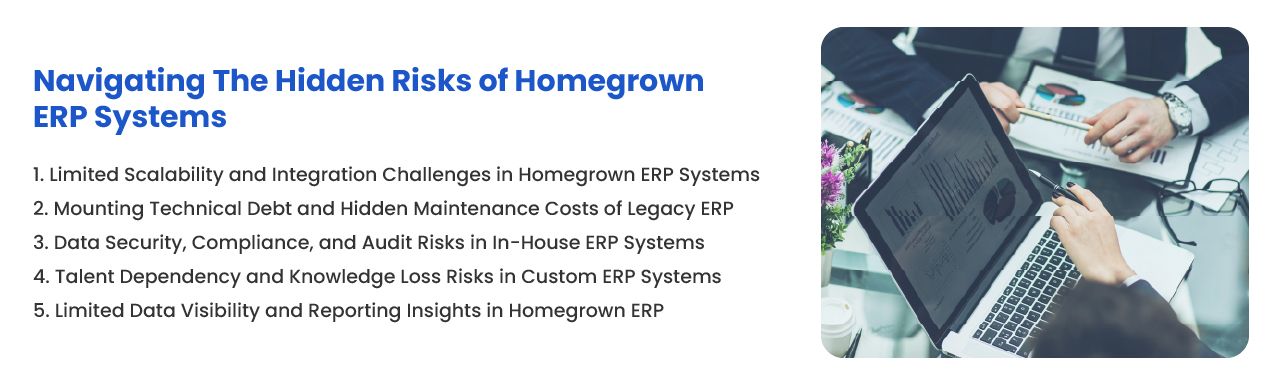
Security and Compliance Gaps
Older systems may lack current encryption, detailed audit logs, role-based access controls, multi-factor authentication, and supported security updates.
Compliance also becomes more difficult when data is fragmented or access activity cannot be traced reliably.
Increasing Maintenance Costs
Legacy software may appear inexpensive because there are no subscription fees. However, maintenance costs can accumulate through emergency fixes, infrastructure support, outdated dependencies, and specialized development requirements.
Organizations should compare the complete cost of maintaining the current system against the cost and expected value of modernization.
Limited Data Visibility
Disconnected information makes it harder to understand sales, inventory, profitability, customer activity, and operational performance.
Modernization may require both ERP improvements and stronger data engineering practices to create reliable reporting and analytics.
Should You Modernize or Replace Your Homegrown ERP?
ERP replacement is not always the best first step. Some homegrown systems contain valuable workflows and business logic that would be expensive to recreate.
Modernization may be suitable when:
- Core business logic remains reliable
- The data model still supports operational requirements
- Most problems involve usability or integrations
- The system can be divided into maintainable components
- Technical debt can be reduced incrementally
Replacement may be more practical when:
- The core technology is no longer supported
- The architecture cannot meet performance requirements
- Security risks cannot be corrected safely
- The current system no longer supports the business model
- Maintenance costs continue to increase
- Business processes have changed significantly
A technical and operational assessment should be completed before selecting either approach.
Common ERP Modernization Approaches
Improve the Existing System
This approach focuses on performance improvements, security updates, code cleanup, documentation, and infrastructure changes without replacing the core ERP.
Modernize the User Interface
A new web or mobile interface can improve usability while retaining established backend processes.
This can involve web and mobile development on top of the existing backend.
Introduce an API Layer
An API layer can connect the ERP with ecommerce, warehouse, customer, analytics, and financial applications without giving external systems direct database access.
Move Selected Functions to New Modules
Businesses can gradually replace specific functions such as reporting, customer portals, warehouse management, or ecommerce while keeping other ERP components.
Rebuild on a Modern ERP Framework
Organizations with highly specialized workflows may rebuild the system using a modern, maintainable ERP framework.
Open-source platforms such as Apache OFBiz and the Moqui Framework can provide reusable enterprise components while preserving control over customization and deployment.
Replace the ERP Platform
A complete replacement may be appropriate when retaining the existing system creates more risk than value.
This approach requires careful process mapping, data migration, integration planning, testing, training, and change management.
How a Modern ERP Can Support Growth
Faster Access to Operational Data
Connected reporting and dashboards can help managers review current financial, sales, inventory, and operational information.
More Reliable Integrations
Documented APIs and monitored data flows make it easier to connect new tools and business channels.
Greater Scalability
A modern architecture can support additional users, locations, products, orders, and transactions without relying on repeated manual intervention.
Improved Security
Modern ERP platforms can provide stronger access controls, audit logs, authentication, encryption, and security monitoring.
Lower Dependence on Individual Developers
Standard development practices, documentation, testing, and modular architecture reduce knowledge concentration.
More Flexible Business Processes
Configurable workflows and modular functionality allow the ERP to adapt as the organization changes.
How to Plan a Homegrown ERP Modernization Project
Document Current Processes
Map how orders, inventory, purchasing, accounting, manufacturing, customer service, and reporting currently operate.
Identify Valuable Custom Logic
Determine which customizations provide a genuine business advantage and which exist only because of old system limitations.
Assess Technical Debt
Review the codebase, infrastructure, database, integrations, security controls, and development dependencies.
An ERP consulting review can help identify which components are worth repairing, replacing, or retaining.
Define Measurable Outcomes
Set objectives such as reducing reporting time, improving system availability, shortening order processing, or lowering maintenance effort.
Plan Data Migration Carefully
Customer, supplier, product, inventory, and financial data should be cleaned and validated before moving to a new environment.
Our ERP data migration guide covers mapping, cleanup, testing, and cutover in more detail.
Modernize in Phases
A phased approach can reduce disruption and allow each part of the system to be tested before broader deployment.
Modernize Your ERP Without Losing Valuable Business Logic
A homegrown ERP can remain useful for many years when it is actively maintained and continues to support business requirements.
The problem begins when slow reporting, fragile integrations, technical debt, poor performance, and knowledge dependency prevent the organization from adapting.
NOI Technologies helps businesses assess, modernize, rebuild, and migrate homegrown ERP systems. Our services include architecture assessment, custom ERP development, cloud readiness, API integration, data migration, interface modernization, and post-implementation support.
Discuss Your ERP Modernization Requirements
Frequently Asked Questions
What is a homegrown ERP system?
A homegrown ERP is software developed internally or specifically for one organization. It is designed to manage business processes such as finance, inventory, orders, procurement, manufacturing, and reporting.
Does an old ERP system always need to be replaced?
No. An older ERP may be modernized when its core business logic and data model remain useful. Replacement becomes more practical when the architecture, security, scalability, or maintenance requirements can no longer support the business.
What are the clearest signs that an ERP needs modernization?
Common signs include slow reporting, manual workarounds, failing integrations, dependence on a small technical team, performance problems, limited remote access, and excessive difficulty implementing changes.
Can a homegrown ERP be moved to the cloud?
Yes, but moving the application to cloud infrastructure does not automatically resolve outdated architecture, security, usability, or integration problems. A cloud migration should be combined with an application assessment.
How can NOI Technologies help modernize a homegrown ERP?
NOI Technologies can assess the current ERP architecture, identify technical debt, modernize interfaces, develop APIs, migrate data, improve security, and rebuild or replace components using open-source ERP technologies.